1
2-Series Integrated Dual Bus Control System
Crestron AV2 & PRO2
TIME
This menu can only be obtained by entering the correct access code. The default
access code is 1234. Use the Viewport (Functions | Set Front Panel Password
(CNX / 2-Series only)) to assign a unique access code.
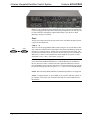
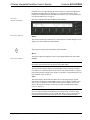
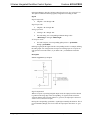
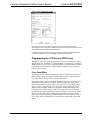
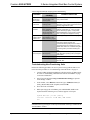
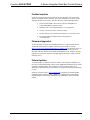
The default Date/Time Menu, shown after this paragraph, permits alterations to the
current system date and time shown on the top line. Select either Date or Time to
open the respective submenu.
Default Date/Time Menu
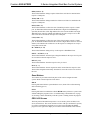
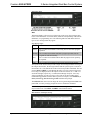
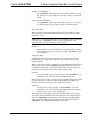
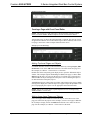
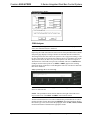
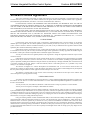
The Date Set submenu, shown after this paragraph, permits alterations to the current
system date, shown on the top line. Use the Dn (down) and Up selection buttons for
month, day, and year decremental or incremental changes, respectively.
Date Set Submenu
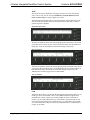
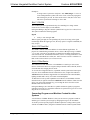
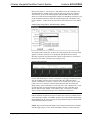
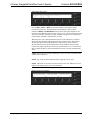
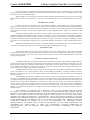
The Time Set submenu, shown after this paragraph, permits alterations to the current
system time, shown on the top line. Use the Dn (down) and Up selection buttons for
hour and minute (Min) decremental or incremental changes, respectively. The
AM/PM selection button toggles between AM and PM.
Time Set Submenu
COM
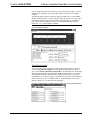
This button allows the user to monitor the transmission and reception traffic on every
COM-type device and card that is active in the SIMPL Windows program that is
loaded into the 2-Series control system. This includes all devices connected via
Cresnet (e.g. ST-COM) and Ethernet (e.g. CEN-COM) as well as the built-in card
(slot 4) and cards inserted into the expansion slots (e.g. CNXCOM-2 and C2COM3). Serial transmission to IR ports can also be monitored. Refer to "COM Analyzer"
on page 41 for details.
12 • Integrated Dual Bus Control System: AV2 & PRO2
Operations Guide - DOC. 5957A