1
Contents
4.3
Disconnecting the server from the mains . . . . . . . . . . . 50
4.4
4.4.1
4.4.1.1
4.4.1.2
4.4.1.3
4.4.1.4
4.4.2
4.4.2.1
4.4.2.2
4.4.2.3
4.4.2.4
4.4.3
Getting access to the component . . . . . . . .
Rack model . . . . . . . . . . . . . . . . . . . . .
Extending the server out of the rack . . . . . .
Removing the server from the rack . . . . . . .
Removing the top cover . . . . . . . . . . . . .
Removing the rack front cover . . . . . . . . .
Tower model . . . . . . . . . . . . . . . . . . . .
Unlocking the server . . . . . . . . . . . . . .
Removing the side cover . . . . . . . . . . . .
Removing accessible drive and HDD bay covers
Removing the front cover . . . . . . . . . . . .
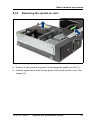
Removing the system air duct . . . . . . . . . . .
.
.
.
.
.
.
.
.
.
.
.
.
.
.
.
.
.
.
.
.
.
.
.
.
.
.
.
.
.
.
.
.
.
.
.
.
.
.
.
.
.
.
.
.
.
.
.
.
.
.
.
.
.
.
.
.
.
.
.
.
.
.
.
.
.
.
.
.
.
.
.
.
.
.
.
.
.
.
.
.
.
.
.
.
51
51
51
53
55
56
58
58
59
60
61
63
4.5
4.5.1
4.5.2
4.5.2.1
4.5.2.2
4.5.2.3
4.5.2.4
4.5.3
4.5.3.1
4.5.3.2
4.5.3.3
4.5.3.4
Reassembling . . . . . . . . . . . . . . . . . . .
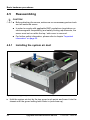
Installing the system air duct . . . . . . . . . . . .
Rack model . . . . . . . . . . . . . . . . . . . . .
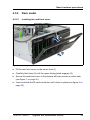
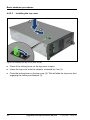
Installing the rack front cover . . . . . . . . . .
Installing the top cover . . . . . . . . . . . . .
Mounting the server in the rack . . . . . . . . .
Sliding the server into the rack . . . . . . . . .
Tower model . . . . . . . . . . . . . . . . . . . .
Installing the front cover . . . . . . . . . . . . .
Installing accessible drive and HDD bay covers
Installing the side cover . . . . . . . . . . . . .
Locking the server . . . . . . . . . . . . . . . .
.
.
.
.
.
.
.
.
.
.
.
.
.
.
.
.
.
.
.
.
.
.
.
.
.
.
.
.
.
.
.
.
.
.
.
.
.
.
.
.
.
.
.
.
.
.
.
.
.
.
.
.
.
.
.
.
.
.
.
.
.
.
.
.
.
.
.
.
.
.
.
.
.
.
.
.
.
.
.
.
.
.
.
.
64
64
65
65
66
67
69
70
70
71
72
73
4.6
Connecting the server to the mains . . . . . . . . . . . . . . 74
4.7
Switching on the server . . . . . . . . . . . . . . . . . . . . . 75
4.8
Handling the system fan holder . . . . . . . . . . . . . . . . 76
4.9
Handling the anti-tilt bracket . . . . . . . . . . . . . . . . . . 77
4.10
Handling rubber feet
5
Basic software procedures . . . . . . . . . . . . . . . . . . . 79
5.1
5.1.1
5.1.2
5.1.2.1
5.1.2.2
Starting the maintenance task . . . . . .
Disabling BitLocker functionality . . . . . .
Disabling SVOM boot watchdog functionality
Viewing boot watchdog settings . . . . .
Configuring boot watchdog settings . . .
. . . . . . . . . . . . . . . . . . . . . . 78
.
.
.
.
.
Upgrade and Maintenance Manual
.
.
.
.
.
.
.
.
.
.
.
.
.
.
.
.
.
.
.
.
.
.
.
.
.
.
.
.
.
.
.
.
.
.
.
.
.
.
.
.
.
.
.
.
.
.
.
.
.
.
79
79
80
80
80
TX150 S8 / TX200 S7