1
6 MENU SETTINGS
After electrical installation and start-up, both the connected devices and the keyboard itself have to be
set up.
Hold the SSSH
H
M
N
U
HIIIFFFTTT key and press the M
MEEEN
NU
U key to enter the keyboard menu.
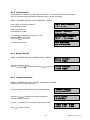
COM Port Setting
Device Setting
Use the joystick and the EEEN
N
R
NTTTEEER
R key for menu navigation. Use the EEESSSCCC key to leave the menu and return
from submenus.
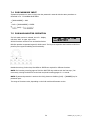
The "<" icon at the end of the second line indicated further settings to be effected in this menu. Use the
JJJO
to switch between the lines.
O
OYYYSSSTTTIIICCCKKK
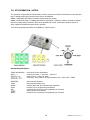
Selected settings are displayed blinking. Press EEEN
N
R
NTTTEEER
R to confirm the setting and EEESSSCCC to return to the
previous menu level.
6.1 MENU STRUCTURE
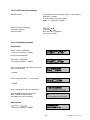
The LCD display menu shows the following structure:
COM Port Setting
Device Setting
Camera Setting
Monitor Setting
DVR Setting
Camera List & Delete
Monitor List & Delete
DVR List & Delete
Non-listed Device
Keyboard setting
Sub Keyboard Setting
MENU Password
Lock Password
Buzzer ON/OFF
Joystick Calibration
Keypad Test
Jog & Shuttle Test
Load default setting
Firmware update
15
EKB500_ma_en_rev1 5_3