1
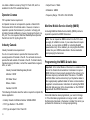
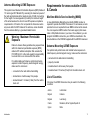
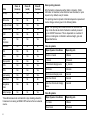
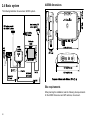
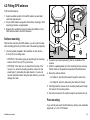
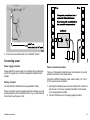
5. Ensuring you do not trap the cable, place the GPS antenna on
the pole mount adaptor so the screw holes align, then secure the
antenna with the 2 screws retained at step 2.
Antenna
A
B
D11642-1
Pole mount adaptor
1. Ensuring that the Site requirements are met, securely attach the
pole to a suitable, secure point.
2. Remove and retain the screws securing the GPS antenna from
the pole mount adaptor, then separate these two items.
3. Screw the pole mount adaptor fully onto the pole and ensure
it is secure on the pole.
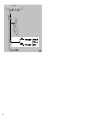
4. Route the antenna cable as follows:
i. If you want to route the antenna cable directly down from
the antenna (option A), feed it through the center of the pole
mount adaptor and then down through the pole.
ii. If you want to route the antenna cable out of the side of the
antenna (option B), remove the two plastic tabs from the
cable channel, then feed the cable along the channel.
30