1
5 Configuration
D-Link Web Smart Switch User Manual
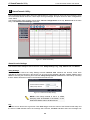
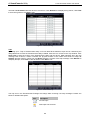
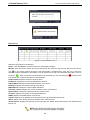
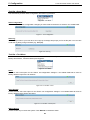
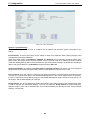
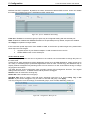
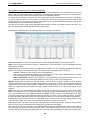
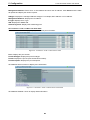
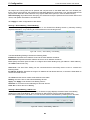
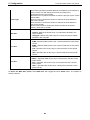
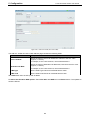
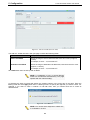
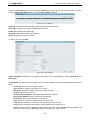
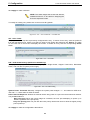
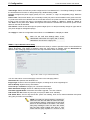
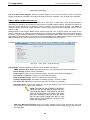
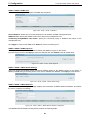
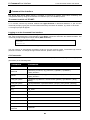
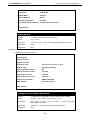
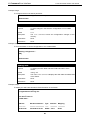
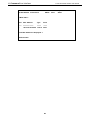
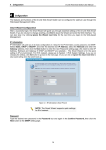
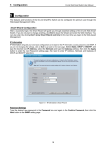
Figure 5.18 – Device Information
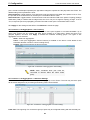
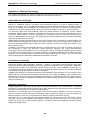
System > System Settings
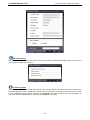
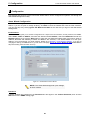
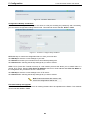
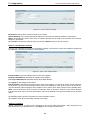
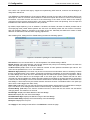
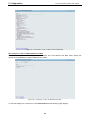
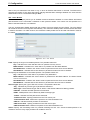
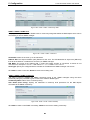
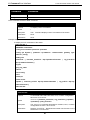
The System Setting allows the user to configure the IP address and the basic system information of the
Switch.
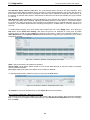
IP Information: There are three ways for the switch to obtain an IP address: Static, DHCP (Dynamic Host
Configuration Protocol) and BOOTP.
When using static mode, the IP Address, NetMask and Gateway can be manually configured. When using
DHCP mode, the Switch will first look for a DHCP server to provide it with an IP address (including network
mask and default gateway) before using the default or previously entered settings. By default the IP setting is
static mode with IP address is 10.90.90.90 and subnet mask is 255.0.0.0.
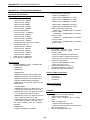
System Information: By entering a System Name and System Location, the device can more easily be
recognized through the SmartConsole Utility and from other Web-Smart devices on the LAN.
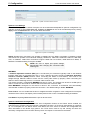
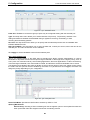
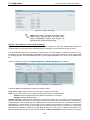
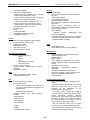
Login Timeout: The Login Timeout controls the idle time-out period for security purposes, and when there is
no action for a specific time span in the Web-based Management. If the current session times out (expires),
the user is required a re-login before using the Web-based Management again. Selective range is from 3 to
30 minutes, and the default setting is 5 minutes.
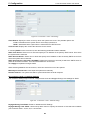
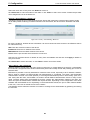
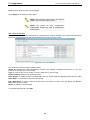
Group Interval: The D-Link Web Smart Switch will routinely send report packets to the SmartConsole Utility
in order to maintain the information integrity. The user can adjust the Group Interval to optimal frequency.
Selective range is from 120 to 1225 seconds, and 0 means disabling the reporting function, and the default
setting is 120 seconds.
29