1
The Formats
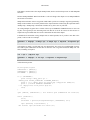
numbers will be used as identifier. This has been tested with JOSM [http://wiki.openstreetmap.org/
index.php/JOSM].
Because the resulting timestamps of OSM ways differ from real GPS tracks, we read OSM ways into
routes. On the output side we write all available routes and tracks into the osm target file.
tag option
Write additional way tag key/value pairs.
With this option you can preset OSM features [http://wiki.openstreetmap.org/index.php/Map_Features]
(tags) on all exported ways.
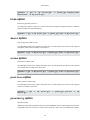
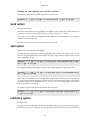
gpsbabel -i gdb -f ways.gdb -o osm,tag="highway:motorway" -F ways.osm
tagnd option
Write additional node tag key/value pairs.
With this option you can preset OSM features [http://wiki.openstreetmap.org/index.php/Map_Features]
(tags) on every written nodes.
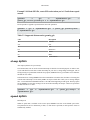
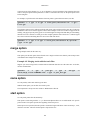
gpsbabel -i gdb -f nodes.gdb -o osm,tagnd="amenity:pub;building:yes" F nodes.osm
created_by option
Use this value as custom created_by value.
Use this value as custom created_by value in an OSM file.
With this option, the given string is added as the 'created_by' field in all the created nodes and ways.
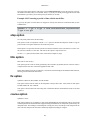
gpsbabel -i INTYPE -f INFILE -o osm,created_by=somestring -F out.osm
If an empty string is given, the 'created_by' tag is omitted altogether.
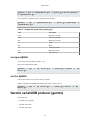
gpsbabel -i INTYPE -f INFILE -o osm,created_by= -F out.osm
OziExplorer (ozi)
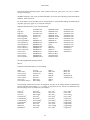
This format can...
• read and write waypoints
• read and write tracks
• read and write routes
107