1
Data Filters
Minimum curve angle in degrees.
The substitution will only be made if the change in the heading is greater than this value. This avoids
replacing a point if the GPS unit is already pointing in the correct direction, or if the route reaches a certain
point and goes back the same road.
Include Only Points Inside Polygon (polygon)
The polygon filter includes points if they are inside of a polygon. A polygon file looks like an arc file,
except that the arc it describes must be a closed cycle. That is, for a simple polygon, the first and last points
must be the same. Here's a square:
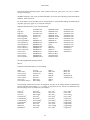
# A square (not really) polygon
41.0000
-85.0000
41.0000
-86.0000
42.0000
-86.0000
42.0000
-85.0000
41.0000
-85.0000
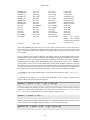
Polygons may include islands and holes. To include an island or a hole, just append it to the main polygon.
# A square polygon with a triangular hole
41.0000
-85.0000
41.0000
-86.0000
42.0000
-86.0000
42.0000
-85.0000
41.0000
-85.0000
# The hole begins here
41.5000
-85.5000
41.6000
-85.5000
41.6000
-85.6000
41.5000
-85.5000
As with the arc filter, you define a polygon by giving the name of the file that contains it, using the file
option.
Note that this filter currently will not work properly if your polygon contains one or both poles or if it
spans the line of 180 degrees east or west longitude.
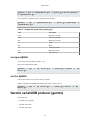
Example 4.1. Using the polygon filter
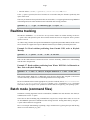
Suppose you have a polygon file that defines the border of your county, called mycounty.txt. This
command line will give you only the points in your county:
gpsbabel -i geo -f 1.loc -x polygon,file=mycounty.txt -o mapsend -F 2.wpt
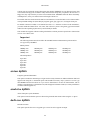
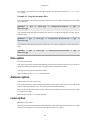
Example 4.2. Using the polygon and arc filters to find points in or nearly in a
polygon
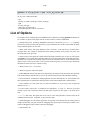
Because the polygon and arc filters use the same file format, you can use them together to find all points
that are "in or nearly in" a polygon. This can be useful if your waypoints or the boundaries of your polygon
138