1
Getting Started
ENGLISH
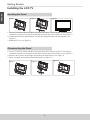
Installing the LCD TV
Installing the Stand
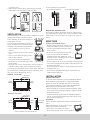
Figure 1
Figure 3
Figure 2
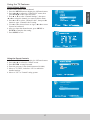
1. Lay the TV flat on a table with the LCD screen face down. To prevent the TV from being
scratched, put a piece of soft cloth on the table on which the screen will be set. (see Figure 1)
2. Unpack the stand, one hand hold the TV and one hand pull stand with arm together. (see
Figure 2)
3. Stand the TV up. (see Figure 3)
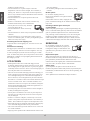
Disconnecting the Stand
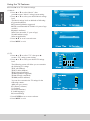
1. Lay the TV flat on a table with the LCD screen face down. To prevent the TV from being
scratched, put a piece of soft cloth on the table on which the screen will be set. (see Figure 1)
2. Remove the 4 screws on the hinge, then pull up the stand slowly. (see Figure 2)
3. Then, you shall successfully uninstall the stand. (see Figure 3)
Figure 1
Figure 3
Figure 2
2
2