1
SET UP AND TESTING
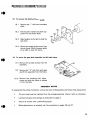
VISUAL OBSERVATION is particularly important before attempting to repair a printer. Always
check for physical damage to the mechanism. Remove any loose debris that may have
accumulated inside the unit.
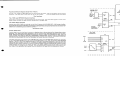
Ribbon Cartridge
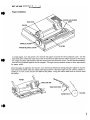
PRINT HEAD
RIBBON CARTRIDGE
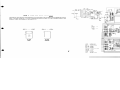
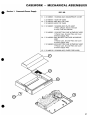
Before installing the ribbon cartridge, turn the printer off. By carefully pushing the carriage, position
the print head in the center of the unit. Turn the dial knob on the cartridge in the direction of the
arrow until the ribbon is taut. Insert the cartridge in the hooks provided and push down. The ribbon
must be positioned between the print head and the ribbon guide.
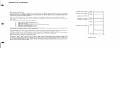
CAUTION!
When installing or removing the ribbon cartridge, do not touch the FPC cable. Check
that the FPC cable remains in the down position as shown.
FPC CABLE
2