1
TSD402 Installation Manual
System Installation
Initial Power-Up (Cont.)
2
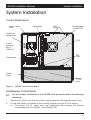
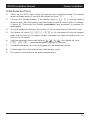
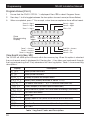
Switch on the 240V mains supply and remove the screwdriver blade. The internal
alarm will bleep every 30 seconds the display will show: CFT.
3
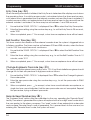
Connect the standby battery. If the display shows: BATT. FLT and the internal
alarm sounds, then the battery may have been incorrectly connected or its voltage
is below 8V. Disconnect the battery immediately and reconnect or replace as
appropriate.
4
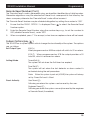
Push the battery into place at the bottom of the housing and re-fit the front cover.
5
The display will show: PLEASE RE-RECORD, this message will only be cleared
when one or more of the speech dialler messages has been recorded (see User
Manual for full details).
6
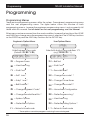
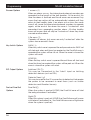
Enter the engineer's passcode (default 1 2 3 4 ), the display will show:
ENGR. OPTION - (engineer programming menu selected)
7
The telephone lead can now be plugged into the telephone socket.
8
Fit the battery link in the external siren and replace cover.
9
The system is now ready for engineer programming.
19