1
21
English
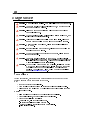
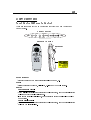
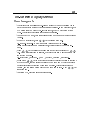
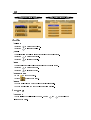
Computer / Video mode
Image-I
Image-II
Audio
Language
Management
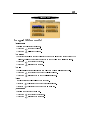
Menu Location
Lamp Reminder
Projection
Lamp Reset
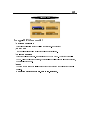
Signal Type
RGB
Component
HDTV
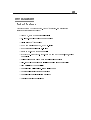
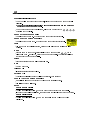
Management
4Menu Location
Choose the Menu location on the display screen.
4Projection
l
Front-Desktop
The factory default setting.
l
Rear-Desktop
When you select this function, the projector reverses the image so you can project behind
a translucent screen.
l
Front-Ceiling
When you select this function, the projector turns the image upside down for ceilingmounted projection.
l
Rear-Ceiling
When you select this function, the projector reverses and turns the image upside down at
same time. You can project from behind a translucent screen with ceiling mounted
projection.
4Signal Type
Select signal type between RGB, HDTV and Component video sources.
4Lamp Reminder
Choose this function to show or hide the warning message when the changing lamp message
is displayed. The message will show up 30 hours before end of life.
4Lamp Reset
Reset the lamp setting only when the new lamp is replaced.