1
XL-35H
ENGLISH
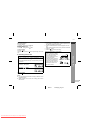
Listening to the memorised station
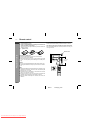
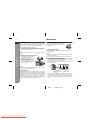
" Memorising a station
You can store 30 AM and FM stations in memory and recall them at
the push of a button. (Preset tuning)
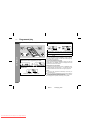
1
2
Perform steps 1 - 3 in "Listening to the radio" on page 14.
3
Within 5 seconds, press the PRESET
( or ) button to select the preset
channel number.
Store the stations in memory, in order, starting with preset
channel 1.
Radio
4
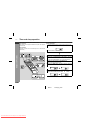
Press the PRESET ( or ) button for less than 0.5 seconds to
select the desired station.
Press the MEMORY/SET (MEMORY)
button to enter the preset tuning saving mode.
Within 5 seconds, press the MEMORY/SET (MEMORY) button to store
that station in memory.
If the "MEMORY" and preset number indicators go out before
the station is memorised, repeat the operation from step 2.
5
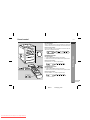
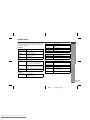
" To recall a memorised station
Repeat steps 1 - 4 to set other stations, or to change a preset station.
When a new station is stored in memory, the station previously
memorised will be erased.
Note:
The backup function protects the memorised stations for a few
hours should there be a power failure or the AC power lead disconnection.
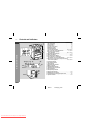
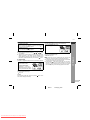
Preset channel
Frequency and frequency band
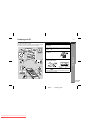
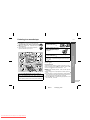
" To scan the preset stations
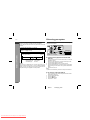
The stations saved in memory can be scanned automatically. (Preset memory scan)
1
Press the PRESET ( or ) button for more than 0.5 seconds.
The preset number will flash and the programmed stations will
be tuned in sequentially, for 5 seconds each.
2
Press the PRESET (
station is located.
or
) button again when the desired
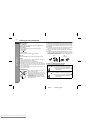
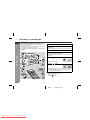
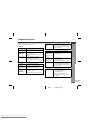
" To clear a memorised station
1
2
3
Recall the memorised station.
Whilst it is displayed, press the MEMORY/SET (MEMORY) button.
Within 5 seconds, press the CLEAR button on the remote control.
E-15
02/9/11
Downloaded From Disc-Player.com Sharp Manuals
XL35H_H_E2.fm