1
Downloading
14.2
Downloading the Network Configuration for the First
Time
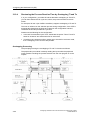
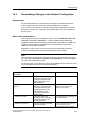
Before you download for the first time, the modules connected to the subnet do not
yet have their configured node address, but a default address. In order that your
network functions correctly, each node in a subnet must have a different node
address.
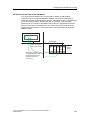
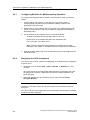
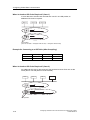
• MPI subnet with connection via the CPU
CPUs are supplied with the default address 2. However, you can only use this
address once in a subnet, so you will have to change the default node address
for any other CPUs.
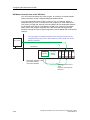
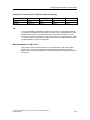
• PROFIBUS and Industrial Ethernet subnets with CPs
The CPs of the stations that are run via these subnets must be configured and
assigned a node address. You should, for example, assign the address via the
MPI of the station before you can download and communicate via the subnet
(you will find more information in the SIMATIC NET and SIMATIC NCM
manuals).
• There are also Industrial Ethernet CPs (e.g. CP 443-1EX11) or CPUs with an
integrated PN interface that have a fixed MAC address. These modules support
the direct download of an initial configuration via Industrial Ethernet. There is no
need to "name" the station via MPI. All PG functions can be executed via the
Ethernet.
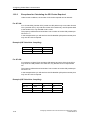
If the Network Node is Not an S7 Station...
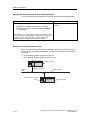
If the network node is not an S7 station, the network and node properties must be
assigned using the tool or switches intended for this purpose. This is the case for
DP slaves, for example, whose PROFIBUS address must be set using switches.
Ensure that these settings match the settings for the objects in the network view
(PG/PC, Other Station, S5 Station).
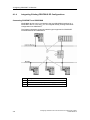
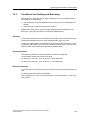
Changing the PROFIBUS Address of DP Slaves
DP slaves connected to a PROFIBUS subnet must also have a unique PROFIBUS
address. If the DP slave you want to connect supports the function
"Set_Slave_Add" (for example, ET 200C), you can assign the address with
STEP 7:
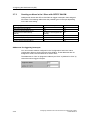
In the SIMATIC Manager and in Configuring Hardware you can assign a new
PROFIBUS address using the menu command PLC > PROFIBUS > Assign
PROFIBUS Address.
Tip: If you are not entirely certain of the current address assignment, you should
connect the DP slaves to the PG/PC one by one and re-address them.
Configuring Hardware and Communication Connections with STEP 7
A5E00706939-01
14-3