1
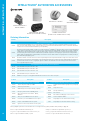
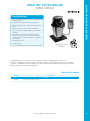
SCREENLOGIC2 CONNECTION DIAGRAM
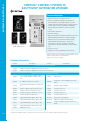
The ScreenLogic2 Interface allows EasyTouch® and IntelliTouch® Automation users to control the key functions
of their pool and spa using an in-wall touch screen, iPad®, iPhone®, iPod touch® Mobile Digital Device and PC
and Mac computers.
ScreenLogic2 Interface is easy to setup. You simply run a communication wire from your IntelliTouch or
EasyTouch system into your home where your ScreenLogic2 Interface protocol adapter is installed (typically
next to your cable or DSL modem). A wireless connection kit is also available (PN 520639) to eliminate the
need to run cable where impossible or impractical to do so.
AUTOMATION - SCREENLOGIC2
SCREENLOGIC2™ INTERFACE (CONT'D)
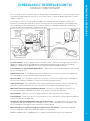
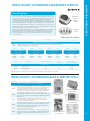
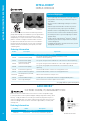
Personal Computer - A PC or Laptop. Connects to a wireless router and the ScreenLogic2 Interface Protocol
adapter for control of IntelliTouch and EasyTouch Automation pool/spa systems. Requires a PC/Laptop
(Windows® 7, Windows Vista® Windows XP® or later) with Ethernet/RJ45 adapter installed.
iPad®, iPod touch® or iPhone® Mobile Digital Device - Enables you to control your pool and spa features using
the ScreenLogic2 Interface.
In-Wall Touch Screen - A color display with Ethernet (RJ45) connector. Connects to the Protocol adapter via
Ethernet (RJ45) for control of IntelliTouch pool and spa systems.
Wireless Tablet - This control panel consists of a color touch screen. Receives and transmits commands via
wireless router and Protocol adapter for control of IntelliTouch pool/spa systems.
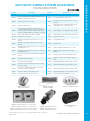
Indoor Control Panel - This control panel for IntelliTouch and EasyTouch systems, consists of a backlit LCD
and connects into the Load Center for control of IntelliTouch or EasyTouch pool and spa systems.
MobileTouch® Wireless or EasyTouch Wireless Remote - This wireless control panel has a backlit LCD.
Receives and transmits commands via the Transceiver antenna located at the Load Center.
Wireless Router - Connects to the PC or Laptop via Ethernet connection to the Protocol adapter.
Protocol Adapter - Connects to wireless router via Ethernet connection and to Personality board (Load/Power
Center) via a four-wire 22-AWG cable.
IntelliTouch or EasyTouch Automation Load Center or Power Center - The main control center, located at
the equipment pad controls pump, heater, and light relays. It receives commands via Protocol adapter, and
wireless and wired control panels connected to the Personality board.
MobileTouch Wireless and EasyTouch Wireless Remote Transceiver Antenna - This antenna sends and
receives commands to and from the MobileTouch Wireless control panel.
Windows®, Windows Vista®, and Windows XP® are Registered Trademarks of Microsoft Corporation.
21