1
16
Setting User Preferences
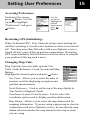
Setting Power Management
Power Management options are used to help preserve battery life in
your eXplorist receiver. Under Power Management you have two
options, Power Off Timer and Light Timer.
Power Off Timer: Set the time that your eXplorist receiver will
turn off automatically if no keys have been pressed and you are
not moving.
Light Timer: Set the time that the backlight for the display will
turn off automatically if no keys have been pressed .
Personalizing Your eXplorist Receiver
You can add your name and address information to your eXplorist
receiver. Should you lose your eXplorist receiver, this information
could be used to aid in its recovery. The name you enter here will
also be displayed on the About... screen.
Changing Languages
You can set your eXplorist receiver to display text in any of 10
different languages. You can choose from English, French
(Français), German (Deutsch), Dutch (Nederlands), Finnish
(Suomi), Spanish (Español), Italian (Italiano), Portuguese
(Português), Swedish (Svenska) or Norwegean (Norsk).
Clearing Memory
You have five options for clearing memory. Be very careful when
clearing memory. This cannot be undone and all data selected will
be lost.
All Track Log: Clears all saved track logs.
POIs/Routes: Clears all user entered POIs and routes.
Routes: Clears all user created routes,.
Reset default: Resets the receiver to its default configuration.
Resets language, preferences and any screen customization done.
All: Clears all of the memory of your eXplorist receiver and sets
all of the defaults back to factory defaults. The eXplorist
receiver will shut off after all the memory has been cleared.