1
GENERAL
INFORMATION
Quick Start Guide
4
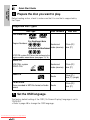
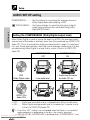
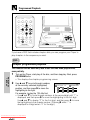
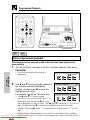
Prepare the disc you want to play.
Before loading a disc, check to make sure that it is one that is supported by
the Player.
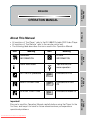
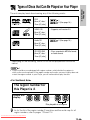
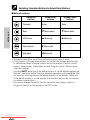
Supported Disc Types
Disc Contents
Disc Type
Disc Size
DVD Video Disc
For Southeast Asia
Region Numbers:
3
123
456
ALL
For Australia and New Zealand
4
123
456
Audio and
video (movies)
12cm (5") /
8cm (3")
Audio and
video (movies)
12cm (5") /
8cm (3")
Audio
12cm (5") /
8cm (3") (single)
Audio
12cm (5") /
8cm (3")
ALL
NTSC/PAL system DVD discs that conform to the
region numbers noted above (see pages 13, 14)
VIDEO CD
NTSC/PAL system
VIDEO CDs
Audio CD
CD-R/CD-RW
Discs recorded in MP3 file format or Audio
format
5
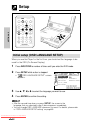
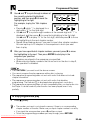
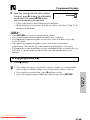
Set the OSD language.
The factory default setting of the OSD (On Screen Display) language is set to
“ENGLISH”.
• Refer to page 48 to change the OSD language.
Downloaded From Disc-Player.com Sharp Manuals