1
Setup
5
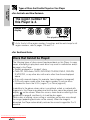
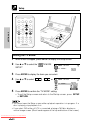
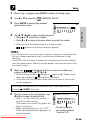
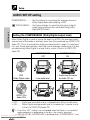
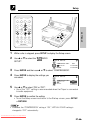
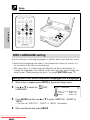
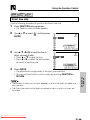
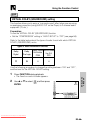
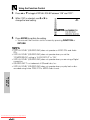
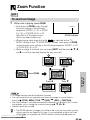
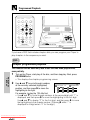
Select the language you want to use with
(Example) Selecting
', ", \ or |.
“FRENCH”
• If you want to use any languages
DISC LANGUAGE
SUB TITLE:ENGLISH
which are not on OSD, proceed to step
ENGLISH
CHINESE
1 under “Selecting a language from
FRENCH
SWEDISH
OTHER” below.
GERMAN
DUTCH
ITALIAN
SPANISH
OTHER
(––)
SETTING UP
6
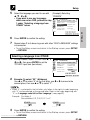
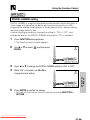
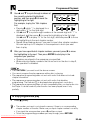
Press ENTER to confirm the setting.
7
Repeat steps 3 to 6 above to go on with other “DISC LANGUAGE” settings
in succession.
• To exit the Setup screen and return to the Startup screen, press SETUP
or RETURN.
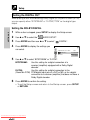
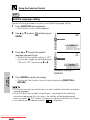
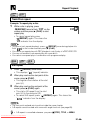
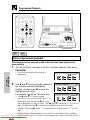
Selecting a language from OTHER
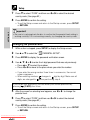
1
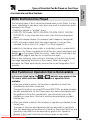
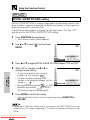
In step 5 above, select “OTHER” with ', ",
\ and |, then press ENTER to set the
“OTHER” input item (two letters).
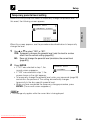
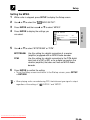
2
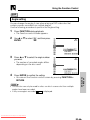
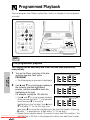
Example: To select “AF” (Afrikaans)
Use ' or " to select “A” as the first letter, use \ or | to move to the
second place, then use ' or " to select “F”.
DISC LANGUAGE
SUB TITLE:ENGLISH
ENGLISH
CHINESE
FRENCH
SWEDISH
GERMAN
DUTCH
ITALIAN
OTHER
SPANISH
(AA)
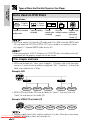
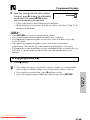
• When “A” is selected for the first letter, only letters to the right of codes beginning
with “A” can be selected as the second letter. Refer to the codes beginning with
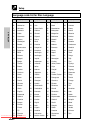
“A” on “Language code list for Disc Language” (see page 62).
Example: First letter-A
Second letter-A, B, F, M, R, S, Y or Z
OTHER
(AA)
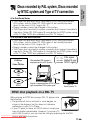
3
OTHER
(AF)
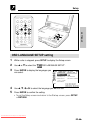
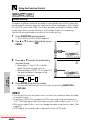
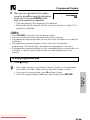
Press ENTER to confirm the setting.
• To exit the Setup screen and return to the Startup screen, press SETUP
or RETURN.
Downloaded From Disc-Player.com Sharp Manuals