1
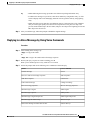
Checking Deleted Messages by Using Voice Commands
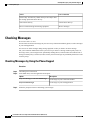
Checking Deleted Messages
Checking Deleted Messages by Using Voice Commands
Procedure
Step 1
Step 2
Call and sign in to Connection.
When Connection asks "What do you want to do," say:
"Play deleted messages" to play all deleted messages.
Or
"Play deleted messages from <name of user>" to hear deleted voice messages from a specific Connection
user.
Or
"Play deleted <voice messages/emails/receipts>" to hear deleted messages of a specific type. (Note that
Connection plays emails only for users who have the text-to-speech option.)
Step 3
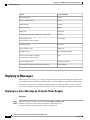
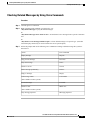
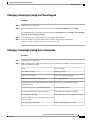
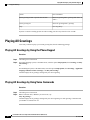
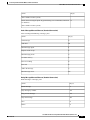
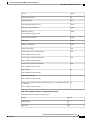
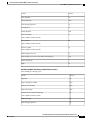
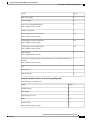
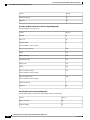
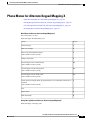
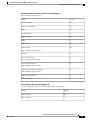
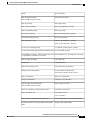
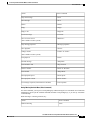
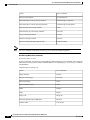
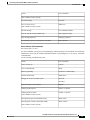
Follow the prompts and use the following voice commands to manage a deleted message after you have
listened to it:
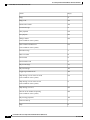
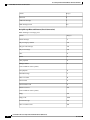
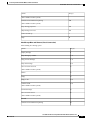
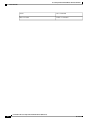
Action
Voice Command
Replay message
"Repeat"
Play previous message
"Previous"
Play next message
"Next"
Restore as saved
"Saved"
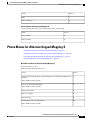
Delete message permanently
"Delete"
Reply to message
"Reply"
Call message sender
"Call sender"
(Not available on some systems.)
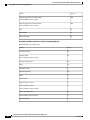
Forward message
"Forward"
Restore as new
"Mark new"
(Not available on some systems.)
Play message properties
"Message properties"
User Guide for the Cisco Unity Connection Phone Interface (Release 8.x)
OL-21232-01
25