1
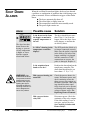
BEFORE
BEGINNING
You can avoid most problems by following the recommended
installation and maintenance procedures outlined in this User
Guide. If you do have a problem, this section will help you
determine what caused it and how to fix it.
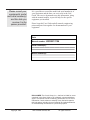
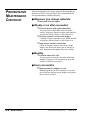
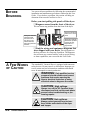
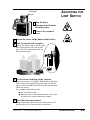
Before you start pulling side panels off the dryer:
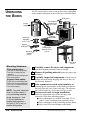
❏ Diagnose causes from the front of the dryer.
You can locate any problem from the front of the dryer.
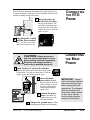
Swing the electrical
enclosure away
from the front of
the dryer to test
heater elements,
relays and pressure
switches.
Open the electrical
enclosure to check
fuses.
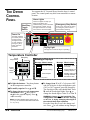
OPERATION
188
SET TEMPERATURE
CONAIR
FRANKLIN
ALARMS
EMERGENCY
START
188
POWER
!
STOP
DRYING
SHUT
DOWN
TEMP.
REGEN.
AIR
FLOW
STOP
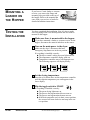
Alarm lights indicate
whether the problem
involves air flow,
temperature or
regeneration.
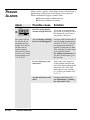
❏ Find the wiring and equipment diagrams that
were shipped with your dryer. These diagrams are
the best reference for correcting a problem. The diagrams
also will note any custom features, such as special wiring
or alarm capabilities, not covered in this User Guide.
A FEW WORDS
OF CAUTION
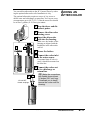
The standard SC Carousel Dryer is equipped with numerous
safety devices. Do not remove or defeat them. Improper corrective action can lead to hazardous conditions and should
never be attempted to sustain production
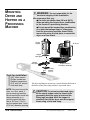
!
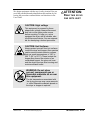
WARNING: Only qualified service
personnel should examine and correct
problems that require opening the
dryer’s electrical enclosure or using
electrical wires to diagnose the cause.
CAUTION: High voltage.
Always turn off the SC Carousel dryer,
disconnect and lock out the main power
source before troubleshooting or performing repairs.
CAUTION: Hot surfaces.
Always protect yourself from hot surfaces inside and outside of the dryer
and hopper.
6-2
TROUBLESHOOTING
SC Carousel Dehumidifying Dryer
UGD001/1196