1
20
TN3270E Printing in the Mainframe environment
AXIS 570/670 User’s Guide
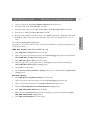
11. Repeat steps 5-10 for each session you want to set up.
Note:
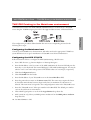
The AXIS 570/670 supports eight semi-concurrent TN3270E host sessions.
12. Click the Submit TN3270E settings button to initialize the TN3270E sessions.
IBM Mainframe
Depending on your choice of data streams, continue the installation by selecting the appropriate
set of instructions below:
IPDS data streams (AXIS 570e and AXIS 670e only)
1. Select IBM IPDS Configuration from the header.
2. Select your preferred system language from the System Language drop-down list and click the
Submit IBM IPDS Configuration settings button.
3. Select IBM IPDS Printer Driver from the header.
4. Select the paper size for each paper bin from the Paper Size drop-down list and click the
Submit IBM IPDS Printer Driver settings button.
5. Click the TCP/IP tab and ensure that the IP address, subnet mask and default router are
appropriately set for your network.
SCS data streams
1. Select IBM BASIC CONFIGURATION from the header.
2. Select your preferred system language from the System Language drop-down list.
3. Select a coax printer emulation from the Printer Emulation drop-down list and click the
Submit IBM BASIC CONFIGURATION settings button.
4. Select IBM PRINTER DRIVER from the header.
5. Make sure that the Printer Driver parameter is matching your printer and click the Submit
IBM PRINTER DRIVER settings button.
6. Select IBM PAGE FORMAT from the header.
7. Select the appropriate page properties and click the Submit IBM PAGE FORMAT settings
button.
8. Click the TCP/IP tab and ensure that the IP address, subnet mask and default router are
appropriately set for your network.