1
PRESET WEIGHT COMPARATORS SETUP, CONT.
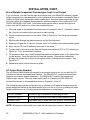
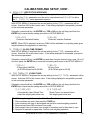
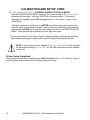
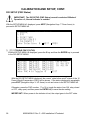
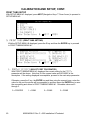
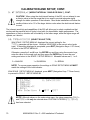
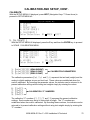
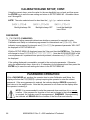
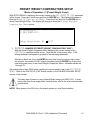
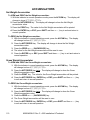
$#.2406 (AUTOMATIC PRINT ON BALANCE)
With the Preset Weight Comparator Menu displayed the current setting for the
$#.2406 parameter will be shown. Note that XXX is the current value.
NOTE! The automatic print on balance feature may be enabled only when one
PWC is selected (1762765). If more than one PWC has been selected,
this feature is disabled.
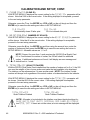
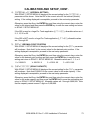
If the Automatic Print on Balance is enabled, when the weight equals the preset value
and all motion on the scale stops, the weight will be printed (if a printer is attached).
Note that the weight must go below 50% of the preset value before another print
operation can be performed.
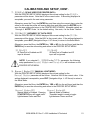
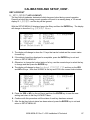
If the setting displayed is acceptable, proceed to the next setup parameter. Otherwise,
press the 2 key, the ENTER key, YES or NO (on the soft keys) and then the ENTER
key to save the new setting and return to the Preset Weight Comparator Menu.
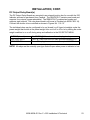
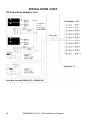
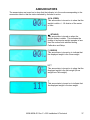
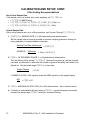
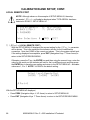
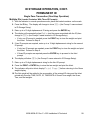
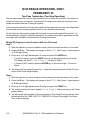
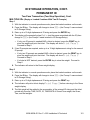
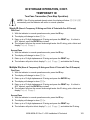
$#.2406;'5
Automatic Print Enabled
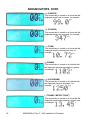
$#.240601
Automatic Print Disabled
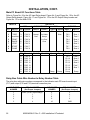
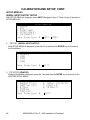
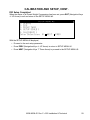
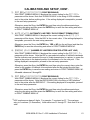
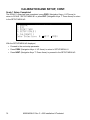
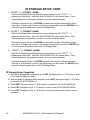
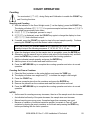
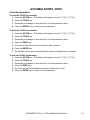
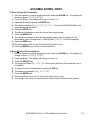
Preset Weight Comparators Setup Completed
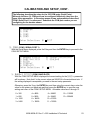
1. With the Preset Weight Comparator Menu displayed, press EXIT (Navigation Keys U UP
Arrow) to return to the Mode Of Operation Menu.
2. With the Mode Of Operation Menu displayed, press EXIT (Navigation Keys U UP Arrow)
to return to the SETUP MENU #1.
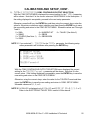
3. Press NEXT (Navigation Keys V Down Arrow) to proceed to the SETUP MENU #2.
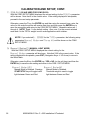
4. Press EXIT (Navigation Keys U UP Arrow) to return to the SETUP/REVIEW MENU.
5. Press EXIT (Navigation Keys U UP Arrow) to reset the indicator and return to normal
operations.
92
8200-M538-O1 Rev C y 225 Installation & Technical