1
The Sapling Company, Inc.
1633 Republic Road
Huntingdon Valley, PA 19006
215.322.6063 P.
215.322.8498 F.
www.sapling-inc.com
User Level Programming
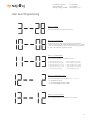
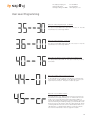
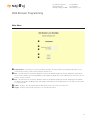
Option 35 - Once a Day Pulse Input - Set Minutes
This option is only available when option 30 or 31 is set to 11. Press the
bottom button to scroll through “00-59”.
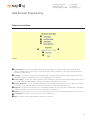
Option 36 - Once a Day Pulse - Set Seconds
This option is only avaiable when option 30 or 31 is set to 11. Press the
bottom button to scroll through “00-59”.
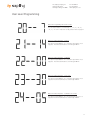
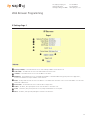
Option 40 - Last Time the Clock Received an Input Signal (in hours)
The display will be between 00 - 99. This option is read only. It cannot
be modified.
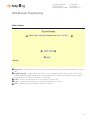
Option 44 - Displays Status of Internet Connection:
A “01” will appear on the right side if the master is receiving an Internet Connection. A “00” will appear on the right side if it is not receiving an Internet Connection. This option is a read-only option.
Option 45 - Crossover/Static IP option
If the right side says “off”, DHCP is being used, if the user presses the
bottom button, the display will change to “cr” which means crossover
mode. In cross over mode, DHCP is turned off and the IP address is
fixed at 192.168.0.123. Depressing the top button advances to the next
menu item. Warning, after making a change, you must wait 20 seconds
and power cycle for this change to take effect. Note that the PC directly
connecting with this needs to be set for a fixed IP address which is not
192.168.0.123. For changing the IP address to a static IP, it must be
done from the web interface. Please see page 22 for details.
20