1
Requirements for MATLAB Builder for Java
Note For matlabroot substitute the MATLAB root directory on your system.
Type matlabroot to see this directory name.
To set your CLASSPATH variable on your development machine, enter the
following command at the DOS command prompt:
set CLASSPATH=.;C:\matlabroot\toolbox\javabuilder\jar\javabuilder.jar;
C:\mycomponent\mycomponent.jar
Alternatively, if the Java SDK is installed, you can specify the class path on
the Java command line as follows.
javac
-classpath .;C:\matlabroot\toolbox\javabuilder\jar\javabuilder.jar;
C:\mycomponent\mycomponent.jar usemyclass.java
where usemyclass.java is the file to be compiled.
It is recommended that you globally add any frequently used class paths to
the CLASSPATH system variable via the Windows Control Panel.
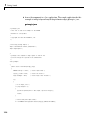
Example: Setting CLASSPATH on UNIX (Development Machine).
Suppose your UNIX environment is as follows:
• Your MATLAB libraries are installed in /matlabroot/bin/arch, (where
arch is either glnx86, glnxa64, mac, or sol2, depending on the operating
system of the machine.
• Your component .jar files are in /mycomponent.
To set your CLASSPATH variable, enter the following command at the prompt:
setenv CLASSPATH .:/matlabroot/toolbox/javabuilder/jar/javabuilder.jar:
/mycomponent/mycomponent.jar
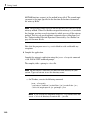
Like Windows, you can specify the class path directly on the Java command
line. To compile usemyclass.java, type the following:
6-5