1
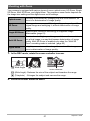
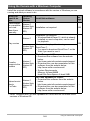
Specifying the ISO Sensitivity Upper Limit (ISO High Limit)
Procedure
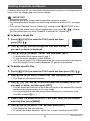
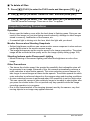
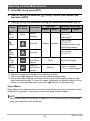
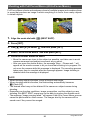
Enter the REC Mode * [MENU] * “r REC MENU” Tab *
ISO High Limit
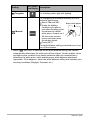
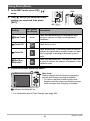
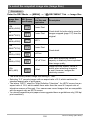
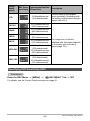
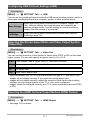
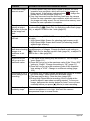
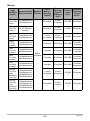
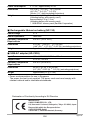
Settings
REC Screen
Icon Display
Auto
None
Description
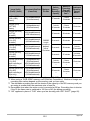
Shoots using the ISO sensitivity setting specified by the
“ISO Sensitivity” setting (page 51).
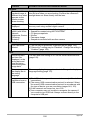
ISO 200
ISO 400
ISO 800
ISO 1600
The setting selected here becomes the ISO sensitivity
upper limit when “Auto” is selected for the “ISO
Sensitivity” setting (page 51).
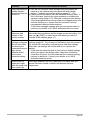
ISO 3200
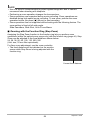
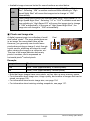
NOTE
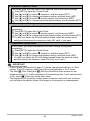
• When the “ISO Sensitivity” setting (page 51) is something other than “Auto”, the
“ISO High Limit” setting is ignored, and shooting is performed using the option
selected for the “ISO Sensitivity” setting.
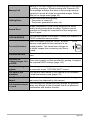
• The settings available for “ISO High Limit” become as shown below when shooting
with “High Speed Night Scene” (page 81).
Auto, ISO 1600, ISO 3200, ISO 6400, ISO 12800, ISO 25600
• The “ISO High Limit” setting cannot be configured while any one of the BEST
SHOT scenes below is in use.
Premium Auto PRO, M mode, some BEST SHOT scenes
• The “ISO 3200” setting cannot be selected while the Multi SR Zoom REC mode is
selected. If “ISO 3200” is selected in another REC mode, switching to Multi SR
Zoom causes the REC mode to change to “ISO 1600”.
Zooming with Super Resolution (Zoom (SR))
Procedure
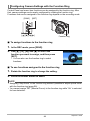
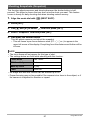
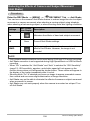
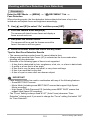
Enter the REC Mode * [MENU] * “r REC MENU” Tab * Zoom (SR)
See page 61 for details.
106
Advanced Settings (REC MENU)