1
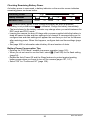
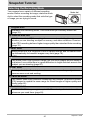
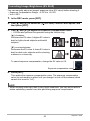
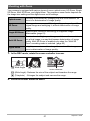
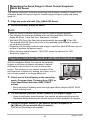
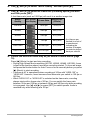
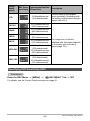
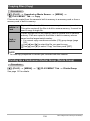
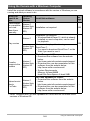
Back Lamp Operation
Back lamp
Lamp Status
Description
Lit Red
Charging
Flashing Red
Abnormal ambient temperature,
USB-AC adaptor problem, or battery
problem (page 184)
Off
Charging complete
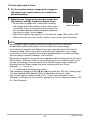
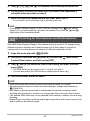
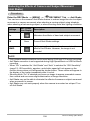
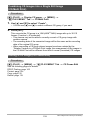
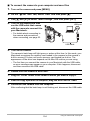
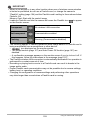
. To charge using a USB connection to a computer
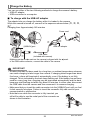
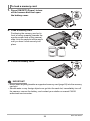
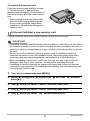
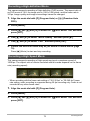
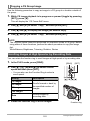
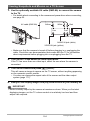
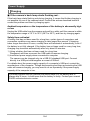
USB connection lets you charge the battery while it is loaded in the camera.
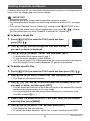
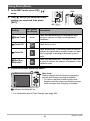
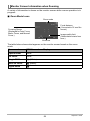
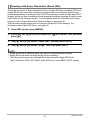
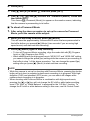
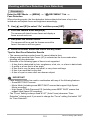
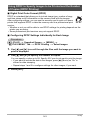
While the camera is turned off, connect in the sequence shown below (1, 2).
Computer
(power turned on)
USB
2
USB port
[USB/AV] port
USB cable
(included with camera)
1
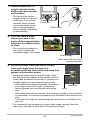
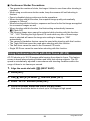
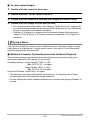
Making sure that the 6 mark on the camera is aligned with the 4 mark
of the USB cable connector, connect the cable to the camera.
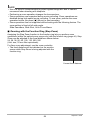
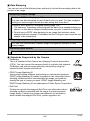
• If the camera is on, press [ON/OFF] (Power) to turn it off before connecting it to
your computer.
23
Quick Start Basics