1
DR600 UG Rev B D008.fm Page 22 Thursday, April 17, 2003 7:17 AM
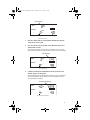
Time Entry
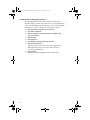
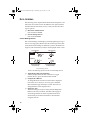
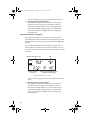
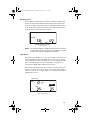
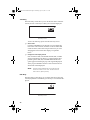
The Time Entry screen allows you to set the time and to select the
format (12 hour or 24 hour) in which you want time displayed.
AM
SETTINGS
Time Entry Screen
You have the following options from the Time Entry Screen:
❏
Set the Time
Use PLUS and MINUS to set the time. If you are displaying
time in the 12 hour format, remember to choose either AM
or PM. To do this, follow the same procedure as if you were
changing the format of the time display, as explained
below.
❏
Change the Time Display Format
Press and release SET/CLEAR until the PM, AM, or 24HR
segment is flashing. Press PLUS to cycle through the three
possible options: PM, AM, and 24HR. When the desired
option appears in the display, stop. The segment displayed
when you press MODE to exit this screen sets the format in
which time will be displayed.
NOTE:
The unit will not automatically convert the time from
12 hour to 24 hour or vice versa. You must enter the
time in the new format yourself.
Date Entry
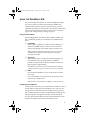
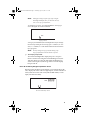
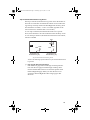
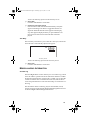
The Date Entry screen allows you to set the date and to select the
format (Day.Month or Month:Day) in which you want the date displayed.
DAY.MO
SETTINGS
Date Entry Screen
22