1
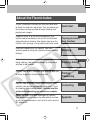
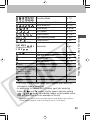
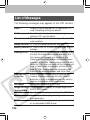
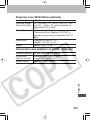
The following messages may appear on the camera’s
LCD monitor when a direct print compatible printer is
printing. Depending on the printer model, some messages
may not display.
No Paper:
Paper cassette is incorrectly inserted or
out of paper.
Or the paper feed isn’t operating correctly.
No Ink:
The ink cartridge has not been inserted or
has run out of ink.
Incompatible paper size: Wrong paper size is loaded in the printer.
Incompatible ink size: Wrong ink cassette size is loaded in the
printer.
Ink Cassette Error: The ink cassette is experiencing a
problem.
Paper and ink do
The paper and ink are from different sets.
not match:
Paper Jam:
The paper jammed during printing.
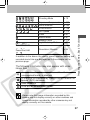
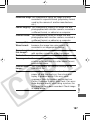
Paper has been
Paper was changed after the print menu
changed:
was displayed.
Recharge the
The printer’s battery pack is depleted.
printer battery:
Communication Error: The printer is experiencing a data
transmission error.
Readjust trimming: You attempted to print the image with a
different style than the one used when the
trimming settings were set.
Cannot Print!:
You attempted to print an image from
another camera, one recorded in a
different format, or one that has been
edited on a computer.
188