1
7
Working with Acquired Image Data
delete(vid)
clear vid
Viewing Frames in the Memory Buffer
To view sample frames from the memory buffer without removing them, use the
peekdata function.
The peekdata function always returns the most recently acquired frames in the
memory buffer. For example, if you request three frames, peekdata returns the most
recently acquired frame in the buffer at the time of the request and the two frames that
immediately precede it.
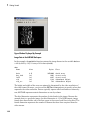
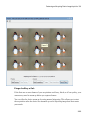
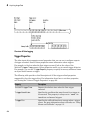
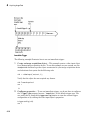
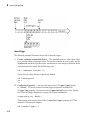
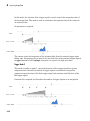
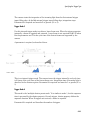
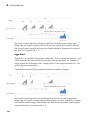
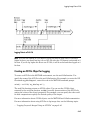
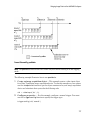
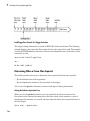
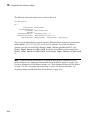
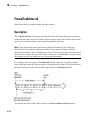
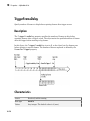
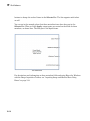
The following figure illustrates this process. The command peekdata(vid,3) is called
at three different times (T1, T2, and T3). The shaded frames indicate the frames returned
by peekdata at each call. (peekdata returns frames without removing them from the
memory buffer.)
Note in the figure that, at T3, only two frames have become available since the last call
to peekdata. In this case, peekdata returns only the two frames, with a warning that it
returned less data than was requested.
7-6