1
English
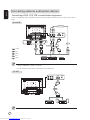
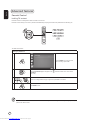
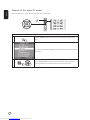
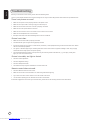
Connecting a camera, camcorder or video game
Connect your camera or camcorder to the video/audio ports on the left of the TV set as shown below.
Y
Pb
Pr
Y
R
w
Y
R
w
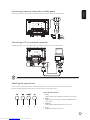
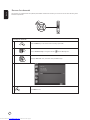
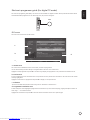
Connecting a PC or notebook computer
To display PC output on your TV, connect your PC or notebook computer to the TV as shown below.
D-Sub
D-Sub
For VGA input, Acer recommends setting your PC’s external monitor resolution to 1440 x 900 pixels @ 60 Hz refresh rate.
Selecting the input source
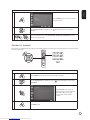
Once you have connected your antenna or external equipment to the TV, you need to select the correct input source.
Press the corresponding button on the remote control to select the correct input source.
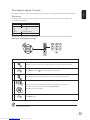
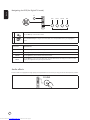
Input button guide:
1 TV key
Toggle TV (Analog TV and Digital TV) between input sources.
2 AV key
Toggle Composite, Component, HDMI1 and HDMI2 between
input sources.
1
2
3
4
3 SCART key
Toggle SCART1 and SCART2 between input sources.
4 PC key
Toggle VGA between input sources.
Downloaded from www.Manualslib.com manuals search engine