1
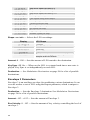
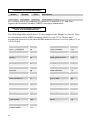
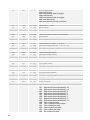
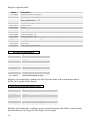
Seq Trigger: see table — Sets the triggering mode for the Gated Sequencer.
Display
Normal
No Reset
No Gate
NoGateNR
Key Step
Audio In
Trigger mode
Sequence plays from the first step when a
key is held, and resets to step 1 each time
a new note is played. Each sequence step
retriggers the envelopes.
The same, but does not reset to step 1 on
every note.
The keyboard triggers the envelopes; the
sequence steps do not.
Same, but does not reset with subsequent
notes.
Striking a key advances the sequencer
one step.
Steps the sequencer whenever the
external audio input gets over a certain
level.
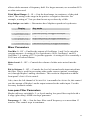
On/Off: Off, On — Turns the sequencer on and off.
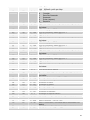
Seq 1, 2, 3, or 4 Destinations — Sets the destination for each of the four
sequence tracks. For a complete list, see Modulation Destinations on page 26.
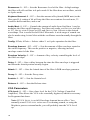
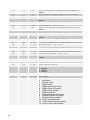
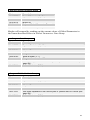
Seq 1, 2, 3, or 4 Steps: C0…D5+ or 0…125, Reset, Rest — Sets each step value
for each of the four sequence tracks. The values are displayed as both relative
note values and as simple numerical values. Note values are displayed in quarter
tones with a plus sign (+) indicating that the pitch is a quarter tone higher than
the displayed note number. The two highest values are Reset and Rest. Reset
causes the sequence to reset to the first step, enabling sequences of fewer than
16 steps or even sequences in which the tracks are different lengths. Rest inserts
a rest on the selected step.
Name Parameter
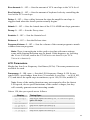
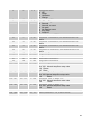
Edit Name — The lower LCD line displays the name of the Program with the
active character blinking. When ASSIGN PARAMETERS is lit, the parameter
control changes the position of the active character. When ASSIGN PARAMETERS
is not lit, the parameter control steps through all the available characters for the
active character. The increment and decrement buttons also change the
character.
25