1
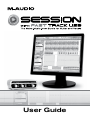
Session with Fast Track USB User Guide | 1 Introduction Congratulations on your purchase of M-Audio Session with Fast Track USB: an audio interface and software package designed for easy integration with your computer. The M-Audio Session software for Windows contained in this bundle allows you to make professional-sounding songs and remixes the first time you open the software— even if you’ve never played a note before. If you have some musical experience, Session can take your ideas to the next level with a built-in virtual synthesizer and studio quality effects. The included Fast Track USB is a quality audio interface for Windows or Mac OS X. It features an XLR microphone input, a TRS line/instrument input, stereo RCA outputs, and a headphone output. It uses the convenience of USB connectivity, so there’s no need to disassemble your computer and no bulky external power supply. Fast Track USB gives you full 24-bit digital audio, supporting popular 44.1kHz and 48kHz sampling rates. With its lightweight form factor and compact design, you can carry it with you anywhere. We recommend you spend a few minutes reviewing this User Guide to ensure proper setup. Session with Fast Track USB Features Session Software (PC only): C D-quality multi-track audio and MIDI recording software b uilt-in virtual synthesizer with hundreds of instrument sounds built-in studio quality effects includes over 3.5 GB of content for professional music creation Fast Track USB Audio Interface: single USB connection for input, output, and power c onvenient front-panel headphone output balanced XLR and 1/4” inputs two line-level RCA outputs signal and peak LED input indicators high-quality 24-bit/48kHz recording