1
■ Getting Started
Carton Components
8
MFC
1
7
Quick Setup Guide
2
3
6
5
4
4. Paper Tray
5. Front Cover
Support Flap with Extension
6. Power Switch
7. Document Cover
(Support Flap)
3. (For MFC-8440) Manual Feed Tray 8. Automatic Document Feeder (ADF)
1. Control Panel
2. Face-down Output Tray
(For MFC-8840D and MFC-8840DN)
Multi-purpose Tray (MP Tray)
ADF Support
CD-ROMs
For Windows®
For Macintosh®
User’s Guide
Drum Unit Assembly
AC Power Cord
(including Toner Cartridge)
Telephone
Line Cord
Test Sheet
Accessory Order Form
(USA only)
(USA/Canada only)
Carton components may differ from one country to another.
Save all packing materials and the carton.
■ The interface cable is not a standard accessory. Please purchase the appropriate interface cable for the interface
you intend to use (Parallel or USB).
■ For Parallel use a bi-directional shield interface cable that is IEEE 1284-compliant, and not longer than 6 feet
(2 meters).
■ For USB: use a Hi-Speed USB 2.0 interface cable that is not longer than 6 feet (2 meters).
■ Please make sure that you use a Hi-Speed USB 2.0 certified cable if your computer uses a Hi-Speed USB 2.0
interface.
■ Even if your computer has a USB 1.1 interface, you can connect the MFC.
Warning
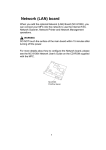
■ When you move the MFC, grasp the side handholds that are under the scanner. Do NOT carry the MFC by holding
it at the bottom.
1