1
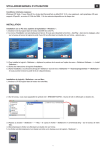
screen. Front Projection-Ceiling Mount The projector turns the image upside down for ceiling-mounted projection. Rear Projection-Ceiling Mount The projector simultaneously reverses and turns the image upside down. You can project from behind a translucent screen with a ceiling-mounted projection. Signal Type Manually select signal type RGB, YCbCr, YPbPr. Lamp Hour Display operating hours since lamp timer reset. Lamp Reset Use this function only after a new lamp is installed in the projector. Select the left Lamp Reset icon (light bulb and arrow under the icon), and press the Enter button to reset the lamp timer. Power Saving Menu