1
&
5.1.14.1. Courtesy (Pillar) Light Control
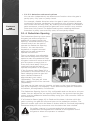
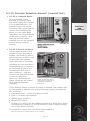
The Courtesy (Pillar) Lights can be switched on from inside your
home or office by connecting a pushbutton to the D5-Evo or D10
controller.
For your safety this pushbutton switches only low-voltage signals.
Press and release the button for the lights to switch on for the
defined period then switch off automatically. Press and hold the
button for three to four seconds for the lights to stay on
permanently, until you push the button again. If the Gate Status
Indicator is fitted to the intercom handset, the LED will flash once
every two seconds to indicate that the lights are on permanently.
This feature can also be operated using your remote control. Simply
set one of the spare buttons on the transmitter to switch your
Courtesy (Pillar) Lights on and off.
Please refer to Onboard Multichannel Receiver (page 22) for more
information on the various functions you can operate with your
remote control.
Low-wattage, 12V DC light fittings are also readily available and can
be connected to the system, drawing power directly from the
battery. However, please ensure that the power drawn by the lights
and motor does not exceed the recharge rate of the battery. Larger
charger units can be fitted to cope with the additional load – contact
your gate automation specialist or CENTURION for more info.
&
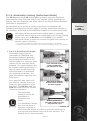
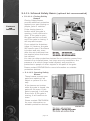
5.1.14.2. Courtesy (Pillar) Lights act as Warning Light
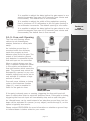
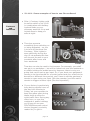
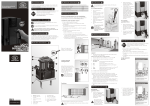
For additional safety, the
Courtesy (Pillar) light output
can be configured to act as a
warning light before the gate
operates and while the gate
is moving.
Contact your gate
automation specialist or
CENTURION for more details
on the different warning light
modes.
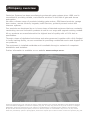
FIGURE 30
&
5.1.14.3. Pre-open and pre-close delays
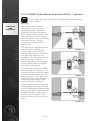
If you make use of the Warning Light feature, you can set your gate
to have a slight delay before it opens or closes to allow the light to
warn pedestrians or vehicles that the gate is about to move.
The pre-open and pre-close delays can be independently set and
also independent of enabling the warning light feature referred to
above.
page 21
Features
and
functions