1
A p p e n d i x B Establishing Connectivity
Connecting Directly
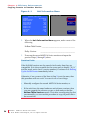
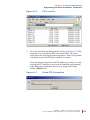
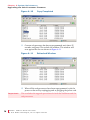
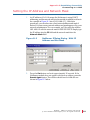
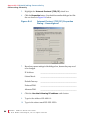
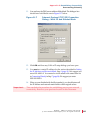
11. You can leave the DNS server address fields blank. The dialogue box
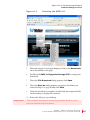
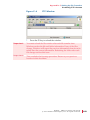
should now look like the one in Figure B–7 below.
Figure B–7
Internet Protocol (TCP/IP) Properties
Dialog - With IP and Subnet Mask
12. Click OK and close any LAN or IP setup dialogs you have open.
13. You must set a static IP address for the unit as described in Setting
the IP Address and Network Mask, Step 1 (page 91). We suggest you
enter 192.168.0.2. You must also set the mask to the same value set
in Connecting Directly in Step 7 (page 94). We suggest you enter
255.255.255.0.
14. When you are finished with the file transfer(s), you should return all
the IP address and network mask fields to their original values.
Important:
This concludes the procedure for establishing peer-to-peer network
connectivity. Return to your previous location in this document.
821697: AMP1-16 Series User Guide
© 2 0 1 1 Woh l er Te c h n o l o g i es , I n c . A ll r i g h t s r e se r ve d .
95