1
A p p e n d i x B E st a b li sh in g C o n n e ct i vi t y
Connecting Directly
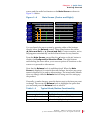
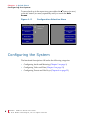
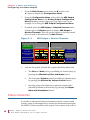
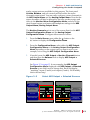
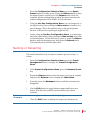
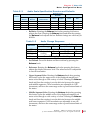
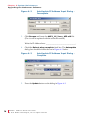
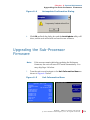
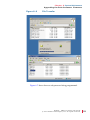
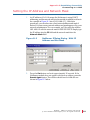
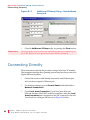
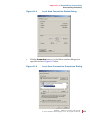
Figure B–3
3.
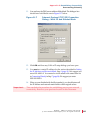
Important:
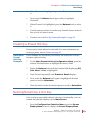
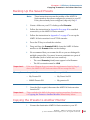
NetBurner IPSetup Dialog - New Address
Accepted
Close the NetBurner IPSetup utility by pressing the Close button.
This concludes the procedure for establishing network connectivity to
the LAN. Return to your previous location in this document.
Connecting Directly
These instructions describe the procedure using a Windows XP machine.
Host computers running other operating systems may have these controls in
slightly different locations.
92
821697:
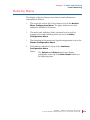
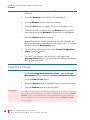
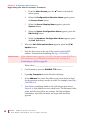
1.
Connect the crossover cable directly between the unit’s Ethernet port
and your host computer’s Ethernet port.
2.
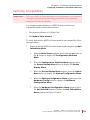
On the host computer, go to the Control Panel and double-click on
Network Connections.
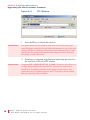
3.
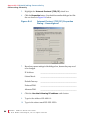
Open Local Area Connection. If you have more than one
Network Interface Card (NIC) in the host machine, select the Local
Area Connection that corresponds to the NIC connected to the unit.
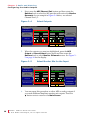
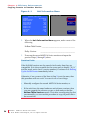
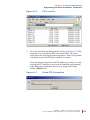
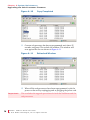
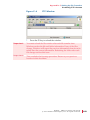
You should see a dialogue like the one in Figure B–4 below.
A M P 1 - 1 6 S e r i e s U se r G u i d e
© 2 0 1 1 Wo h l e r Tec h n o l o g i e s , I n c. A l l r i g h t s r e s er ve d .