1
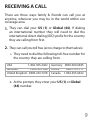
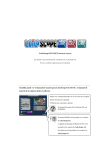
3. Press the call key and please wait. Ignore any messages
shown on your screen. You will be disconnected for 10
to 30 seconds, and then your phone will call back.
4. Answer the call normally. Your call will be connected
after a few seconds.
If your phone does not ring back, please try again.
Make sure you have entered the correct phone
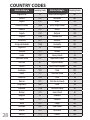
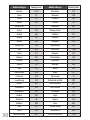
number including the country code and wait for up to
60 seconds for your phone to call back.
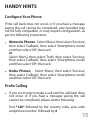
If your phone still does not ring back you may need
to Configure your phone or use Prefix Calling (please
refer to Handy Hints page15).
7