1
MDR Series Multiplexed Digital Recorders
User Manual
RECORD
Timelapse Record Rate
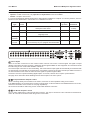
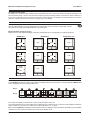
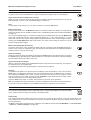
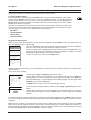
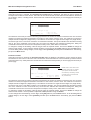
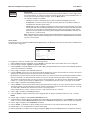
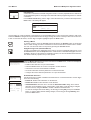
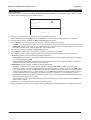
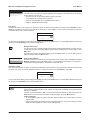
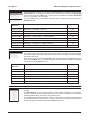
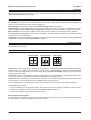
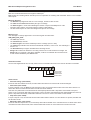
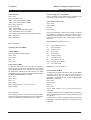
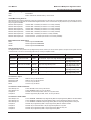
When this menu item is selected, the Timelapse Record Rate dialog is displayed. This dialog is used to specify the
Timelapse Record Rate for each camera. This is the rate is at which the unit records under normal conditions, when there
are no alarms, events, or activity present. Record rates are measured in both pictures per second (pps) and seconds per
picture (spp).
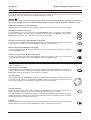
Timelapse Record Rate
Camera 01 : 0.40
Camera 02 : 0.29
Camera 03 : 0.34
:
:
Camera 16 : 0.40
pps 2.5 spp
pps 3.5 spp
pps 2.9 spp
pps 2.5 spp
[CANCEL] [OK]
8 days 5 h (TL)
8 days 5 h (Total)
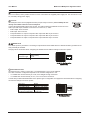
The maximum record rate per camera is inversely proportional to the number of cameras connected to the unit. The fewer
cameras connected, the higher the maximum record rate for each camera, and vice versa. The maximum record rate for
multiple cameras is 40pps PAL (48pps NTSC). The maximum record rate for a single camera is 25pps PAL (30pps NTSC).
The bottom right corner of the menu contains a record duration calculator. The top line indicates the estimated recording
time for the unit in Timelapse record mode only. The bottom line indicates the estimated recording time, taking into
consideration the amount of time the unit will spend in Activity, Event, and/or Alarm record modes.
To change the settings in this dialog, rotate the Jog to select the required camera, and use the Shuttle to change the
values for that camera. To save changes and exit the dialog, use the Jog to select [OK] and then press the Enter button.
To exit the dialog without making changes, use the Jog to select [CANCEL] and then press the Enter button. Alternatively,
just press the Menu button.
Event Record Rate
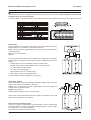
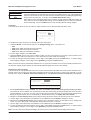
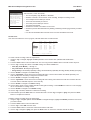
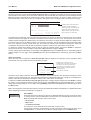
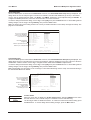
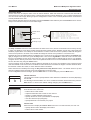
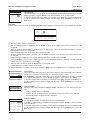
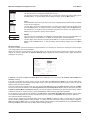
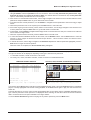
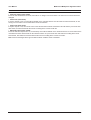
When this menu item is selected, the Event Record Rate dialog is displayed. This dialog is used to specify the Event
Record Rate for each camera. This is the rate is at which the unit records when an event is activated, by either an RS232
event generation or by activity detection. Record rates are measured in both pictures per second (pps) and seconds per
picture (spp).
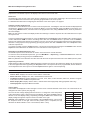
Event Record Rate
Camera 01 : 0.40
Camera 02 : 0.29
Camera 03 : 0.34
:
:
Camera 16 : 0.40
pps 2.5 spp
pps 3.5 spp
pps 2.9 spp
%Time: 4%
Estimate of the % of time each camera
will spend in Event mode. For example,
if you expect to have about 20 total
pps 2.5 spp
[CANCEL] [OK]
125 days 8 h (EVENT)
10 days 7 h (Total)
events each day, each lasting 3 minutes
on average, then the % of time will be
4% (1 hour/24 hours)
The maximum record rate per camera is inversely proportional to the number of cameras connected to the unit. The fewer
cameras connected, the higher the maximum record rate for each camera, and vice versa. The maximum record rate for
multiple cameras is 40pps PAL (48pps NTSC). The maximum record rate for a single camera is 25pps PAL (30pps NTSC).
The bottom right corner of the dialog contains a record duration calculator. The top line indicates the estimated recording
time of the cameras in Event record mode only. The bottom line indicates the estimated recording time, taking into
consideration the amount of time the unit will spend in Timelapse, Activity, Event, and/or Alarm record modes.
To change the settings in this dialog, rotate the Jog to select the required camera, and use the Shuttle to change the
values for that camera. It is also possible to adjust the %Time parameter using the Shuttle.
To save changes and exit the dialog, use the Jog to select [OK] and then press the Enter button. To exit the dialog without
making changes, use the Jog to select [CANCEL] and then press the Enter button. Alternatively, just press the Menu
button.
Page 30