1
D
SANbox 5200 Switch Management
User’s Guide
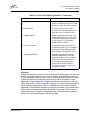
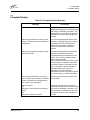
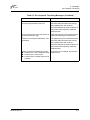
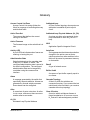
Initiator
The device that initiates a data exchange
with a target device.
Management Workstation
PC workstation that manages the fabric
through the fabric management switch.
In-Order-Delivery
A feature that requires that frames be
received in the same order in which they
were sent.
Mesh Topology
A fabric in which each chassis has at least
one port directly connected to each other
chassis in the fabric.
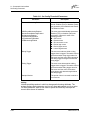
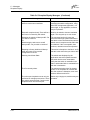
Input Power LED
A chassis LED that indicates that the
switch logic circuitry is receiving proper DC
voltages.
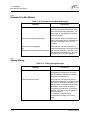
MIB
Management Information Base
Inter-Switch Link
The connection between two switches
using E_Ports.
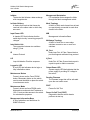
IP
Internet Protocol
LIP
Loop Initialization Primitive sequence
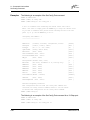
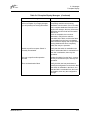
Multistage Topology
A fabric in which two or more edge
switches connect to one or more core
switches.
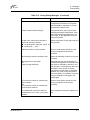
NL_Port
Node Loop Port. A Fibre Channel device
port that supports arbitrated loop protocol.
N_Port
Node Port. A Fibre Channel device port in
a point-to-point or fabric connection.
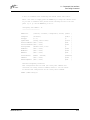
Logged-in LED
A port LED that indicates device login or
loop initialization status.
Maintenance Button
Formerly known as the Force PROM
button. Momentary button on the switch
used to reset the switch or place the switch
in maintenance mode.
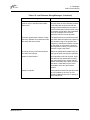
Maintenance Mode
Formerly known as force PROM mode.
Maintenance mode sets the IP address to
10.0.0.1 and provides access to the switch
for maintenance purposes.
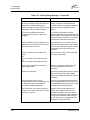
Management Information Base
A set of guidelines and definitions for
SNMP functions.
59056-00 Rev. B
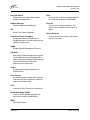
Output Power LED
A power supply LED that indicates that the
power supply is providing DC voltage to
the switch.
Pending Firmware
The firmware image that will be activated
upon the next switch reset.
POST
Power On Self Test
Power On Self Test (POST)
Diagnostics that the switch chassis
performs at start up.
Glossary-3