1
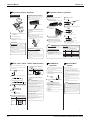
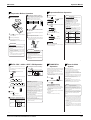
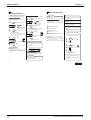
Operation Manual ED12-011A Care and Cleaning Timer Operation OFF TIMER operation ● Check that the clock is correct. If not, set the clock to the present time. (See page 7.) 1 Press OFF while the air conditioner ON TIMER operation 1 Press ON while the air conditioner is not operating. AM blinks. Display is operating. AM is displayed. AM blinks. 2 2 TIMER reaches the point you like. until the time setting Press ● Every pressing of either button increases or decreases the time setting by 10 minutes. Holding down either button changes the setting rapidly. 3 Press once again. ON Display ● Every pressing of either button increases or decreases the time setting by 10 minutes. Holding down either Cleaning the air filters • There are models which are not equipped with the air filter inside of the unit. (It is recommended to clean them every two weeks.) reaches the point you like. until the time setting Before cleaning, be sure to stop the operation and turn the breaker OFF. * Previous time setting appears on display. TIMER * Previous time setting appears on display. Press is displayed. AM AM Check CAUTION ● Check that the clock is correct. If not, set the clock to the present time (See page 7). Display Timer functions are useful for automatically switching the air conditioner on or off at night or in the morning. You can also use OFF TIMER and ON TIMER in combination. Check that the base, stand and other fittings of the outdoor unit are not decayed or corroded. Check that nothing blocks the air inlets and the outlets of the indoor unit and the outdoor unit. Check that the earth wire is not disconnected or broken. 1 2 3 4 Remove the air inlet grille. Pull out the air filters. Clean the air filters. Check that the drain comes smoothly out of the drain hose during COOL or DRY operation. ● If no drain water is seen, water may be leaking from the indoor unit. Stop operation and consult the service shop if this is the case. ● Clean them with a vacuum cleaner. Set the air filters and the air inlet grille as they were. Before a long idle period 1 button changes the setting rapidly. Then the TIMER lamp lights up. ■ To cancel the timer: AM Then the TIMER lamp goes off. Then the TIMER lamp lights up. ■ To cancel the timer: Press CANCEL . Then the TIMER lamp goes off. Combining ON TIMER and OFF TIMER ● A sample setting for combining the two timers is shown below. (Example) (The unit operating) OFF TIMER at 0:00 a.m. Combined AM AM Display Notes on OFF TIMER ● NIGHT SET MODE When the OFF TIMER is set, the air conditioner automatically adjusts the temperature setting (0.5˚C up in COOL, 2.0˚C down in HEAT) to prevent excessive cooling (heating) for your pleasant sleep. <CDK> 1 2 Press MODE and select “ ”. and select “ ”. ON/OFF Press . <CDX> Present time: 11:00 PM ON TIMER at 7:00 a.m. NOTE ● In a dusty environment, clean the air filters at least once in every two weeks. ● Operation with dusty air filters lowers the cooling and heating capacity and wastes energy. Press CANCEL . Display 3 Press OFF once again. Operate the fan alone for several hours on a fine day to dry out the inside. Notes on ON,OFF TIMER 1 2 3 Press Press MODE TEMP and set the temperature to 32˚C ON/OFF Press . • Perform this operation when the room temperature is under 28˚C. ● When TIMER is set, the present time is not displayed. ● Once you set ON,OFF TIMER, the time setting is kept in the memory. (The memory is canceled when remote controller batteries are replaced.) ATTENTION ■ In the following cases, set the timer again. ● After a breaker has turned OFF. ● After a power failure. ● After replacing batteries in the remote controller. 10 2 3 4 Clean the air filters and set them again. Take out batteries from the remote controller. Turn OFF the breaker for the room air conditioner. 11 2P042644-14E 102 Room Air Conditioners SUPER MULTI H-Series