1
ScenarioWizard 4.1
84
7.2 Output options
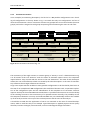
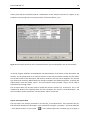
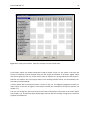
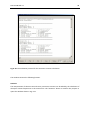
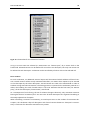
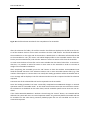
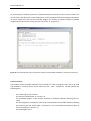
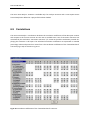
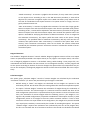
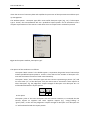
The menu item Options - Output Options (or the button
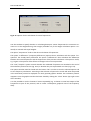
shown in Fig. 7-2.
on the toolbar) opens the window
Fig. 7-2: The window “Output options“.
Output format
The option “Output format” controls the format of the consistent scenario print-outs belonging to
the evaluation protocols.
-
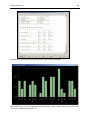
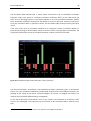
“Code“: The consistent scenarios are printed in the form of a code rather than a text. For
instance, the code “2 1 3 2“ of a scenario with four descriptors expresses that the first
descriptor takes state no. 2, the second descriptor state no. 1, the third descriptor state
no. 3, and the fourth descriptor state no. 2. The coded format helps list a large number of
consistent scenarios in a clear and compact way. On the other hand, reading this format
takes some practice. All scenario data (code, weight, consistency value, total impact score
and - in case of the option "Max. inconsistency" - the number of inconsistent descriptors)
are printed in a line.
-
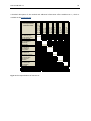
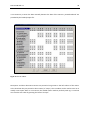
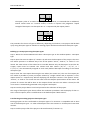
“Code and header" uses the coded form, too. In addition, at the top of the list of scenarios a header is printed. The header indicates the columns of the scenario list by the first
character of the descriptor's name. This should improve the comprehensibility of the
coded scenario list, provided that the names of the descriptors were chosen in a suitable
way (e.g. starting with A, B, C, ...).