1
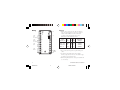
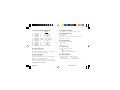
The upper display will show the measured value while the
lower display will show the programmed setpoint value
(we define this status as “normal display mode”).
Pushbutton functionality during operating mode :
FUNC = Stores the new value of a selected parameter
and increments to the next parameter.
SMRT = Scrolls parameters back (in reverse order)
without storing the new parameter value.
▲ = Increases the value of the selected parameter.
▼ = Decreases the value of the selected parameter.
Note: A 10 second timeout is operative during parameter
modification.
Output Power Off
To turn OFF the output signal, push and hold the ▲
pushbutton, then push FUNC. Pressing both pushbuttons
for more than 3 seconds will cause the instrument to
display "OFF" instead of the setpoint value.
In the output power off condition, the parameters can
always be reviewed and modified.
To return to normal control, press and hold the ▲
pushbutton and then push the FUNC pushbutton.
Press and hold both pushbuttons for more than 3 seconds.
The instrument then goes to the NORMAL DISPLAY
MODE.
If, during operator parameter modification, no
pushbuttons are pressed for more than 10 seconds, the
instrument goes automatically to the “normal display
mode” and it stores only the new settings that were
followed by pressing FUNC pushbutton.
10
8003 Manual
Chromalox 8003 User's Manual
10
4/27/06, 2:24 PM