1
Quadro6L/4L Manual I: Installation Guide
Table of Contents
Manual I: Installation Guide
About This Installation Guide ........................................................ 6
Requirements............................................................................. 7
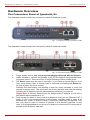
Hardware Overview..................................................................... 8
The Connectors Panel of Quadro6L/4L ......................................................8
Quadro6L/4L’s Front Panel LEDs ..............................................................9
Step 1: Installing the Quadro ..................................................... 11
Networking Overview ........................................................................... 11
LAN/WAN Connection Options ............................................................... 12
Connecting the Hardware ..................................................................... 16
Step 2: Configuring the Quadro .................................................. 20
Step 2.1: Logging into Quadro .............................................................. 20
Step 2.2: System Configuration Wizard .................................................. 21
System Configuration .....................................................................................21
DHCP Settings for the LAN Interface .................................................................22
Regional Settings...........................................................................................22
Emergency and PSTN Access Code Settings .......................................................23
Finishing the System Configuration Wizard ........................................................24
Step 2.3: Internet Configuration Wizard ................................................. 26
Uplink Configuration .......................................................................................27
WAN IP Configuration .....................................................................................28
PPP/PPTP Configuration...................................................................................29
WAN Interface Configuration ...........................................................................30
DNS Settings ................................................................................................30
Finishing the Internet Configuration Wizard........................................................31
Step 2-A: Using IP Lines ............................................................ 32
Supported SIP Phones.......................................................................... 35
Tested SIP Phones ............................................................................... 35
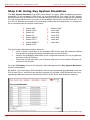
Step 2-B: Using Key System Emulation ........................................ 37
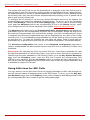
Using SLA Lines for SIP Calls ................................................................ 38
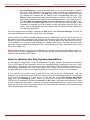
How to disable the Key System Emulation .............................................. 40
Step 2-C: Using Receptionist ...................................................... 41
Step 3: Registering on Epygi’s Technical Support........................... 42
Step 4: Making/Receiving Calls ................................................... 43
Using the Default SIP Addresses............................................................ 43
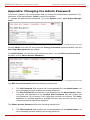
Appendix: Changing the Admin Password ..................................... 45
Appendix: Configuring NAT Traversal ........................................... 47
Appendix: Registering on Epygi’s SIP Server................................. 50
Appendix: Checking the Connections ........................................... 55
Quadro6L/4L; (SW Version 5.2.x)