1
Chassis Plans CPX1-241 Technical Reference
Chapter 6 - Installation
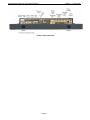
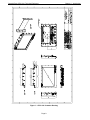
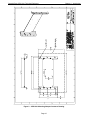
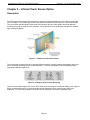
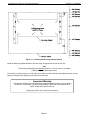
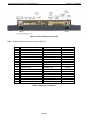
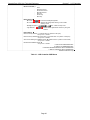
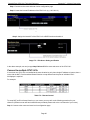
Figure 10 – Installing the Mounting Adapter Bracket
Install the Mounting Adapter Bracket to the rack using the appropriate screws for the rack.
Note
The Mounting Adapter Bracket is not symmetrical. The four holes in the middle
(VESA pattern) should be below center.
The monitor provides guide pins on both sides which slide into slots in the Mounting Adapter Bracket to help
support the weight of the display and pre-align the screw holes.
Important Warning
The guide pins and slots are not designed to support the display without a person holding
the monitor. Please have a person hold the display in place at the front while another
person installs the screws in the rear.
Dropping the LCD is not covered under warranty!
Page 22