1
Drobo User Guide
I. Introduction
I. Introduction
Fully automated data protection
Thanks for giving another Drobo™ storage robot a good home! We
at Data Robotics, Inc., have been working since 2004 to make protecting, storing and managing your digital content truly effortless.
Drobo is a tremendous labor-saving tool
for safely storing your data:
If you’re like us, you have a lot of data and absolutely must ensure
it is safe. But also like us, you hate how complex and time consuming managing and protecting large amounts of data is with today’s
storage solutions. Presumably, that’s why you bought Drobo.
We set out to build this device that is unlike anything else in the
world. Our goal is to take the pain out of making your data forever
accessible. You’ll find that Drobo is designed to anticipate much of
what can go wrong with digital storage, and it will automatically
monitor and repair problems that put your data at risk, letting you
know when you need to take simple actions to keep your system
running at peak safety and efficiency.
Mostly what that means is you just plug Drobo in, feed it with
drives, and use it just like you would any hard drive (except this
one is self-protecting, infinitely expandable, and requires no complex configuration or oversight).
Why a data robot?
Robots have improved the lives of humans all over the planet by
taking over many repetitive, time consuming and dangerous tasks.
From automobile assembly to home vacuums, robots now let
people focus their time on more important activities. But until now,
our digital lives haven’t been improved by any robotic solutions.
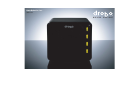
Enter Drobo, the world’s first storage robot. Drobo provides effortless safe and expandable storage right on your desktop. Drobo
combines the advanced concepts of storage virtualization and
cybernetics to take the pain out of data
management. There are many different
ways to store and protect digital content,
but Drobo is the only fully automatic
storage robot that performs many data
management tasks without you even
knowing about it. Here’s what you can
expect from Drobo:
• Drobo automatically configures itself
for data protection so you don’t have to.
• When a drive fails, your data is still
safe (and all drives do eventually fail).
• Drobo senses any corrupted data and
ensures you only access non-corrupt data.
• Drobo lets you add or upsize drives anytime you want,
regardless of capacity, speed or manufacturer.
• After install, new capacity is immediately available & protected.
Infinite expansion
As hard drives get bigger, Drobo lets you expand:
• Upgrading capacity is as simple as adding ink to a printer.
• Mix ’n match any hard drives – no worrying about matching
make, model or capacity of Drobo’s existing drives.
• Upgrade forever: just replace Drobo’s smallest drive with a larger
capacity drive – no data migration or reconfiguration is required.
Simple set-up, no data management required
Storage just doesn’t get any easier than this:
• USB plug-in, no screwdrivers, no networks, no application
software required.
• Start with any number of drives (we recommend two), and just
add new disks when you want more capacity.
• No downtime to add capacity. Just add a drive to an empty Data
Bay, or replace a smaller drive with a larger one.
• Drobo acts as one large drive, making it easier to find what
you’ve stored on it.
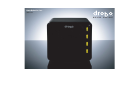
• Just watch Drobo’s Data Bay indicator lights, they tell you
everything you need to know!
• Your data has multiple layers of automatic protection.