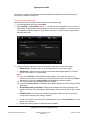
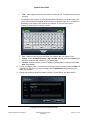
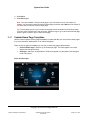
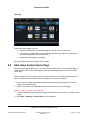
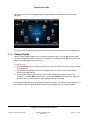
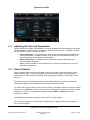
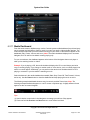
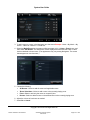
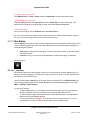
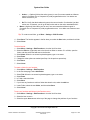
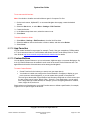
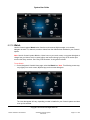
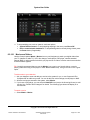
1
System User Guide Control4 Disclaimer Control4® makes no representations or warranties with respect to this publication, and specifically disclaims any express or implied warranties of merchantability or fitness for any particular purpose. Control4 reserves the right to make changes to any and all parts of this publication at any time, without any obligation to notify any person or entity of such changes. Trademarks Control4 and the Control4 logo are registered trademarks of Control4 Corporation. Other product and company names mentioned in this document may be the trademarks or registered trademarks of their respective owners. Legal Notice GNU GNU GENERAL PUBLIC LICENSE TERMS AND CONDITIONS FOR COPYING, DISTRIBUTION AND MODIFICATION (Section 3.b.) You may copy and distribute the Program (or a work based on it, under Section 2) in object code or executable form under the terms of Sections 1 and 2 above provided that you also do one of the following: Accompany it with a written offer, valid for at least three years, to give any third party, for a charge no more than your cost of physically performing source distribution, a complete machine-readable copy of the corresponding source code, to be distributed under the terms of Sections 1 and 2 on a medium customarily used for software interchange. The complete text for this license is available on the Control4 web site at: http://www.control4.com. Gracenote Gracenote®, Gracenote logo and logotype, and the "Powered by Gracenote" logo are either a registered trademark or a trademark of Gracenote, Inc. in the United States and/or other countries. Music and DVD recognition technology and related data are provided by Gracenote®. Gracenote is the industry standard in Music and DVD recognition technology and related content delivery. For more information visit www.gracenote.com. MPEG Fraunhofer IIS and Thomson. MPEG Layer-3 audio coding technology licensed from Fraunhofer IIS and Thomson. Supply of this product does not convey a license nor imply any right to distribute content created with this product in revenue-generating broadcast systems (terrestrial, satellite, cable, and /or other distribution channels), streaming applications (via Internet, intranets, and/or other networks), other content distribution systems (pay-audio or audio-on-demand applications, and the like) or on physical media (compact discs, digital versatile discs, semiconductor chips, hard drives, memory cards, and the like). An independent license for such use is required. For details, visit http://mp3licensing.com. Radio Locator is the service provider of AM/FM channel list. © 2005-2008 All Media Guide, LLC provides music and video recognition technology that provides cover art and r elated text that enriches the Control4 user Navigators. Copyright © 2014 Control4. All rights reserved. Control4, the Control4 logo, the Control4 iQ logo and the Control4 certified logo are registered trademarks or trademarks of Control4 Corporation in the United States and/or other countries All other brands or names may be claimed as property by their respective owners. Pricing and specifications subject to change without notice. No part of this publication may be reproduced, photocopied, stored on a retrieval system, or transmitted without the express written consent of the publisher. Contact Information Control4 Corporation 11734 S. Election Road Salt Lake City, UT 84020 USA http://www.control4.com Part number: 200-00001 Control4 System User Guide, Rev. T (OS 2.5.3) Copyright © 2014 Control4. All Rights Reserved. Saved: 10/28/2013 12:48:00 PM 200-00001 Control4 System User Guide Page 2 of 160 System User Guide Contents 1. Welcome ..................................................................................................................................... 6 1.1 Purpose ............................................................................................................................... 6 1.2 Related Documents and Resources .................................................................................... 6 2. Introduction ................................................................................................................................. 6 2.1 About these Sections........................................................................................................... 8 2.2 www.control4.com, my.control4.com, and MyControl4 ........................................................ 9 3. My.Control4.Com and MyControl4 ............................................................................................ 10 3.1 Create an Account and Register Your System................................................................... 10 3.1.1 Dealers Only.................................................................................................................. 10 3.1.2 Consumers Only ............................................................................................................ 11 3.2 Register Your Controller .................................................................................................... 11 3.3 Access 4Sight.................................................................................................................... 12 3.4 Enable Remote Access on Your Devices .......................................................................... 13 3.5 Set Up Internet Music ........................................................................................................ 14 3.6 Use the TuneIn Radio Service ........................................................................................... 14 3.7 Check or Change Your Account ........................................................................................ 14 3.7.1 Dealers .......................................................................................................................... 14 3.7.2 Customers ..................................................................................................................... 15 4. 4Store ....................................................................................................................................... 15 4.1 4Store Prerequisites .......................................................................................................... 16 4.2 4Store Website .................................................................................................................. 16 4.3 Create a New 4Store Account ........................................................................................... 18 4.4 Request a New 4Store Password ...................................................................................... 19 4.5 Set Up 4Store Purchasing ................................................................................................. 20 4.6 Access and Use 4Store ..................................................................................................... 20 5. Customize Your System ............................................................................................................ 21 5.1 Navigator Types ................................................................................................................ 22 5.2 Programmable Buttons ...................................................................................................... 25 5.3 Composer HE Overview .................................................................................................... 26 5.4 Custom Home Pages ........................................................................................................ 27 5.4.1 Custom Home Page Templates ..................................................................................... 30 Copyright © 2014 Control4. All Rights Reserved. Saved: 10/28/2013 12:48:00 PM 200-00001 Control4 System User Guide Page 3 of 160 System User Guide 5.5 6. Add a New Custom Home Page ........................................................................................ 31 5.6 Lock the Navigator ............................................................................................................ 32 Navigation ................................................................................................................................. 35 6.1 Using the System Remote Controls ................................................................................... 35 6.1.1 System Remote Control Settings ................................................................................... 35 6.1.2 System Remote Control Navigation ............................................................................... 36 6.1.3 4 Button ......................................................................................................................... 37 6.1.4 Watch Button ................................................................................................................. 38 6.1.5 Listen Button ................................................................................................................. 38 6.1.6 Remote Recharging Station ........................................................................................... 38 6.2 Using the Touch Screens, MyHome Apps, and On-Screen Navigators.............................. 39 6.2.1 Home Page ................................................................................................................... 41 6.2.2 Secondary and Tertiary Pages ...................................................................................... 42 6.2.3 Rooms ........................................................................................................................... 43 6.2.4 Change Rooms.............................................................................................................. 44 6.2.5 Adjusting the Time and Temperature ............................................................................. 45 6.2.6 Device Controls ............................................................................................................. 45 6.2.7 List View ........................................................................................................................ 46 6.2.8 Grid View....................................................................................................................... 47 6.2.9 Sort View ....................................................................................................................... 48 Breadcrumbs ............................................................................................................. 49 6.2.10 6.2.11 Media Dashboard ...................................................................................................... 50 6.2.12 Media Zones .............................................................................................................. 51 6.2.13 Star Button................................................................................................................. 53 6.2.14 App Favorites ............................................................................................................ 56 Custom Buttons ......................................................................................................... 56 6.2.15 6.2.16 Watch ........................................................................................................................ 57 6.2.17 Listen ......................................................................................................................... 69 6.2.18 Lighting ...................................................................................................................... 89 6.2.19 Comfort...................................................................................................................... 93 6.2.20 Security ................................................................................................................... 100 6.2.21 More ........................................................................................................................ 102 6.2.22 Apps ........................................................................................................................ 138 6.3 Using the List Navigators ................................................................................................. 143 6.4 Using Anywhere Access: Web......................................................................................... 145 6.5 Using Anywhere Access: Mobile ..................................................................................... 147 6.6 Using MyHome Apps ....................................................................................................... 147 Copyright © 2014 Control4. All Rights Reserved. Saved: 10/28/2013 12:48:00 PM 200-00001 Control4 System User Guide Page 4 of 160 System User Guide 7. 8. 6.6.1 Supported Devices and System Requirements ............................................................ 149 6.6.2 MyHome Licensing ...................................................................................................... 150 6.6.3 Downloading and Configuring MyHome Apps .............................................................. 150 Glossary.................................................................................................................................. 152 Index ....................................................................................................................................... 156 Copyright © 2014 Control4. All Rights Reserved. Saved: 10/28/2013 12:48:00 PM 200-00001 Control4 System User Guide Page 5 of 160 System User Guide 1. Welcome Welcome to the exciting world of home automation and Control4. The Control4® home-automation system lets you automate the most important tasks and comforts in your home according to your lifestyle, helping to make your living environment enjoyable for you, your family, and friends. As your Control4 dealer or installer adds new devices to your Control4 system, you may discover unlimited ways to automate the controlled devices in your home, and enhance daily living at home. You may have already read a little bit about some of the sections in this Control4 System User Guide from the Control4 System Quick Start Guide. If so, you are now familiar with a few basic tasks you can perform with your automated system. If not, we encourage you to go back and read the Control4 Quick Start Guide first. This guide provides more detailed information about how to use your system. 1.1 Purpose This guide describes the basic automated tasks you can do with your Control4 system. It includes steps, tips, and examples to set up and use your system. 1.2 Related Documents and Resources Below are some of the documents you can find on the Control4 website at: http://www.control4.com/owners/resources. To access guides for specific products, see the Owners > Resources pages at www.control4.com or ask your dealer. Control4 System Quick Start Guide (PDF) Control4 System Remote Control SR-250 User Guide (PDF) Composer Home Edition Getting Started (PDF or help in the application) Composer Home Edition User Guide (PDF or HTML help) Composer Media Edition User Guide (PDF or help in the application) MyHome Setup Guide for Homeowners (PDF) Contact your Control4 dealer if you experience any problems with your system, if you want to install a new device to work with your Control4 system, or if you just need some answers. 2. Introduction A Control4 system consists of some basic control devices, plus a large selection of other homeautomation-capable devices you can purchase to enhance your home environment. Control4 and third-party devices are available for Ethernet, WiFi, or ZigBee™ communications (see the samples below). Basic System: Controllers Navigators (interfaces): Touch screens, MyHome® apps, on-screen (TV) with the Control4 System Remote Control Copyright © 2014 Control4. All Rights Reserved. Saved: 10/28/2013 12:48:00 PM 200-00001 Control4 System User Guide Page 6 of 160 System User Guide Door Station Thermostat Lighting devices (dimmers, switches, and so on) Multiple-button keypads Various audio and video devices (receivers, tuners, DVD players, media players, Speaker Point™ devices, Wireless Music Bridge, and so on). See the Control4 Products pages at www.control4.com to view the full line of available Control4 products to automate your home. With a Control4 system you can: Control all of the lights in your home from one or multiple keypad buttons or through a Navigator (touch screens, MyHome apps, on-screen via remote control). When you leave the house, for example, press a button on the keypad to turn all lights in the house off except the porch and hall lights. Control your video, movie screen, movies, music, lights and window shades in the home theater—from one button. Play different music in each room of the home using Control4 zones, amplifiers, switches, Speaker Points, or Wireless Music Bridge. Control heating, air conditioning, the alarm system, door locks, sprinklers, garage door opener, fireplace, swimming pool, cameras—you name it—from a keypad or the Navigators. Monitor and adjust your Control4 system remotely. On vacation in Europe? No problem. Use Anywhere Access to monitor or adjust your settings so neighbors and passers-by think you’re home. Or set up lighting scenes to turn lights on and off by a set schedule. Buy 4Store apps to enhance your system and make your home network fit your flexible lifestyle. Install a Door Station at the front door so visitors can communicate with you inside the home. Use the Door Station to see and speak to whoever’s at the front door while turning on the porch lights. Install security cameras around the exterior of your house when you're home or away so you can see who is outside. Start an Intercom session from an intercom-capable touch screen with video to broadcast messages, call someone in another room, or remotely check on a child or elderly parent in their room. Are there other devices you can automate in your home? Your Control4 dealer or installer can probably help you make your dreams real. Copyright © 2014 Control4. All Rights Reserved. Saved: 10/28/2013 12:48:00 PM 200-00001 Control4 System User Guide Page 7 of 160 System User Guide After installation, you’ll quickly be using your Control4 Navigators (touch screens, System Remote Control, MyHome apps on your smartphones or PC/Mac tablets, and on-screen Navigators) to automate your home. The Control4 system is room based; the Navigators can control one (1) or all rooms in the home. You can control the devices installed in that room. From a Navigator, select the room to control. If your Navigator is not controlling devices in a room, simply change to the room that has those devices. Devices don't appear in the Navigator for a particular room if those devices aren't installed in that room. For example, a TV installed in the Theater won’t appear in the Kitchen on your Navigator, but only in the Theater. You can manage up to 100 lights and other Control4 devices in every room. 2.1 About these Sections This Control4 System User Guide gives you the basics about how to use your Control4 system. The sections in this guide, along with the Control4 System Quick Start Guide which gives you a brief overview of what's in the system and how to use the Navigators, will help you get started. Note: Enable Allow Blocked Content if you're reading this document in Windows Internet Explorer. The sections in this guide are organized by what you see in the interfaces and on the devices. For example, if you want to select music to listen to from your Navigators, just go to the “Listen” section (it appears in the Navigator's home page). The subjects are divided into logical sections: Introduction—Gives you information about this release and how to get more information. 4Store—Gives you details about purchasing apps for your touch screens. My.Control4.com (for dealers) or MyControl4 (for consumers)—Gives you information about creating an account, getting and accessing 4Sight and Anywhere Access, enabling remote access, and setting up Internet music. Customize Your System—Gives you information about your Navigators, how to customize Navigator pages, and what Composer Home Edition (HE) software (sold separately) can do to enhance your system's capabilities and give you even more control over your home network. Navigation—Gives you detailed steps and information about how to use the Navigators to control your home network. Throughout this document, you’ll find references to releases, for example, OS 2.5.3. To find out what software version your system is running, check with your dealer. We hope you'll find this guide useful as you learn how to use your Control4 system. If you have any comments about this and other documents, please let us know via your Control4 dealer. We are always looking for ways to improve. Copyright © 2014 Control4. All Rights Reserved. Saved: 10/28/2013 12:48:00 PM 200-00001 Control4 System User Guide Page 8 of 160 System User Guide 2.2 www.control4.com, my.control4.com, and MyControl4 www.control4.com is the Control4 corporate website everyone can visit to find information about Control4 products, access customer accounts, read or download documentation, access marketing materials, purchase apps from 4Store, access 4Sight, find a dealer, and much more. A my.control4.com (dealer access only) account is what dealers use to create and manage theirs and their customers’ personal accounts during and after a new Control4 system is installed. Dealers will use their my.control4.com account to perform various setup tasks for a customer’s system. Registering a customer’s Primary Controller can be done in this account also. At least one controller must be registered to a system to activate that system. MyControl4 at customer.control4.com (consumers) is a web portal where consumers can go to set up and manager their own personal account, get software, and locate documentation and other resources. Your dealer will most likely set up your MyControl4 account for you and also register your controller. If necessary, however, you can create the account yourself and register your own controller. Talk to your dealer for details. Copyright © 2014 Control4. All Rights Reserved. Saved: 10/28/2013 12:48:00 PM 200-00001 Control4 System User Guide Page 9 of 160 System User Guide 3. My.Control4.Com and MyControl4 After your Control4® Dealer or installer has installed your system, dealers will usually use their my.control4.com (dealers) account to set up your free personal MyControl4 account and register your system. After the account is set up, you will need to log in to the account and accept the Terms of Use agreement for the first time. You will want to become familiar with the contents of this site, because you’ll be using the MyControl4 account to perform different activities from time to time. Note: The my.control4.com and MyControl4 accounts are not supported on MyHome for iPad®, iPhone®, iPod touch®, or Android devices. Use an Internet browser to access these accounts. The benefits setting up an account and registering your controller let you and/or your dealer Access your account information. Access and download media identification and TV or radio station configurations. Access information about movies and music. Download software updates. Access documentation, videos, and other resources. Use 4Store. You and your dealer will use the services provided by my.control4.com or customer.control4.com (MyControl4) to update your system, make changes to your system, fix problems that may occur, customize your system, check the licenses that you have and whether they are activated, access 4Sight (subscription required), Anywhere Access, and MyHome apps for remote access services. See “Access 4Sight” or “Using MyHome Apps” for details. access 4Store to purchase apps (not supported on devices that use MyHome apps). See “4Store” for details. download other applications, for example, Composer HE or Composer ME. See the Control4 System Quick Start Guide for details. 3.1 Create an Account and Register Your System Note: During or after your system is installed, check with your dealer about setting up your account and registering your controller. Either you or your dealer can do that. 3.1.1 Dealers Only To create an account for your customer and register your customer’s controller on my.control4.com: 1. Using an Internet browser, go to my.control4.com. 2. At the top of the page, click Create Account or click here under ‘Registering Your Controller.’ 3. Enter the requested personal information (Step 1 - Tell Us Who You Are). Copyright © 2014 Control4. All Rights Reserved. Saved: 10/28/2013 12:48:00 PM 200-00001 Control4 System User Guide Page 10 of 160 System User Guide 4. Enter your customer’s system information (Step 2 – Enter Your Control4 System Information). To set up Remote Access so your dealer can view your system configuration, select Allow Remote Support. 5. Create your customer’s account name, email address, and password (Step 3 – Create you’re my.control4.com Consumer Account). Also add a promotional code if you have one. 6. Read and accept the Terms of Use. Check if you’d like to receive communications from Control4. Your customer will have to accept these terms again when you turn the account over to them and they log in the first time. 7. Click Create Account. 8. You’ll now be prompted to register your customer’s controller. If you register now, a 10-key code is returned to you. Copy or write down this code; you will add it to your Composer Pro project (in Tools > Account Services) or you can use a Navigator to enter the code (see “Register Your Controller”). If you prefer, you can log in later and register your controller by clicking Register Controller. Go to “Register Your Controller” when you’re ready to do this. 9. Follow the on-screen instructions, as there are other steps you must follow to complete the process. 10. To create a 4Sight subscription (subscription fee required), click Subscriptions. 11. Write down the account name, login, and password information. Keep this information in a safe place. You’ll need to give this information to your customer. The next time you visit this site, you can log in and check or change your customer’s account or use the Anywhere Access (if you’ve set up a 4Sight subscription). Note: If you forget the password, go to my.control4.com and click Forgot Password? under Account Login. If you’ve forgotten the account name, contact Control4. 3.1.2 Consumers Only If your dealer has not set up your account for you and registered your controller, and you want to set it up yourself, go to customer.control4.com and at the login screen, click Create New Account. See Account Quick Setup for Consumers at http://www.control4.com/owners/resources for more details. 3.2 Register Your Controller If you haven’t done so, you or your dealer will use the my.control4.com (dealers only) or MyControl4 at the customer.control4.com (consumers only) website to register your primary controller (unless you have only one controller in your system). In systems that have more than one controller, the main controller is called the ‘primary’ controller; all other controllers are known as ‘secondary’ controllers. To register the controller: 1. Using an Internet browser, go to the my.control4.com (dealers) or MyControl4 (consumers) account. 2. Log in using the email and password you set up when you created the account, and then click Submit or Login. If you don’t have an account yet, see “Create an Account and Register Your System.” 3. Your Account Profile appears. Click My Account. 4. Click Controller Registration at the top of the screen. 5. Click Register Controller (at my.control4.com) or Register New Controller (at MyControl4). Copyright © 2014 Control4. All Rights Reserved. Saved: 10/28/2013 12:48:00 PM 200-00001 Control4 System User Guide Page 11 of 160 System User Guide 6. Click Yes. A 10-digit code is returned to you. Write this code down, or copy and paste it into a text editor. You’ll need this code for the next steps. 7. Go to a touch screen and tap More > Settings > Registration. 8. Enter the 10-digit code you received from the my.control4.com or MyControl4 account. 9. Select Activate (Step 3 on your Navigator, not applicable for MyHome iOS or Android devices). 10. After you set up remote access, with 4Sight (see the next section) you can log in using Anywhere Access: Mobile from your mobile or tablet device or Anywhere Access: Web from any Internet browser worldwide to change light and thermostat settings, and so on. See “Navigator Types” for details. When you’re finished, the status should read ‘Check in successful’ (see the previous screen). 3.3 Access 4Sight Use the Control4 my.control4.com (dealers) or MyControl4 at customer.control4.com (consumers) to set up and access 4Sight—a subscription-based service that requires a fee. The advantage of having a 4Sight account is that you can use a web browser, a mobile device, or a tablet from anywhere in the world to manage your system using Anywhere Access: Web or Anywhere Access: Mobile. In OS 2.0 or later, 4Sight includes 3G and 4G integration so you can use your iPhone, iPod touch, iPad, or Android to access your system from a mobile device. Setting up a 4Sight account: Lets you use Anywhere Access—a feature of 4Sight—to connect to and use your Control4 system from a remote location worldwide using your smartphone or tablet (OS 2.4.0 or later) or the web (OS 2.5.0 or later). Gives you the E-mail Notification agent so you can receive notifications if devices in your home need attention. Your dealer can set up an E-mail Notification agent or you can use Composer HE (sold separately) to create one yourself (your dealer will have to add the agent to your project first, however). See “Composer HE Overview” for details. Copyright © 2014 Control4. All Rights Reserved. Saved: 10/28/2013 12:48:00 PM 200-00001 Control4 System User Guide Page 12 of 160 System User Guide See “Create an Account and Register Your System” mentioned earlier to find out how to set up 4Sight. See “Using Anywhere Access: Web” or “Using Anywhere Access: Mobile” to learn how to use Anywhere Access. 3.4 Enable Remote Access on Your Devices Use the Control4 Navigators to enable remote access. Note: Remote access is not supported on MyHome apps for iPad, iPhone, iPod Touch, or Android devices. For information about MyHome, see “Using MyHome Apps” later in this guide. Prerequisites 1. Enable remote access when you register your system. You or your dealer can do this easily. 2. You can use remote access with or without a 4Sight account, but you will have more flexibility if you have 4Sight. To enable remote access: 1. On a Navigator, select More > Settings. 2. Select Remote Access (if available). 3. Select Remote Access is: Enabled. 4. If this does not set up remote access, have your dealer log in to my.control4.com and edit your registration page by selecting Allow Remote Access. Notes: (1) After you enable remote access, if you have a 4Sight subscription, you can enter your email address and password at your MyControl4 account, and use your Navigator over a secure connection from anywhere in the world. When you log in, use Anywhere Access on the web or from your smartphone or tablet to monitor and control your lights, change your temperature (warm or cool the home remotely), check door locks, check whether any doors or windows were left open, and more. Copyright © 2014 Control4. All Rights Reserved. Saved: 10/28/2013 12:48:00 PM 200-00001 Control4 System User Guide Page 13 of 160 System User Guide (2) If your primary controller is registered on MyControl4, the system is accessible through remote access (without a 4Sight subscription) after a request by the installer or Control4 Technical Support is made to access the system on the account AND the system user (installer or home/business owner) instructs the controller to 'Check In.' The owner can do this from the Navigator’s Remote Access page. 3.5 Set Up Internet Music Music and movies seem to be the first items Control4 system owners want up and running as soon as their systems are installed and set up. You can use Rhapsody®, iTunes, Napster®, TuneIn, ® ® MediaMonkey, Pandora , Spotify , Windows Media Player, or many other music services on your Navigators to play music in every room in the home. Follow the instructions from your preferred music service to set up the service from your PC or mobile device. After that, ask your dealer to help you set up the service so you can listen to music through your system. See also “Internet Radio.” 3.6 Use the TuneIn Radio Service If you have MyHome (see “Using MyHome Apps” later in this guide), you can use the TuneIn app to listen to stations, shows, and more on your smartphone, tablet, PC, or touch screens. Create an account at tunein.com and add your favorites; those favorites can be synchronized with the favorites on your devices that use MyHome. TuneIn is available on new or legacy Control4 systems as a Primary Controller with HC-250, HC-800, or HC-1000 and OS 2.4.0 or later. Owners can easily set up TuneIn. See the TuneIn User Guide or TuneIn Setup Guide in the Products page at http://www.control4.com/products/audio-video/tunein for details. 3.7 Check or Change Your Account Use my.control4.com (dealers) or customer.control4.com (consumers) to log in and view your personal Control4 account information. Ensure that you or your dealer has created your account. You or your dealer may want to update your MyControl4 account occasionally. 3.7.1 Dealers To check or change account information: 1. Open an Internet browser, and go to my.control4.com. 2. Log in using your e-mail address and password, and then click Submit or Login. 3. In your Account Profile, click Account Administration > My Account to: View or change your account profile. View, add, change, or remove users related to this account. View active subscriptions. Register or check the status of a controller’s registration. Copyright © 2014 Control4. All Rights Reserved. Saved: 10/28/2013 12:48:00 PM 200-00001 Control4 System User Guide Page 14 of 160 System User Guide 4. Review the list of links at the top of the page adjacent to Account Administration. Account Profile—Lists your account information, owner's profile (editable), dealer (editable), and the check box 'Allow Remote Access.' Check this box if you want to allow your dealer to access your account remotely. My Profile—Lets you update your profile: user information, passwords, and permissions. Click Save to save your changes. Users—These are people who can access and update your account, including the dealer. Subscriptions—Lets you view existing subscriptions assigned. Controller Registration—If you haven't registered your controller yet, this is the place to do it. Just follow the instructions. Downloads—Lists links to software that you or your installer can download, for example, Composer HE or Composer ME. 5. When you’re finished, click Logout. For more information, see Managing Dealer Accounts on my.control4.com on the dealer website. 3.7.2 Customers 1. Open an Internet browser, go to customer.control4.com, and then log in. 2. Click My Account, My Profile, or Manage Users. My Account—Use to change account information, permissions, and dealer information. My Profile—Use to change your basic profile or permissions. Manage Users—Use to add, edit, or remove users from your account. 3. Click Edit or Add and change the settings as needed. 4. Click Save. For more information, see Account Quick Setup on the Control4 website under Owners > Resources. 4. 4Store The Control4 4Store (4Store.com) is a website where you can go to download applications for your touch screens, MyHomePC, or on-screen Navigators. At 4Store.com you can set up a 4Store account, set up billing, download apps, and more. Use 4Store.com along with your Navigators to manage your 4Store apps. Copyright © 2014 Control4. All Rights Reserved. Saved: 10/28/2013 12:48:00 PM 200-00001 Control4 System User Guide Page 15 of 160 System User Guide 4Store Home page: 4.1 4Store Prerequisites 1. Ensure that your Control4 dealer has added and configured the supported devices (touch screens, MyHome apps, and on-screen Navigators) to use with 4Store in your Control4 system. 2. Ensure that your touch screens, MyHomePC, and on-screen Navigators are working correctly. 3. Create a 4Store account and set up an account to purchase and download apps. Note: Except for MyHomePC, access to 4Store is not supported on devices that run MyHome apps. Purchase apps for MyHome for iPad, iPod touch, iPhone, and Android at their respective app stores. 4.2 4Store Website 4Store sells apps for home control, energy use, lighting control, entertainment, restaurant reservations, finances, health and fitness, and much more. Check the 4Store site often, as new apps become available frequently. Example: Maybe you want to read a review of the current movies in town; you can use a 4Store movie review app on your touch screen, MyHomePC, or on-screen Navigator to see those reviews. Add shortcuts to your favorite applications, for example, use BlogReader on your touch screen to read your favorite online blogs. Customize your Navigators to match your lifestyle with 4Store apps. Use the 4Store.com website to: Create an account (Create new account) Set up your purchasing (Setup Purchasing) Configure apps (My Apps) Review apps (My Apps) Search for apps to buy Purchase apps Copyright © 2014 Control4. All Rights Reserved. Saved: 10/28/2013 12:48:00 PM 200-00001 Control4 System User Guide Page 16 of 160 System User Guide Update purchased apps Check your account Add shortcuts to your apps Store a copy of the app in another category (for example, Lighting, Watch, Listen, and so on.) Lock or unlock the ability to purchase apps Note: You can purchase apps directly on your Navigators (touch screens, MyHomePC, or on-screen Navigators). This feature is not supported on Navigators released prior to OS 2.0. At 4Store.com, you can also: Log in and log out of your account. You must be logged in to your account to view and purchase apps, or check account information. View account information View—View your name, phone, address, and so on. Edit—View/change account information (email address and password) and timezone (use the drop-down list to change the locale). Click Save to apply your changes. Account—View/edit your account information. Personal Information—Change your first name, last name, phone, address, city, state, or zipcode. Click Save to apply your changes. Browse and purchase applications Note: Make sure you update at least one (1) of your touch screens if you download an app from the 4Store website (Browse apps). Also see “Control4 4Store” for details. After you download the apps and update your Navigator, you can use your new apps on supported Navigators immediately. Tip: For your convenience, the News and Weather apps are already on your Navigators in Apps on the Home page (OS 2.1 or later) by default. The 4Store apps are in More > 4Store and More > Apps (OS 2.1 and earlier). The left side navigation row contains these links: 4Store 4Store Home—Goes back to the Home page. Browse Apps—View the categories of apps available. Click a category to view the apps for download. Developers—Find out how to develop an app for 4Store. Support—Get some basic answers and details about who to contact if needed. My Account My Apps—See the list below. My System—View system information. This is the controller ID set up to run with 4Store. You can click here if you’ve updated to another system. Setup Purchasing—Set up billing information. See “Set Up 4Store Purchasing.” Purchase History—Details are below. Gifts and Invitations—Details are below. Copyright © 2014 Control4. All Rights Reserved. Saved: 10/28/2013 12:48:00 PM 200-00001 Control4 System User Guide Page 17 of 160 System User Guide My Apps lets you View the apps on your My Apps page. Configure another app, for example, Facebook, to use on your Navigators. Click Configure, and then add the login and password information for that app (if available). View the app's description in the Description column. Add a Review. Click Review next to the app and enter a rating or review comments. Delete the app. Click Delete next to the app. Contact the developer. Click Contact Developer to send them comments if an app is not working properly. Purchase History—Lets you view your purchases by app name, date purchased, and amount. Gifts and Invitations—4Store developers have the option of 'gifting' apps or Beta versions of apps to selected users. If this occurs, you will receive an email. When you click Gifts and Invitations, a list of the gifts appears. You can accept the gift or Beta invitation and then download the app. 4Store supports apps in these categories and more: Control Finance Lighting Sports Education Games Music Themes Energy Health & Fitness News & Weather Video Entertainment Lifestyle Productivity To get started with your new 4Store account or for more information, see the following sections. See “Control4 4Store” to use your apps on the Navigators. 4.3 Create a New 4Store Account Before you can use the many 4Store apps available with a Control4 system and its Navigators, set up a Control4 4Store account and purchasing. To create a 4Store account from 4Store.com: 1. In an Internet browser, go to 4store.com. 2. On the 4Store home page, click Log Into My 4Store Account to create the account. 3. Under User Account, click Create new account. 4. Fill out the Account Information and Personal Information forms, accept the terms and conditions, and then click Create new account at the bottom of the page. Copyright © 2014 Control4. All Rights Reserved. Saved: 10/28/2013 12:48:00 PM 200-00001 Control4 System User Guide Page 18 of 160 System User Guide 5. When approved, you will receive an acknowledgement via an email message with instructions about logging in, setting up your password, and other information. 6. To request a new password, see “Request a New 4Store Password.” 7. To set up purchasing, see “Set Up Purchasing.” 8. To log in to your new account, view app details, and purchase apps, see “Access 4Store.” 9. Download what you've purchased. Your new apps will appear on your touch screens, MyHomePC apps, or on-screen Navigators in the Apps folder. See “Check Your App Store Account.” 10. Open and start using your new apps. 11. (Optional) View the status of your account. 4.4 Request a New 4Store Password Before you can use your new Control4 4Store account, you must have a password to log in. You can request a password also if you've forgotten it. Note: As part of the 4Store account creation process, you will be asked to assign a password. To get a new password from 4Store.com: 1. Go to http://www.4Store.com. 2. Click Log Into My 4Store Account. If you forgot your password, under User Account click Request new password. Type your account’s username and password (if you know it). You will receive an email message acknowledging your request. Follow the instructions to create a new password. If you just want to change your password, log in and under My Account, click Edit. Type your new password (if you know it) and type it again to confirm it. You will receive an email message acknowledging your request. Copyright © 2014 Control4. All Rights Reserved. Saved: 10/28/2013 12:48:00 PM 200-00001 Control4 System User Guide Page 19 of 160 System User Guide 4.5 Set Up 4Store Purchasing Use your Control4 4Store account to purchase apps for your supported Navigators. To set up your billing method: 1. Log in to 4Store.com. 2. At the Featured Apps page, click Setup Purchasing. 3. Click the first here link to set up your credit card billing information. 4. Fill out the billing form, including Name, Address, and credit card information. Note: This feature is not supported in all countries. 5. Read and accept the agreement. 6. Click Save. 7. Return to the 4Store Home page and click Browse Apps to view and purchase apps, or you can use the 4Store icon on your touch screens, MyHomePC, or on-screen Navigator to purchase apps. 8. Click on More Info to see what the app looks like and read reviews. 9. Click Buy Now if you're ready to purchase an app. Purchased apps appear in your touch screens, MyHomePC (see “Using MyHome Apps”), or on-screen Navigators in Apps. Note: Some apps cannot be purchased on the spot. You may need to (1) have the correct driver for the device before you can install the app and (2) install the app from your Navigator. Check with your dealer for details. 4.6 Access and Use 4Store Use the Control4 4Store website to search for, purchase applications, or view your purchases. Note: You can use the touch screens, MyHomePC, or on-screen Navigators (not supported on iOS or Android devices that run MyHome apps) to do the same thing in Apps > 4Store. To access 4Store.com: 1. Go to www.4Store.com, or access 4Store on a touch screen (Apps > 4Store). 2. Log in using your username and password. Note: If you use a touch screen, type your username and password using the on-screen keyboard. To check or edit your 4Store account: 1. Log in to 4Store. 2. At any page in the Control4 4Store from the Internet or on your supported Navigator, click or select My account in the left navigation list. 3. View or change your account (including your password) or personal information. Click or select the View or Edit tab. Copyright © 2014 Control4. All Rights Reserved. Saved: 10/28/2013 12:48:00 PM 200-00001 Control4 System User Guide Page 20 of 160 System User Guide View—View your personal information or history. Edit —Choose one of the following: Account—Click or select to change your email address, password, or locale. Personal Information—Click or select to change your name, phone, address, city, state, and zip. 4. After you’ve edited your data, click or select Save. To browse and buy 4Store apps: 1. At any page in the Control4 4Store under 4Store click Browse Apps (left navigation list). 2. Click the app's link. 3. You can read the description, rating, reviews or sort the apps before you decide to purchase any app. If you choose to purchase an app, click Buy Now. Note: Some restrictions apply. See “Set Up 4Store Purchasing” for details. 4. Click OK when asked if you want to purchase the app. To review your purchases: 1. At any page in 4Store click My Apps (left side). 2. View the apps. 3. Click the Review link to add review comments. To review the history of your purchases: 1. At any page in 4Store click Purchase History (left side). 2. View the application's name, date of purchase, and cost. To log out of 4Store: At any page in 4Store, click Log out (left side). 5. Customize Your System Control4 provides several ways to customize your Control4 system. 1. Use the Control4 Navigators (touch screens, MyHome apps, and so on) to customize the look and feel on your Navigators. Your installer can show you how to use the Navigators, or see “Navigation.” Add or change your wallpaper Add screen savers to display personal photos Add apps purchased from 4Store Create favorites of frequently-used pages Create customized playlists Have your dealer change the time from a 12-hour format to a 24-hour format for display in the Home page, Thermostat pages, Motors and Sensors, Wakeups, Screen Saver, and more. Copyright © 2014 Control4. All Rights Reserved. Saved: 10/28/2013 12:48:00 PM 200-00001 Control4 System User Guide Page 21 of 160 System User Guide 2. Create a Custom Home page for your Navigators. 3. Use Composer Home Edition (HE) to change simple system configurations (sold separately) or add media. For details talk to your dealer, see the “Composer HE Overview” in this guide, or the System Quick Start Guide. 4. Use Composer Media Edition (ME) to add media to your Control4 system. For details, talk to your dealer or see “Composer ME” in the System Quick Start Guide. 5. Ask your Control4 installer to help you customize or fine tune your system in other ways. They might have some great ideas to share with you. See “Navigation” for more information. 5.1 Navigator Types Depending on what you have installed, you can use the Control4 system Navigators to customize and perform Control4 system activities: On-screen—This Navigator type displays on your TV screen when you press the 4 button on your System Remote Control. Use the System Remote Control buttons to navigate through the screens on the TV. This view uses the same display as the touch screens or MyHome apps, but in the larger TV format. Note: The Star icon, breadcrumbs, Zones, and media dashboard vary slightly from the touch screens or MyHome apps. See the screen below. Touch screens—This Navigator type displays the Control4 Navigator on your touch screens when you tap the screen. Below is an example of the Control4 Home page (using a Flash interface) that appears on the supported touch screens (the on-screen Navigator display is slightly different). OS 2.0.1 supports the first version of the 5” and 7” In-Wall Touch Screens that let you communicate with other 5” or 7” In-Wall Touch Screens through the audio intercom feature. The 7” Portable Touch Screen with Camera (OS 2.2 or later), 7” In-Wall Touch Screen with Camera (OS 2.2.1 or later), Door Station – Exterior (OS 2.2.2 or later), and Door Station – Interior (OS 2.2.4 or later) all support audio and video intercom. See “More” for details. MyHome apps. MyHome apps are available for download from 4Store, iTunes, or Marketplace (depending on the device) for Control4 system access from an iPhone, iPad, iPod touch, PC, Mac, Android, or tablet. The display looks the same as on a 7" In-Wall Touch Screen. See "Using MyHome" or MyHome Setup Guide for Homeowners for details. Note: 4Store apps are not supported on iOS or Android devices. For obvious reasons, these operating systems provide their own apps for download. Use MyHome to listen to stations on tunein.com. Copyright © 2014 Control4. All Rights Reserved. Saved: 10/28/2013 12:48:00 PM 200-00001 Control4 System User Guide Page 22 of 160 System User Guide List Navigator (System Remote Control SR-250 window). This Navigator type displays your options in a 'list' format (see the yellow text in the photo below). Use the four (4) directional arrow buttons (shown in a circle) and the Select button to choose an item in the list. The list appears at the top of the remote in yellow text (shown below). You use this remote with your on-screen Navigator (on your TV). See the corresponding Control4 installation, setup or user guides to learn about how to use the devices. Copyright © 2014 Control4. All Rights Reserved. Saved: 10/28/2013 12:48:00 PM 200-00001 Control4 System User Guide Page 23 of 160 System User Guide See the list Navigator next. System Remote Control SR-250B Multiple--button keypads. You can program these types of devices (shown below) to perform automated tasks in your system. You can either have your installer program these buttons for you, or you can use Composer HE (sold separately) to program the buttons yourself. The keypads that are available with the Next-Generation Lighting devices (OS 2.5.0 or later) provide configurable keycaps, so you have the option of 37 keycap combinations. 4Sight with Anywhere Access: Web (Optional). This Navigator uses remote access from an Internet browser (OS 2.5.0 or later). You or your installer can set this service up (fee based). See “Using Anywhere Access: Web” for details. 4Sight with Anywhere Access: Mobile. This feature of 4Sight lets you connect to your Control4 system from a remote location worldwide using your smartphone or tablet (available in OS 2.4.0 or later). You can also receive customized email notifications related to system events as they occur. If you don’t already have 4Sight, talk to your dealer for details. See “Using Anywhere Access: Mobile” for details. Copyright © 2014 Control4. All Rights Reserved. Saved: 10/28/2013 12:48:00 PM 200-00001 Control4 System User Guide Page 24 of 160 System User Guide 5.2 Programmable Buttons Work with your Control4 dealer to program buttons on your Navigators. These programmable buttons are used most widely to control your audio and video devices (TV, DVD, disc changer, tuner, and so on). You can program specific buttons to perform individual or grouped actions; the examples below show the colored buttons you or your installer can program. For example, the green button on the remote (see below) can jump directly to Channel 150 and dim the lights in the home theater, or you can assign the blue button to jump to another favorite channel, an Internet music channel, or a movie on the DVD player, while turning the lights off. System Remote Control Programmable (Colored) Buttons: Touch screens (where applicable) or on-screen Navigator's Programmable (colored) Buttons for a Plasma TV: Consider the following before you decide to program your buttons: 1. What do you want to assign to the colored buttons? These are usually the first buttons you program on your System Remote Control or other Navigators. 2. If some actions take many steps to complete, create a button for those actions to save time, or have your installer program them for you. Copyright © 2014 Control4. All Rights Reserved. Saved: 10/28/2013 12:48:00 PM 200-00001 Control4 System User Guide Page 25 of 160 System User Guide 3. The colored buttons are device specific. You can have your installer assign two (2) different programs per button if the devices are different. Example: Assign the red button to change the channel on the TV when you're using your TV, and have the same button assigned to Skip Forward when you're using your DVD player. 4. You can assign the */. or #/- buttons to a specific action too. These buttons are at the bottom of the remote. 5. Do you want other buttons programmed by room, for example, keypad buttons? 6. Make a list of the buttons you want to change, and what you want them to do. Note what each button does for future reference. 5.3 Composer HE Overview If you’d like to take control over some automation tasks in your home and not have to call your dealer every time you have a problem or questions, use the Control4 system Composer HE (Home Edition) software to customize and program your home system (sold separately). This optional software product installs on your PC. Read about the features below, and then if you'd like to purchase this product, contact your dealer. Composer HE is a powerful tool you can use to: Customize your Control4 system Monitor and control your lights, thermostat, security system, and other devices from your PC. Configure the Control4 devices on your system to set LED colors on dimmers, switches, and keypads; from a Windows PC on your home's local network or from any Internet-connected Windows PC (this capability requires a Control4 4Sight subscription to use Anywhere Access). set the ramp rates and the default lighting levels of your dimmers; set your Control4 Wireless Thermostat schedule; program the device-specific buttons on your System Remote Control. Scan and manage your digital music and DVD collections. Configure your system using intelligent scenes and agents: Use the Media Scenes agent to tie together the audio source selection, volume control, and on/off state of multiple rooms so that they work as one. Use the E-mail Notification agent in programming to notify you when events happen on your system. Create and modify Lighting Scenes customized to your specific needs. Note: With OS 2.3.0 or later, you can create and edit lighting scenes or ramp and fade scenes (OS 2.5.0 or later) on your touch screens or MyHomePC. Use the Scheduler agent to program events based on date, time of day, and sunrise/sunset. This is handy, for example, when you’re on vacation and you want the lights to come on at sunset and go off at midnight. Copyright © 2014 Control4. All Rights Reserved. Saved: 10/28/2013 12:48:00 PM 200-00001 Control4 System User Guide Page 26 of 160 System User Guide Use the Intercom agent to set up devices that use audio and video intercom. Create your own Wakeup scenes. Create intercom groups (new with OS 2.2.0, supports 5” In-Wall Touch Screen, 7” In-Wall Touch Screen, and 7” Portable Touch Screen with Camera), change options on each device, send audio and video (7” Portable Touch Screen with Camera, 7” In-Wall Touch Screen with Camera, and Door Station only) broadcasts to everyone, call and view someone in another room, monitor and view a room’s activity, and more. Program your system to behave as you want it to, tying together all the capabilities of the Control4 environment into a single, controllable, and programmable system. Composer HE Home page: 5.4 Custom Home Pages Use the Control4 Navigators to create a Custom Home page to display on your Navigators. With Custom Home you can use the Custom Home selection to create your own Custom Home page with up to ten (10) icons, define at each touch screen, MyHomePC, or on-screen Navigator a Custom Home page with a preferred menu, add a Custom Home shortcut to your Favorites folder, change or delete your Custom Home views, or create custom pages using a ‘Grid’ or ‘Circle of Power’ view (see “Custom Pages Templates”). Note: You can create and use only one 'Circle of Power' or 'Grid' view Custom Home page at a time. The Circle of Power view originates from the Favorites folder and Grid view. See “Custom Home Page Templates” for details. Copyright © 2014 Control4. All Rights Reserved. Saved: 10/28/2013 12:48:00 PM 200-00001 Control4 System User Guide Page 27 of 160 System User Guide Ensure that your devices and Navigators have been added and identified to the Control4 system. Your dealer or installer can help you. To create a Custom Home page: Use the Custom Home Template wizard to create your customized page. 1. From the Navigator Home page, select More. 2. Select Settings > Custom Home. Notes: (1) The following screen appears on a touch screen or MyHomePC. A slightly different format appears on the on-screen Navigator. (2) Custom Home is not supported on MyHome apps for iPad, iPhone, iPod touch, or Android, but it is supported on the MyHomePC app. 3. Using the following drop-down menus (if provided) to create your Custom Home page: Default Room—Select the room to use as the default room in your Home page. Default View—Select the view you want to show when the Navigator wakes up: Control4 Home, Custom Home, or Favorite views. Notes: (1) If you select Favorite, an Edit Selection button displays. If you select this option, your Favorites menu appears. From here, you can select custom buttons, and then press Select. Alternatively, if you select Custom Home, the Edit Menu Items button appears. (2) The Control4 default Home template cannot be changed. (3) If you select Custom Home, an Edit Menu Items button displays and then the Custom Home Items page. Automatically Return to Defaults—Select the circumstance that returns the page to the default view: Never, After Screensaver, After Suspend, After x seconds, After x mins, or After 1 hr. Edit Menu Items—From the list of available items (Listen, Watch, and so on), select the Custom Home buttons to add, change, or delete. a. To add a new button to your current list of Custom Home Items, select Add Button. You can add four (4) to10 items. b. Change the following options for the new button as needed. Copyright © 2014 Control4. All Rights Reserved. Saved: 10/28/2013 12:48:00 PM 200-00001 Control4 System User Guide Page 28 of 160 System User Guide Title—The Navigator selects the title based on where you are. To keep this title, don't do anything. To change the title, select it. Use the virtual keyboard (see below) to type the name of the icon to add, and then select Done. Note: The name is limited to eight (8) to 10 characters, depending on the length of the character (for example, an 'M' uses more space). Otherwise, the text does not display correctly. Icon—Select an icon using the drop-down list to identify the icon graphic to use. Search—Select Control4 Favorites or My Favorites, and then select the Favorite (see below) to locate and add a favorite to your Home page. Favorite—Keep the default, or select a different Favorites folder to add, and then select Add. Select Close. c. To edit or change a button, in Custom Home Items (see previous screen) select the Edit icon (right side) for the button you want to change. Use the Add Button dialog (see below) to make your changes. d. Change the following buttons as needed in the list. For each button, see Step c above. Copyright © 2014 Control4. All Rights Reserved. Saved: 10/28/2013 12:48:00 PM 200-00001 Control4 System User Guide Page 29 of 160 System User Guide 4. Select Save. 5. Select Save again. Note: You cannot delete a Custom Home page. If you don't want to use it, don't select it to display. You can always select the Control4 Home page, and then select Never for the timeout if you don't want to use your Custom Home page. Tip: To know when you’re in your Custom Home page versus the default Control4 Home page, you‘ll see a red Control4 logo in the left corner. Select this logo to go to the Control4 Home page; select it again to return to your Custom Home page. 5.4.1 Custom Home Page Templates Use the Control4 system Custom Pages templates to create and add your own Custom Home pages to your touch screens, MyHomePC, or on-screen Navigators. There are two (2) types of templates you can use to create new pages (shown below): Circle of Power style—Add four (4) to10 items per page. The items appear in a circular pattern (see the figure below). Grid style—Add up to 10 applications. These items appear in a grid pattern (see the figure under “Grid style”). Circle of Power style: Copyright © 2014 Control4. All Rights Reserved. Saved: 10/28/2013 12:48:00 PM 200-00001 Control4 System User Guide Page 30 of 160 System User Guide Grid style: With Custom Home pages, you can: customize the elements on your Home page in a Grid or Circle of Power view, add apps to your pages that you've developed (requires the App SDK, sold separately) or you've purchased from the Control4 4Store, or add shortcuts (Favorites) to your pages. See “Add a New Custom Home page” next for details. 5.5 Add a New Custom Home Page Use the Control4 system More icon on your touch screens, MyHomePC, or on-screen Navigator to create and add a new Custom Home page as your own Home page rather than use the Control4 Home page. With new pages, you can customize how you access your devices. This section discusses how to select a Favorites folder to be the default Home page. See “Favorites” for details. 1. Ensure that your installer has added and identified any devices that may affect your Custom pages to the Control4 system. 2. Create a new folder in your Favorites folder to use as buttons on your Home page. Before you add a new page, do the following: 1. To create and add a new Custom Home page, follow the previous instructions in “Custom Home Pages.” 2. Go to More > Settings > Custom Home on your Navigator. Copyright © 2014 Control4. All Rights Reserved. Saved: 10/28/2013 12:48:00 PM 200-00001 Control4 System User Guide Page 31 of 160 System User Guide 3. 4. 5. 6. Under Default View, select the down arrow, and then select Favorite. With Favorites showing in the Default View, select Edit Selection below Favorite. In your Favorites folder, select the buttons that you want to appear on your page. Press Select. See “Custom Home Page Templates” for more information. 5.6 Lock the Navigator If your system is installed in a home or building and you don't want others to access certain areas of your touch screens or MyHomePC, for example, anything in Settings, you can lock them out. The only way they can access these areas is with a PIN code. The following areas can be limited from viewing or accessibility. If locked out, the person must enter the PIN code to access the pages in that area: Access Agent (Enabled or Disabled)—Enable to use the Access agent; otherwise, it can be disabled. Hide Digits (Enabled or Disabled)—Shows or hides the access code when entered. C4 Home (Unlocked or Locked)—Locks someone from accessing the Control4 Home page until a PIN code is entered. Back Button (Unlocked or Locked)—Locks someone from using the Back button until a PIN code is entered. Favorites (Unlocked, Locked, or Hidden)—Locks someone from using the Favorites page until a PIN code is entered. Also hide this feature from view. Room Selector (Unlocked, Locked, or Hidden)—Locks someone from changing rooms until a PIN code is entered. Also hide this feature from view. Intercom (Unlocked or Locked) —Locks someone from using Intercom until a PIN code is entered. Settings (Unlocked or Locked)—Locks someone from using the Settings pages until a PIN code is entered. Copyright © 2014 Control4. All Rights Reserved. Saved: 10/28/2013 12:48:00 PM 200-00001 Control4 System User Guide Page 32 of 160 System User Guide More (Unlocked or Locked)—Locks someone from using the ‘More’ pages until a PIN code is entered. Examples: The following examples show what the pages look like on a Navigator when the settings have been changed in the Access agent (Composer Pro or Composer HE). Locked Favorites: When you try to tap this icon, it doesn't go to Favorites or anywhere else. To unlock it, enter the PIN code: This PIN code appears. Enter the code that was set up by your dealer. Copyright © 2014 Control4. All Rights Reserved. Saved: 10/28/2013 12:48:00 PM 200-00001 Control4 System User Guide Page 33 of 160 System User Guide Unlocked after the PIN code is entered: The Favorites page appears after the PIN code is entered. When Favorites is set to Hidden, the star icon doesn't appear, so you can't choose it: This PIN code is shown with exposed numbers when entered on the keypad (Disabled'Hide Digits'): If your dealer selects Disabled under Hide Digits in Composer, the following PIN code appears as numbers. Copyright © 2014 Control4. All Rights Reserved. Saved: 10/28/2013 12:48:00 PM 200-00001 Control4 System User Guide Page 34 of 160 System User Guide Check with your dealer to set up access or you can change your own areas in the Composer HE Agents view. See the Composer HE User Guide for details. 6. Navigation Use the Navigators (touch screens, MyHome apps, on-screen, and so on) to move about in the Control4 system. As you navigate around the system, you can view the status of your devices and control them from your Navigators. 6.1 Using the System Remote Controls Use the Control4 System Remote Control’s List Navigator and your TV screen (on-screen Navigator) from your remote to control your system. (Your System Remote Control may be included with your controller.) See your model of the System Remote Control User Guide (SR-150 or SR-250) for information about how to use your remote, or see “System Remote Control Navigation.” Note: The System Remote Control SR-150 does not have a window with a List Navigator. In this case, use the touch screens, MyHome apps, or on-screen Navigator to manage devices around the house. 6.1.1 System Remote Control Settings Use the Control4 System Remote Control Config view to change settings on your System Remote Control device. Note: The System Remote Control SR-150 does not have a window with a List Navigator, so this section does not apply to that model. See your Control4 System Remote Control SR-150 User Guide for details. Ensure that your Control4 installer has added and identified your System Remote Control to the Control4 system. Copyright © 2014 Control4. All Rights Reserved. Saved: 10/28/2013 12:48:00 PM 200-00001 Control4 System User Guide Page 35 of 160 System User Guide To change your settings: 1. Pick up the remote to wake it, and press the LIST button. 2. In the remote's List Navigator window, scroll down to Info and press the right arrow. 3. Scroll down to Config, and then press the right arrow. 4. Select one of the following options for your Navigator: Display Brightness—Indicates how bright the List Navigator display is. Keypad Brightness—Indicates how bright the buttons are. Motion Detect—Wakes up the remote when it's moved. Select On or Off. Tip: Selecting Off saves battery life. Battery Level—Check the battery level. To change the battery, see the Control4 System Remote Control Installation Guide for your model for instructions. Tip: To save battery life, you can use the Remote Recharging Station (sold separately) and a rechargeable battery. Talk to your dealer for details. Ambient Light Sensor (V3 only)—Enables a backlight on buttons when the room is dim. 5. Change any needed settings, and then press Select to return to the Config menu. 6.1.2 System Remote Control Navigation When you pick up your Control4 System Remote Control, it wakes up (unless you disable the Wakeup function, as described in “System Remote Control Settings”). Other than the Control4-specific buttons, most of the buttons are similar to other universal remotes you may have used in the past. The Control4 System Remote Control is just one of the many Navigators you can use to manage the devices in your Control4 system. You’ll soon realize that this will be the only remote you'll ever use in the future. This remote is smart enough to control whatever device in the system you're currently using. From your System Remote Control, you can use either the List Navigator window on the remote or navigate using the on-screen Navigator on your TV. Note: The System Remote Control SR-150 does not have a window with a List Navigator. See the Control4 System Remote Control SR-150 User Guide for details. Ensure that your installer has added and identified your System Remote Control and other devices that you will be using in your Control4 system. To use the remote's list Navigator: 1. On the remote, press List. The list Navigator window displays a list for the House, Lights, Music, Video, and so on. 2. Press the arrow keys and Select button to choose what you want to do. Examples: (1) To select a lighting scene, press List, select the applicable room, and then press the down arrow to scroll to the Lights option. Press the right arrow or Select to view the Lights options. Copyright © 2014 Control4. All Rights Reserved. Saved: 10/28/2013 12:48:00 PM 200-00001 Control4 System User Guide Page 36 of 160 System User Guide (2) Scroll to Lighting Scenes, press the right and down arrows to select your scene, and then press Select. (3) New with OS 2.3.0 or later, you can create or edit lighting scenes or ramp and fade lighting scenes (OS 2.5.0 or later) yourself using a touch screen or MyHome app. See “Lights” for details. To use the on-screen Navigator from the System Remote Control: 1. On the remote, press 4 to turn on the TV and view the Control4 home page in the on-screen Navigator. 2. Press the arrow buttons on the remote to select Watch, Listen, and so on, for the TV. 3. Press Select on the remote to make your selection on the TV. Tip: You can use the Watch and Listen buttons on the remote to perform the same functions as Watch and Listen on the on-screen or List Navigators, but more quickly. See the System Remote Control SR-250 User Guide for details. To use the Favorites menu: Press the Menu button. Note: You must set up a Favorite first. To access Now Playing: Press the Info button. To use the programmable buttons (colored buttons or others): You can program buttons on the remote to perform specific functions, for example, press one of the colored buttons to turn on the TV to a set channel. See “Programmable Buttons.” 1. Have your Control4 dealer or installer program the buttons on the remote for you, or you can create your own Custom Buttons program using Composer HE and the Custom Buttons agent. 2. Press the programmable buttons to use the automated actions you’ve set up. 6.1.3 4 Button Press the 4 button to start your Control4 system or return to the Navigator's Home page. Press the 4 button (see below) on your remote to turn on the TV and the on-screen Navigator. Copyright © 2014 Control4. All Rights Reserved. Saved: 10/28/2013 12:48:00 PM 200-00001 Control4 System User Guide Page 37 of 160 System User Guide 6.1.4 Watch Button Press the Watch button to toggle through the last three (3) video sources you accessed (for example, Satellite, DVD, Wii), or to view the video sources available. This is a quick way to get to your TV channels or movies without using the red 4 button. Note: The TV and Movies pages are located in Watch. Tip: If you prefer, you can use the Watch button on your touch screens, MyHome apps, or on-screen Navigator to get to the same place. Select the source, for example, Television, Wii, Satellite, and so on. 6.1.5 Listen Button Press the Listen button to toggle through the last three (3) audio sources you've accessed (your installer can configure these for you), or to view the audio sources available. This is a quick way to access your radio stations or music. Your music and radio choices are in Listen. Tip: If you prefer, you can use the Listen button on your touch screens, MyHome apps, or on-screen Navigator to get to the same place. Select the source, for example, Wireless Music Bridge, TuneIn, Tuner, Receiver, Stations, iPod, Zones, CD Changer, and so on. 6.1.6 Remote Recharging Station Tired of replacing AA batteries in your remote? In OS 2.4.0 or later, Control4 introduces the Remote Recharging Station for SR-150 or SR-250 remotes and can be purchased with or without a remote. Use this station and its rechargeable battery to keep your remotes charged. For more information, see the Remote Recharging Station Setup Guide or Remote Recharging Station User Guide at Copyright © 2014 Control4. All Rights Reserved. Saved: 10/28/2013 12:48:00 PM 200-00001 Control4 System User Guide Page 38 of 160 System User Guide http://www.control4.com/products/interfaces/C4-SR250RSK-B or http://www.control4.com/products/interfaces/C4-SR150RSK-B. 6.2 Using the Touch Screens, MyHome Apps, and On-Screen Navigators Use the Control4 touch screens, MyHome apps, and/or on-screen Navigators to view and manage Control4 system devices. The Navigator below shows a touch screen's Home page. For the on-screen Navigator, simply press a button on the System Remote Control. Tap the touch screen to move through the touch screen’s Navigator. For MyHome devices, either tap or click to make a selection. Notes: (1) The media dashboard appears in the on-screen Navigator, but with limited functionality. See “Media Dashboard” for details. (2) If the Navigator is not aware of a password restriction and one exists, a password prompt appears when you try to use the touch screen, MyHome app, or on-screen Navigator. If this ever happens, use the system password (your dealer or installer can tell you what it is). If the Navigator knows about the password, the password prompt doesn't appear. The Navigator lets you perform hundreds of functions (below are some of the basics): Watch TV, videos, or movies on DVD and media players or disc changers. Listen to Internet radio, subscription music services, music, individual CDs or CDs from CD Changers, playlists, MP3s, M4P/AAC, and other streaming music formats. Execute lighting and lighting scenes. Change wallpaper. Change security settings. Change thermostat settings. Copyright © 2014 Control4. All Rights Reserved. Saved: 10/28/2013 12:48:00 PM 200-00001 Control4 System User Guide Page 39 of 160 System User Guide Control motors and sensors. Change the time from a 12-hour format to a 24-hour format on the Home page, Thermostat pages, Motors and Sensors, Wakeups, and Screen Saver. Change other devices. Change other settings. Create Favorites. View and purchase apps from the Control4 4Store (only applies to touch screens, MyHomePC, and on-screen). Use the Intercom system. An intercom icon appears at the top of the page for access on supported Navigators. Use audio intercom with 5” or 7” In-Wall Touch Screens released with OS 2.0.1 and OS 2.0.6. Use audio and video intercom on the 7” Portable Touch Screen with Camera, 7” In-Wall Touch Screen with Camera, or Door Station. Add new Custom Home pages. The table below shows you at-a-glance how specific categories and devices can be accessed in the Navigators. Notes: Icons that appear as devices have been added and identified in the Control4 system by room. Check with your dealer or installer for details. Some of these features are not supported on MyHome apps. Control4 Home Page Watch Listen Lighting Comfort Security More Television My Music House Lights Cooling and Heating Security System Blinds & Drapes Movies Internet Music Room Lights Thermostat Scheduling Cameras Motor/ Sensor VCR iPod Lighting Scenes Door Station Locks Disc Changer Radio Stations Advanced Lighting Scenes Wakeups Cable/Satellite AM/FM Tuner Edit Lighting Scenes Settings iPod XM Tuner Ramp/Fade Lighting Scenes Channels CDs/Disc Player Director Satellite Network Apps 4Store Personal apps Weather News About Copyright © 2014 Control4. All Rights Reserved. Saved: 10/28/2013 12:48:00 PM 200-00001 Control4 System User Guide Page 40 of 160 System User Guide Control4 Home Page Radio Receiver Edit Favorites Internet Music Custom Home Playlists Screen Saver Now Playing Wallpaper Disc Changer Remote Access Zones Registration TuneIn (OS 2.4.0 or later) Service Connection Wireless Music Bridge (OS 2.5.0 or later) Backlight Intercom 6.2.1 Home Page Use the touch screens, MyHome apps, or on-screen Navigator Home page (unless you have a Custom Home page) as your starting point to move around and control the Control4 system and its devices. From this page, you can communicate with your installed devices in the Control4 system. Tip: By default, you can always go back to the Home page by selecting the red 4 in the left corner on touch screens or MyHome apps, or by pressing the 4 on your System Remote Control, selecting the breadcrumb links on the page (touch screens or MyHome apps), or by using the Back button on the System Remote Control (on-screen only). Refer to the Control4 System Quick Start Guide to learn about the home page elements and descriptions. Copyright © 2014 Control4. All Rights Reserved. Saved: 10/28/2013 12:48:00 PM 200-00001 Control4 System User Guide Page 41 of 160 System User Guide Control4 Home Page: Notes: (1) If you have Intercom capability, the Intercom icon appears at the top of this screen. (2) The screen above also shows custom buttons (Lights, Blinds, Security, and so on). See the Composer HE User Guide for details). 6.2.2 Secondary and Tertiary Pages The Control4 system Navigator secondary and tertiary screens (screens that appear after the Home page) may or may not contain the basic elements listed in the example below. Notes: (1) The following screen appears on a touch screen or MyHome app. A slightly different format appears on the on-screen Navigator. (2) If you select an audio or video device, a device controls screen appears. The device controls page is a virtual diagram of the buttons you use to control your device. See “Device Controls” for details. Copyright © 2014 Control4. All Rights Reserved. Saved: 10/28/2013 12:48:00 PM 200-00001 Control4 System User Guide Page 42 of 160 System User Guide Typically, this is how the subsequent screens are presented (depending on what you’re doing). Top Row Left side o 4 button o Back button o Intercom button (if supported) o Favorites button (star, if set up) Middle. Current room (select to change room) Right side o Date, Time and Outdoor Temperature (if applicable) o Battery level (if applicable) o WiFi strength (if applicable) Second Row Left side o Breadcrumbs of where you currently are o Device type Floor/Room Top right side o Sort buttons (AZ, 09). Select to sort the items on the page by type, last change, and so on o Grid view button o List view button Body - Lists contents of the device type with transport controls or lists the contents either in a list or a grid view. Bottom Row Media dashboard (if audio or video devices are selected) Media zones button (if applicable) Icons - The status of icons in these screens can change, depending on what you are doing in the Navigator. 6.2.3 Rooms You can view and change rooms in your Control4 system. When you change rooms, you can view and manage the devices installed in those rooms. The current room always displays in the middle at the top of the screen (shown below). Note: Only the icons appear on the room's Home page for devices in a room or associated with a room. For example, the Bathroom may not have any use for the Watch or Listen icons because there may not be any audio or video devices installed in that room; consequently, the icons will not appear if you select Bathroom. All Control4 Wireless Thermostats, however, appear on all Navigators. Use the touch screens, MyHome apps, or on-screen Navigator's Home page to view the current room that you want to control. To change rooms, see “Change Rooms” below. Note: The following page Copyright © 2014 Control4. All Rights Reserved. Saved: 10/28/2013 12:48:00 PM 200-00001 Control4 System User Guide Page 43 of 160 System User Guide appears on a touch screen or MyHome app. A slightly different format appears on the on-screen Navigator. To turn one room off (when playing music in more than one zone) or all rooms off, see “Media Zones.” 6.2.4 Change Rooms Use the Control4 system pages on your Navigators to change rooms. You can change rooms when you need to adjust the devices in that room, for example, set a Wakeup scene, add music zones, turn lights off, change lighting scenes, and so on. To change rooms: 1. The top middle bar on most screens displays the current room. Select the room's name to change to another room. 2. The scrollbar in the left pane shows the building (Home), structure (House) and floor (Main). Select the building and floor. 3. The right pane shows each room in the house or floor, depending on what you select. For example, if you select Main in the left pane, you can select Kitchen in the right pane. When you select the room, notice that the new room displays at the top of the page. A circled gold star next to a room indicates the default room. Note: The following screen appears on a touch screen or MyHome apps. A slightly different format appears on the on-screen Navigator. Copyright © 2014 Control4. All Rights Reserved. Saved: 10/28/2013 12:48:00 PM 200-00001 Control4 System User Guide Page 44 of 160 System User Guide 6.2.5 Adjusting the Time and Temperature Use the Control4 Home page Thermostat icon or outdoor temperature and time displays to adjust the indoor temperature, view the outdoor temperature, and view the current time. Your dealer can adjust the time format to 12-hour or 24-hour as desired. Indoor temperature—The temperature is based on the Control4 Wireless Thermostat. See your Control4 dealer or installer for details. If you do not have a Control4 thermostat, your indoor temperature will not appear in the Navigators. Outdoor temperature—The temperature is based on the longitude and latitude your Control4 installer configured. Time—The time is based on your controller's time (or primary controller's time if you have more than one controller). 6.2.6 Device Controls Use the Control4 system device controls page to control your audio or video devices from a touch screen, MyHome apps, or on-screen Navigator. The device controls appear in the Navigator for installed audio or video devices, for example, DVD changers, disc changers, media players, VCRs, and so on. Each device control is a virtual representation of the remote controls for your device. The device controls page appears for the thermostat, security system, and other devices. Tip: Rather than using the device controls for every device, for example, satellite or television, it might be easier to use Channels. That way, you don't have to push buttons on the device controls to watch a particular channel; you simply select the channel using the Watch > Channels icons. See “Channels” for details. The following example shows a 'generic' device control for a disc changer. Note: This page appears on a touch screen or MyHome app. A slightly different format appears on the on-screen Navigator. Copyright © 2014 Control4. All Rights Reserved. Saved: 10/28/2013 12:48:00 PM 200-00001 Control4 System User Guide Page 45 of 160 System User Guide To use the device controls: 1. From the Navigator's Home page or on the System Remote Control, select Watch or Listen. 2. Select the device to control. 3. View and select the device control buttons on the Navigator as needed. 6.2.7 List View If you have a long list of items displayed on a Navigator screen in a grid view, you can use the Control4 system list view on your touch screens, MyHome apps, or on-screen Navigator (see below) to view the items in a list format instead. List icon: Note: The following page appears on a touch screen or MyHome apps. A slightly different format appears on the on-screen Navigator. Copyright © 2014 Control4. All Rights Reserved. Saved: 10/28/2013 12:48:00 PM 200-00001 Control4 System User Guide Page 46 of 160 System User Guide To display the list view, select the icon shown below: Tip: The grid view in the on-screen Navigator changes to a list view if you press Guide on the System Remote Control. You can toggle Guide back and forth from the list to grid views. 6.2.8 Grid View If you have just a few items on a screen (see below) you can use the Control4 system grid view on your touch screens, MyHome apps, or on-screen Navigator to view thumbnail icons of those items (although the items may appear in the grid view by default). Select the Grid icon at the top of the screen as shown next. Note: 5” and 7” touch screens and MyHome apps allow up to 10 items per page. The on-screen Navigator allows up to 18 items per page. If more than 10 or 18 items appear on the screen, the view displays in a list format. Grid icon: Copyright © 2014 Control4. All Rights Reserved. Saved: 10/28/2013 12:48:00 PM 200-00001 Control4 System User Guide Page 47 of 160 System User Guide To display the grid view, select the Grid icon as shown below: Tip: The grid view in the on-screen Navigator changes to a list view if you press Guide on the System Remote Control. You can toggle Guide back and forth from the list to the grid views. 6.2.9 Sort View If several items appear on your Navigator, you can use the Control4 system Sort icon on your touch screens or MyHome apps to sort your items numerically or alphabetically. Select the Sort icon at the top of the screen as shown below. Note: The Sort icons do not appear in the on-screen Navigators. Sort icons (alpha and numeric): Copyright © 2014 Control4. All Rights Reserved. Saved: 10/28/2013 12:48:00 PM 200-00001 Control4 System User Guide Page 48 of 160 System User Guide Alphanumeric Sort view results: Numeric Sort view results: 6.2.10 Breadcrumbs Use the Control4 touch screens, MyHome apps, or on-screen Navigator to view and use breadcrumbs. Breadcrumbs are an easily-identifiable navigation path so you always know where you're at. Each breadcrumb item is a link; just select the link to go back one or more pages, and the Navigator will get you there quickly. Example: You're at the All Movies screen, and you want to get back to Movies. Select Movies to return to the Movies main screen. Note: The following screen appears on a touch screen or MyHome app. A slightly different format appears on the on-screen Navigator. Copyright © 2014 Control4. All Rights Reserved. Saved: 10/28/2013 12:48:00 PM 200-00001 Control4 System User Guide Page 49 of 160 System User Guide 6.2.11 Media Dashboard From the touch screen or MyHome app, use the Control4 system media dashboard (a quick and easy way to manage movies/videos or listen to music) to control your audio, video and other devices. The most common buttons that you're accustomed to using on your audio or video devices appear on the dashboard (Play, Pause, Volume, and so on). Note: The media dashboard displays in an on-screen Navigator, but it is used to view what's currently playing only. For your convenience, the dashboard appears at the bottom of the Navigator when music plays or when you're watching movies or videos. Example: If you're playing a CD, the media dashboard displays the CD's control buttons and what song is currently playing. If you change to another audio or video device, (such as a DVD player) that device's controls appear. Additionally, you can perform other tasks in the dashboard while a CD is playing or someone in your household is watching a movie. Select the buttons in the media dashboard as needed (Start, Stop, Power Off, Fast Forward, Volume, and so on). Use the Power button to close the dashboard and stop playing the music or movie. The following example dashboard shows a song, its controls, and the Zones icons. Note: The following example dashboards appear on a touch screen or MyHome app. A slightly different format appears on the on-screen Navigator. Tips: (1) Use the device controls also in the Navigators to manage your devices if they appear. (2) Press and hold the Previous and Next buttons to scan forward and back. Copyright © 2014 Control4. All Rights Reserved. Saved: 10/28/2013 12:48:00 PM 200-00001 Control4 System User Guide Page 50 of 160 System User Guide 6.2.12 Media Zones Use the Control4 system Zones icon on your Navigators to set up and manage media zones (also known as zones). Zones let you add rooms that have audio devices in them, for example, Speaker Point devices located in several rooms or a Multi-Channel Amplifier wired to several rooms. Example: You can add a room to a zone where music is already playing or play separate music in each zone. Note: Videos or movies cannot be used with media zones, only audio. Access Media Zones (see below) from your touch screen or MyHome app’s media dashboard (or select Listen > Zones from the on-screen Navigator). Prerequisites 1. Check with your Control4 installer to ensure that the correct devices are attached to your Control4 system to listen to music, and that your music zones are set up. 2. Ensure that your installer has set up music from the network in Composer. 3. Set up an audio stream as explained in “Digital Audio.” To add rooms to a media zone: 1. From your media dashboard, select the Media Zones button, or select Listen > Zone. 2. The zones and their rooms are displayed. From here, you can: View songs by room and floor. Add music to the whole house, a floor, or one or more rooms. Example: Add a floor plus other rooms to one zone. Turn the volume up or down in a room. Mute the music in a room. Stop music in one or all rooms. The example below shows what you'd see if you selected Listen, and then selected the Media Zones icon from the media dashboard. Note: The following page appears on a touch screen or MyHome app. A slightly different format appears on the on-screen Navigator. Copyright © 2014 Control4. All Rights Reserved. Saved: 10/28/2013 12:48:00 PM 200-00001 Control4 System User Guide Page 51 of 160 System User Guide 3. To add a room to a zone, in the Navigator go to the source Example: Listen > My Music > My Artists > "Weird Al" Yankovic > Poodle Hat. 4. Select the Media Zones (touch screens or MyHome apps only) or Listen > Zones icons, and then select Add Rooms. The Add Rooms screen displays the rooms and the audio or video devices attached to those rooms. (The appearance may vary among Navigators. The screen below appears on touch screens.) 5. Choose the following: All Rooms—Select to add all zones to all applicable rooms. 'Room' Checkbox—Select to add a room to the currently-playing zone. Floor—Select to add only the rooms on a specific floor. Rooms—Select to add all rooms on the selected floor to the currently-playing zone. 6. Adjust the volume of each zone as needed. 7. Select Ok or Cancel. Copyright © 2014 Control4. All Rights Reserved. Saved: 10/28/2013 12:48:00 PM 200-00001 Control4 System User Guide Page 52 of 160 System User Guide To remove a room from a zone: From Media Zones or Listen > Zones, select the Power Off icon next to the desired room. To stop playing music in a zone: Select the Off button from the media dashboard or the Power Off icon in the Zones page. This powers off the CD player or stops playing the song; the media dashboard disappears. To turn off all zones: From your Zones page, next to All Zones select the Power Off icon. Tip: You can also have your dealer create a media scene for you. Media scenes combine all zones into one in the home to play the same music from the same source. 6.2.13 Star Button Use the Star button (top bar on touch screens or MyHome apps (not supported on iPad, iPhone, iPod Touch, or Android); upper-left corner of on-screen Navigators) on the Control4 system Navigator to access the following options: Add—Select to add a new favorite. Note: To edit or rearrange favorites, or add new folders, see “Edit Favorites.” Favorites—Lets you view your favorite applications, Custom Home page, or shortcuts. Favorites button: 6.2.13.1 Favorites Favorites are 'shortcuts' to select pages or menus in the Control4 touch screens, MyHome (PCs or Macs), or on-screen Navigator. Favorites let you get to your shortcut quickly. You can add shortcuts and folders to your Favorites menu. Use the Control4 system Star button on the touch screen or MyHomePC or the Edit Favorites icon (touch screens, MyHome app, and on-screen Navigator) to access Navigator pages you use often (More > Settings > Edit Favorites). You can use Favorites: To get to a page quickly. For example, from the Favorites menu, you can move from one favorite TV channel to another or advance to your favorite radio station quickly. To add a favorite to apps purchased from the Control4 4Store (4Store is not applicable for MyHome for iOS and Android devices). To use Custom buttons. Example: You can add a favorite so that if you press 4 on your System Remote Control your Home Theater powers up to a specific movie. Copyright © 2014 Control4. All Rights Reserved. Saved: 10/28/2013 12:48:00 PM 200-00001 Control4 System User Guide Page 53 of 160 System User Guide For simple control of devices (for example, lights, contacts/relays, movie screen, and so on) in a room that requires a combination of shortcuts and macros. To execute an IR command that is not part of a device control using the Macros agent (you or your dealer or installer can create it in Composer). To add a shortcut to your Custom Home page. Add customized pages on your touch screens, MyHome app, or on-screen Navigators. To program events. Your dealer or installer can help you create favorites for programmed events. However, you must create a favorite in your Navigator first. Example: If you want your security camera to appear in all Navigators, you must create a favorite for that camera in each Navigator, and then your installer can program the cameras in Composer Pro. Notes: (1) You cannot create a favorite for every page in the Navigator. (2) You can get to the Favorites lists from More > Settings > Edit Favorites. To add or view a favorite: 1. From most pages, you’ll see the Star button (top bar) on supported Navigators. Go to the page you want to add a favorite to (for example, My Music, rooms, and so on). 2. Select the Star button. On the Favorites page, select Add Favorite to create a new shortcut. 3. When the Add Favorite page appears, add or change the information in the boxes and drop-down menus as needed. Name—The Navigator selects the title based on where you are. To keep this title, don't do anything. To change the title, select it, and then use the on-screen keyboard (see below), to type the name of the shortcut to add. Select Done. Folder—Select a folder to use; for example, Favorites (Current Folder). Icon—Select an icon using the drop-down menu to identify the favorite easily. Advanced Copyright © 2014 Control4. All Rights Reserved. Saved: 10/28/2013 12:48:00 PM 200-00001 Control4 System User Guide Page 54 of 160 System User Guide Action——(Optional) Select the action (macro) to use (if one was created as a Macros agent in Composer Pro or Composer HE) with programmed events. Your dealer can create a macro for you. Go To—Verify that the breadcrumb goes to the correct location. If unchecked, just that action runs. If checked, you will go to that favorite and run the action associated with it. Macro—(Optional) Select the macro to use (if one was created as a Macros agent in Composer Pro or Composer HE) with programmed events. Your dealer can create a macro for you. Tip: To create a new folder, go to More > Settings > Edit Favorites. 4. Select Save. The favorite appears in the list when you select the Star button, and then the folder. 5. Select Close. To edit a favorite: 1. Select More > Settings > Edit Favorites to view the list of favorites. 2. Select the Edit icon (right side) next to the favorite or folder to rename. If in a folder, open the folder, and then select the icon next to the favorite. 3. Select Name. When the on-screen keyboard appears, type a new name. 4. Select Done. 5. Change the other options as needed (see Step 3 in the previous procedure). 6. Select Save. 7. Select Close. To create a folder for your favorites: 1. Select More > Settings > Edit Favorites. 2. In the Favorites page, select Add Folder. 3. Select Title. When the on-screen keyboard appears, type a new name. 4. Select Done. 5. In Folder, select the folder. 6. Select Save. 7. If you have any favorites to add to a folder that doesn't exist, select the edit icon. 8. Under Folder, select the new folder, and then select Save. 9. Select Close. To sort your favorites and folders in the Favorites menu: 1. Select More > Settings > Edit Favorites to view the list of favorites. 2. Select the item to move. 3. Select the up or down arrows at the top of the page to change the positions of your favorites. Copyright © 2014 Control4. All Rights Reserved. Saved: 10/28/2013 12:48:00 PM 200-00001 Control4 System User Guide Page 55 of 160 System User Guide To use macros with favorites: Note: Your dealer or installer must add a Macros agent in Composer Pro first. 1. On the touch screen, MyHomePC, or on-screen Navigator home page, create the desired favorite. 2. Select the Star button, or select More > Settings > Edit Favorites. 3. Create the favorite. 4. In the Macros drop-down menu, select the macro to use. 5. Select Save. To delete a favorite or folder: 1. Select More > Settings > Edit Favorites to view the list of favorites. 2. Select the edit icon next to the favorite or folder to delete, and then select Delete. 3. Select Close. 6.2.14 App Favorites You can create favorites for some apps, for example, TuneIn. Use your smartphone, PC/Mac tablet, or 7” touch screens to listen to TuneIn stations and shows. See the TuneIn Setup Guide or TuneIn User Guide at http://www.control4.com/products/audio-video/tunein for details. 6.2.15 Custom Buttons You can display Custom Buttons on your touch screens, MyHome apps, or on-screen Navigators. Up to six (6) Custom Buttons can be created in each corner of the screen; that's 24 buttons total. The appearance and location of these buttons varies among the Navigators. To create Custom Buttons: Create Favorites for the buttons you want to use (see steps above). Your dealer or installer can configure the Custom Buttons in Composer to display on your touch screens or other Navigators, or you can create them yourself in Composer HE. The next figure shows what Custom Buttons look like when configured on a touch screen (see the text in each corner ‘Lights,’ ‘Blinds,’ ‘Misc,’ ‘Security’). From each button, you can select from a drop-down list to other buttons; for example, you can set lighting buttons for Vacation, Leave, Night, All Off, and so on. Simply select one of the buttons to go to that Favorite screen or initiate a specification, for example, ‘Lights’ to turn on specific lights in the house. Copyright © 2014 Control4. All Rights Reserved. Saved: 10/28/2013 12:48:00 PM 200-00001 Control4 System User Guide Page 56 of 160 System User Guide 6.2.16 Watch Use the Control4 system Watch button from the touch screens, MyHome apps, or on-screen Navigator to watch TV, channels, movies or videos from the video devices attached to your Control4 system. Note: Use the Control4 system Watch or Listen icons on your touch screen or on-screen Navigator to change how you listen to music or watch videos and movies through your Sony STR receiver plus access other Sony services. See “Sony STR Receivers” in this guide for details. To use Watch: 1. On the Navigator's Control4 Home page, select the Watch icon. Note: The following screen may vary slightly on a touch screen, MyHome app, and on-screen Navigator. The icons that appear will vary, depending on what is installed in your Control4 system and what room you’ve selected. Copyright © 2014 Control4. All Rights Reserved. Saved: 10/28/2013 12:48:00 PM 200-00001 Control4 System User Guide Page 57 of 160 System User Guide If you select a device that uses a remote, for example, a media player, VCR, DVD, cable or satellite, a device controls screen appears as a virtual representation of your remote. You can select the movie or video from your device controls screen. If you select a type, for example, Movies or Channels, a list appears from which you can select a movie or station to watch. Tip: This is the most popular way to watch your channels or movies. 2. Select the icon for the device or type you want to watch, for example, Plasma Television. The following figure shows the display on a touch screen. 3. If the device controls screen appears, use the buttons on the device controls to select your channel, menu, and so on. Notice that the media dashboard (touch screens or MyHome apps only) appears at the bottom of the screen also where you can change channels, turn up the volume, or close the dashboard and stop what's playing. Device controls appear for Dish Network, cable TV, plasma television, satellite, DVD, and so on. Note: If you select Channels, iPod, Movies or other devices or categories from the Watch icon, a list of channels or another view appears rather than the device controls screen. This is because these items do not have remotes associated with them from the original manufacturer. For example, an iPod doesn't come with a remote. Tip: Your installer can program the colored buttons for you (see A, B, C, and D below). Check with your installer for details. Copyright © 2014 Control4. All Rights Reserved. Saved: 10/28/2013 12:48:00 PM 200-00001 Control4 System User Guide Page 58 of 160 System User Guide 4. To stop watching your movie or channel, use these options: System Remote Control—To stop watching anything in the room, press Room Off. Device controls/media dashboard—To stop watching what is currently being viewed, press the Power button (if applicable). 6.2.16.1 Movies and Videos Use the Control4 system Watch > Movies icon on your Navigators to watch your digital videos from your TV (satellite or cable TV), VCR, disc changer, media player, DVD player, network-attached storage (NAS), or other devices from which you play movies or videos. A device control screen similar to the one above appears. Tip: Control4 recommends that you use the Movies icon to get to your favorite videos or movies quickly (rather than using a DVD player or other Watch-related icons). Using a Favorite is also a good option. To add movies to your collection: 1. Ask your installer to scan and add your movies to the system for you, or use Composer HE or Composer ME to add them yourself. You can do this from a disc changer, media player or NAS. 2. After the movies are scanned to the system, select Movies. 3. If you have a DVD player, you can select the Add DVD icon (next to the list and grid icons) to add movies. See “DVDs or Disc Changers” for details. The following figure shows the display on a touch screen. To watch a movie: 1. Select Watch > Movies. Copyright © 2014 Control4. All Rights Reserved. Saved: 10/28/2013 12:48:00 PM 200-00001 Control4 System User Guide Page 59 of 160 System User Guide 2. Choose a movie from the following categories. The movies are listed with cover art if available: All Movies—Select to view all movies scanned. Genres—Select to view movies by genre (for example, Romance, Comedy, and so on). Ratings—Select a rating (G, PG, R, PG-13, and so on) to view the list of movies with that rating. Directors—Select a movie to view who directed it. Actors—Select a movie to view its lead and supporting actors. 3. Select Play, or view the details of the movie, and then select Play below the cover art. To use the media dashboard: 1. Select Watch. 2. Select the device that contains the movies, for example, DVD Player. The media dashboard appears. 3. Select the movie or video you want to view from your collection (refer to the steps above). 4. Use the media dashboard to play, pause, skip forward, skip back, and so on. To stop watching a movie, use any of these options: System Remote Control—To stop watching anything in the room, press Room Off. Device controls/media dashboard—To stop watching what is currently being viewed, press the Power button (if applicable). To edit a movie's properties: 1. You can edit your movies by selecting All Movies (appears by default). 2. Select the movie to edit. 3. Select Edit Info. 4. Change the options as needed. Select each box to open the on-screen keyboard and make your changes. The following figure shows the display on a touch screen. Copyright © 2014 Control4. All Rights Reserved. Saved: 10/28/2013 12:48:00 PM 200-00001 Control4 System User Guide Page 60 of 160 System User Guide Title—Use the on-screen keyboard to type the name of the movie to change, or select the search icon. Genre—Use the keyboard to change the genre. Rating—Use the keyboard to change the rating. Location—Use the keyboard to change where the movie originated. 5. Select Done when you’re finished. 6. Select Save. To delete a movie: 1. You can delete movies by selecting All Movies. 2. Select the movie to delete. 3. Select Edit Info. 4. Select Remove. 5. Confirm that you want to remove the movie. To change a movie's location: 1. You can move a movie's location by selecting All Movies. 2. Select the movie to move. 3. Select Edit Info. 4. Under Location, change the device to move it to. 6.2.16.2 VCR Use the Control4 system Watch > VCR or Watch > Movies icon on your Navigators to watch videos from your VCR. You can set up the videos that you'll see in the Navigators using the Media view in Composer HE or Composer ME. Check with your dealer for details. Copyright © 2014 Control4. All Rights Reserved. Saved: 10/28/2013 12:48:00 PM 200-00001 Control4 System User Guide Page 61 of 160 System User Guide To play a video from your VCR: 1. On the Navigator's Home page, select Watch > VCR. 2. You can choose your videos using: Device controls—Use the buttons to change videos, adjust the volume, play, stop, and so on. Select what you want to view, and then select the Play button on the media dashboard. Videos list—Select the video to watch (list or grid). Note: If you choose this option, your movies must be scanned into the system first, and then you select Watch > Movies rather than Watch > VCR. To stop watching a video, use any of these options: System Remote Control—To stop watching anything in the room, press Room Off. Device controls/media dashboard—To stop watching what is currently playing, press the Power button (if applicable). To edit video information: 1. Select the movie to watch. 2. In the movie information pane, select Edit Info. Note: The following screen may vary on a touch screen, MyHome app, and on-screen Navigator. The following figures show the display on a touch screen. 3. Select a box to edit. When the on-screen keyboard appears, type the title or other movie information, and then select Done. 4. (Optional) Select the Search icon to search for a title, and then Select. 5. Select Save. Copyright © 2014 Control4. All Rights Reserved. Saved: 10/28/2013 12:48:00 PM 200-00001 Control4 System User Guide Page 62 of 160 System User Guide 6.2.16.3 DVDs or Disc Changers Use the Control4 system Watch > DVDs or Watch > Disc Changer icon on your Navigators to watch movies or videos from your DVD players or disc changers. You can edit DVD information also. Tip: Control4 recommends that you use the Movies icon to get to your favorite videos or movies quickly (rather than using a DVD player or disc changer icons). You can add your movies from several devices to the Movies list for easier access. Using a Favorite icon also works well. You can scan the movies that you'll see in the Navigators using Composer HE or Composer ME. At least one (1) movie needs to be added to the system to use the Add DVD screen (see the next figure). To add movies from your DVD or disc changer: You can add movies quickly using the Add DVD button (next to the list and grid icons) in Watch > Movies. 1. On the Navigator's Home page, select Watch > Movies. 2. Select the Add DVD button (next to the grid or list buttons). The following figures show the display on a touch screen. Copyright © 2014 Control4. All Rights Reserved. Saved: 10/28/2013 12:48:00 PM 200-00001 Control4 System User Guide Page 63 of 160 System User Guide 3. Select each box, and type the information as needed. Title—Use the on-screen keyboard (see below) to type the name of the movie to add, or select to browse by title. Select Done when you’re finished. Genre—Use the on-screen keyboard to add a genre. Rating —Use the on-screen keyboard to add the rating. Location—When you select this box, the Add DVD box appears. Choose the DVD from the list. The DVD slot number appears here. 4. Select Save. To watch movies: If you have a disc changer, your installer can scan or auto-discover your movie cover art and metadata from your disc changer to your Control4 system. 1. On the Navigator's Home page, select Watch > DVD. 2. You can choose your movies using: Copyright © 2014 Control4. All Rights Reserved. Saved: 10/28/2013 12:48:00 PM 200-00001 Control4 System User Guide Page 64 of 160 System User Guide Device controls—Use the buttons to select the slot to play, play, stop, pause, change movies, adjust the volume, and so on. Movies list—Select All Movies (list or grid), Genres, Ratings, Directors, or Actors. Note: If you choose this option, your movies must be scanned into the system first, and then you can select Watch > Movies rather than Watch > DVD. Tip: Select AZ (movie name) or 09 (movie list) buttons to display the list in a particular sort order. The following figure shows the display on a touch screen. To view your movie list from the media dashboard: 1. Select the Forward/Back buttons on the device controls screen or on the media dashboard (touch screens or MyHome apps only) to select the movie to watch. 2. Choose Browse to search through your movie collection by movie Title (and which device it is on), Rating (number of movies with NR, G, PG, PG-13, R ratings), Genre, Actor (number of movies by the Actor's name), Director (number of movies by the Director's name), or Source (DVD, disc changer, Internet, NAS, and so on). 3. To view your collection by cover art: a. Select Cover Art from the sub-menu. b. Use the number keys on your System Remote Control to search for movie titles using the first few letters. 4. Select the movie you want to view from your collection. Use your System Remote Control or the media dashboard to play, stop, pause, and rewind; change the volume; and so on. To edit movie information and your movie collection from DVD: In Edit Info you can change the details, move a disc, or remove a disc from your movie collection. 1. From the Stations List > All Movies (see "To watch movies" previously), select the Edit Info link. 2. Manage your movie collection: Search—Select the hourglass or right-arrow button to search for a title. Type the name of the movie. From the results, select the movie, and then use Select. Edit DVD or Digital Movie—Select to change the properties of the movie (Title, Genre, Rating, Location, and so on). Add DVD—Select to add a disc. Type the Title, Genre, Rating, and Location unless it is already populated. Move DVD—Select to move a disc from one room to another or from one slot to another in the disc changer. Remove DVD—Select to remove a movie from your collection. Choose the DVD, and then select Confirm Removal. 3. Select Save. To stop watching a movie, use these options: System Remote Control—To stop watching anything in the room, press Room Off. Copyright © 2014 Control4. All Rights Reserved. Saved: 10/28/2013 12:48:00 PM 200-00001 Control4 System User Guide Page 65 of 160 System User Guide Device controls/media dashboard—To stop watching what is currently playing, press the Power button (if applicable). 6.2.16.4 Cable TV or Satellite Use the Control4 system Watch > Cable TV or Watch > Satellite icon on your Navigators to watch channels from your cable TV or satellite devices. Tip: Control4 recommends that you use the Channels icon to get to your favorite channels quickly (rather than using the cable TV or satellite icons). You can add your channels from cable TV, satellite, or television to the channels list for easier access. Using Favorites (Star icon) works well also. You can set up the channels that you'll see in the Navigators using the Composer HE or Composer ME Media view. To watch satellite or cable TV: 1. On the Navigator's Home page, select Watch > Satellite (Dish Network, Direct TV, and so on), Cable TV, or Channels. If you’ve selected a satellite service or Cable TV, go to Step 2. If you’ve selected Channels, go to Step 3. 2. Device controls—Select the channel, and then select Play on the device controls to start watching TV, or go to Step 3. 3. Channels—Choose your channels by All Channels, Genres, Sources, or use Guide on your System Remote Control. Select the channel in one of the following categories to view the station: All Channels—A list of all channels displays by default. Genres—Select to view channels by category, for example, News. Sources—Select the source, for example, Cable TV or Dish Network. If you select Cable TV, only those listings appear. More device controls appear in the media dashboard. Tip: Get to your favorite stations by using Favorites. See “Favorites” for details. To sort the channel list: Use the sort icons to view your stations by channel number (09) or channel name (AZ). See “Sort View” for details. To stop watching, use these options: System Remote Control—To stop watching anything in the room, press Room Off. Device controls/media dashboard (not applicable for Cable TV)—To stop watching what is currently being viewed, press the Power button (if applicable). 6.2.16.5 Television Use the Control4 system Television or Channels icon on your Navigators to watch the television. Tip: If you add the channels in Composer, they will appear in the Channels icon on the touch screens or MyHome apps and in the System Remote Control's List Navigator (SR-250). Copyright © 2014 Control4. All Rights Reserved. Saved: 10/28/2013 12:48:00 PM 200-00001 Control4 System User Guide Page 66 of 160 System User Guide You can set up the channels that you want to see in the Navigators using the Media view in Composer. To watch the television: On the Navigator's Home page, select either Watch > Television or Watch > Channels. Television—Use the buttons on the device controls to change channels, adjust the volume, play, stop, pause, and so on. The following figure shows the display on a touch screen. Channels—Choose your channel by All Channels, Genres, Sources, or use the Guide button on your System Remote Control. All Channels—Select to view all channels. Genres—Select to view channels by category. Sources—Select your source from the list that your installer programmed during Control4 system installation. If you select a source, for example, Satellite, the TV plays the last channel you were watching. Tips: (1) Select the AZ (channel name) or 09 (channel number) buttons to display the list in a particular sort order. Note: This option does not appear in the on-screen Navigator. (2) You can add Favorites to your favorite channels. See “Favorites” for details. Note: Does not apply to any MyHome apps except for MyHomePC. To stop watching TV, use these options: System Remote Control—To stop watching anything in the room, press Room Off. Device controls/media dashboard—To stop watching what is currently being viewed, press the Power button (if applicable). Copyright © 2014 Control4. All Rights Reserved. Saved: 10/28/2013 12:48:00 PM 200-00001 Control4 System User Guide Page 67 of 160 System User Guide 6.2.16.6 Channels Use the Control4 system Watch > Channels icons on your Navigators to watch your television's local, cable or satellite channels or any channels you or your dealer add to your project (using Composer ME or Composer HE). You can watch all TV stations from one view regardless of the source (Satellite, Cable TV, Plasma Television, and so on). Or you can choose from Channels, Genres, and Guides on your remote, or Favorites (not supported on MyHome apps except for MyHomePC). Control4 recommends that you use this icon to get to your favorite channels quickly (rather than using the television or other Watch-related icons). To watch TV stations: Tip: Select the AZ (channel name) or 09 (channel list) buttons to display the list in a particular sort order. 1. On the Navigator's Home page, select Watch > Channels. Note: The following screen may vary on a touch screen, MyHome app, and on-screen Navigator. The following figure shows the display on a touch screen. 2. Select the channel to watch: All Channels—Lists all of the channels from your source (cable, satellite, and so on) by list or grid views. Choose the channel to watch. Genres—Lists channels by type (for example, Pop, Rock, Sports, Family, and so on). Choose the Genre, and then choose the channel. Sources—Lists the sources (Cable TV, Satellite, TV/Antenna, Internet TV, and so on). Choose the Source. Guide—Presents the source's channel guide. 3. Use the media dashboard controls to change channels, pause, stop, play, volume, and so on. Copyright © 2014 Control4. All Rights Reserved. Saved: 10/28/2013 12:48:00 PM 200-00001 Control4 System User Guide Page 68 of 160 System User Guide To add or remove channels: Ask your installer to help you add or remove channels that you want to show in the Navigator, or remove the channels in Composer HE or Composer ME. To stop watching a station, use these options: System Remote Control—To stop watching anything in the room, press Room Off. Device controls/media dashboard—To stop watching what is currently being viewed, press the Power button (if applicable). 6.2.17 Listen What you listen to in the Control4 system depends on the audio devices attached to your system and what appears in your Navigators. Control4 provides audio services from: My Music—Lists music by My Artists, My Albums, My Genres, My Genre/Artist, My Playlists, or My Queue. You can set up your My Music library using your native (for example, networkaccessed MP3, CD, or iPod/iPhone) playlists or Internet music playlists. Disc Changer—Displays the device controls from which you can select your music. The following sources display your music by artists, albums, or playlists (depending on what is in your system or what is available to play). You can use the media dashboard also to control your songs (touch screens or MyHome apps only). Dock for iPod or iPort TuneIn Rhapsody or other music services CD changer Audio files on the network Satellite music Media player (audio only) Generic devices Internet radio Radio tuners (AM/FM/XM) —Displays the tuner's device controls. Stations—Displays the music by All Stations, Genres, and Sources. Zones—Displays the Zones page. Receiver—Displays the surround-sound modes and inputs. Note: In OS 2.0 or later, Control4 supports non-DRM protected AAC (.m4a) codec on HC-200 and HC-300 Controllers as audio end points, but does not support audio end points (no support for Speaker Point devices or older 7" touch screens). Do not use AAC if the system has a mix of end points. The sections below describe how to set up and listen to your favorite music. Note: Use the Control4 system Listen or Watch icons on your touch screens or on-screen Navigators to change how you listen to music or watch videos and movies through your Sony STR-receiver plus access to other Sony services. See “Sony STR Receiver” in this guide for details. Copyright © 2014 Control4. All Rights Reserved. Saved: 10/28/2013 12:48:00 PM 200-00001 Control4 System User Guide Page 69 of 160 System User Guide To listen to music or the radio: 1. On your touch screens, MyHome app, or on-screen Navigator Home page, select Listen. Note: The following page may vary between the touch screen, MyHome app, and on-screen Navigator. The following figure shows the display on a touch screen. 2. Select the source to listen to, for example, AM Radio. When you select the station, it appears in the media dashboard. The following figure shows the display on a touch screen. 3. Use your media dashboard (touch screens or MyHome apps only) or System Remote Control (through the on-screen only) to control your music, volume, change stations, play, stop, and so on. To stop playing music (CDs, iPod, network, Internet, radio, and so on), use these options: Touch screen or MyHome app—Press and release the Room Off button to turn off what is selected; or press and hold to turn off all audio zones (Source Off). Copyright © 2014 Control4. All Rights Reserved. Saved: 10/28/2013 12:48:00 PM 200-00001 Control4 System User Guide Page 70 of 160 System User Guide Playlist—Select Stop. System Remote Control—Press and release Room Off to turn off the room, or press and hold Source Off to turn off the source. Media Dashboard—To stop listening to music, select the Power button. To access your digital music: Use the My Music icon to access your digital music collections and CDs, iPod, Internet music and music stored on a hard drive or on a NAS device (digital music, CDs or CD changer, and so on), or audio-only devices (iPod, CD player, CD changer). Your installer can help you set up and play music from these devices. You can use Composer ME or Composer HE to scan your music, or your dealer or installer can do that for you. 6.2.17.1.1 Common Controls Arrow—Select to play a song or album. Add—Select to add the selection to the queue. Delete—Select to remove the selection from the queue. Pause—Select to pause the media. Forward—Select to move forward in the media. Back—Select to go back in the media. Fast Forward—Select to skip forward in the media. Skip Back—Select to skip back in the media. Zones—Select to view/add zones. Volume—Select to change the volume. 6.2.17.2 My Music Icon Use the Control4 system Listen > My Music icons on your Navigators to control your digital audio collections or Internet music. Tips: (1) Control4 recommends that you use the My Music icon to get to your favorite albums and songs quickly (rather than using the CD or other Listen-related icons). (3) You can have your dealer or installer set up scheduled scanning. That way, when you add new files, you'll know when the scheduled scanning takes place and when your new music is available in My Music. Notes: (1) Local playlists cannot be combined with Internet playlists; however, Internet playlists can be added to My Music playlists. (2) The music lookup service is Gracenote®. Other Media Managers. You can use other media managers, for example, iTunes, Windows Media Player, and Media Monkey to create MP3s. Copyright © 2014 Control4. All Rights Reserved. Saved: 10/28/2013 12:48:00 PM 200-00001 Control4 System User Guide Page 71 of 160 System User Guide To play songs in My Music: First, scan your audio files from a network drive, hard drive, or from CDs. You’ll need Composer ME or Composer HE to do that. Your installer can create a valid audio path for you if desired. After the scan, you can play your songs and albums. To access My Music: 1. From your Navigator, select the Listen > My Music icon. The following figure shows the display on a touch screen. 2. Select the albums or songs to play from the list of options: My Artists—Select the artist. To play an album, select the album to play, and then select Play. To select songs in the album, select the album, the songs, and then select Play. My Albums—Select the album, the songs, and then select Play Now or Add to Queue. My Genres—Select the genre, the artist, the album, and then select Play. To select songs in the album, select the album, the songs, and then select Play. My Genre/Artist—Select the genre, the artist, the album, and then select Play. To select songs in the album, select the album, the songs, and then select Play. My Playlists—Select the playlist title, the songs, and then select Play. My Queue—Select the songs to play, and then select Play. You can create a playlist from My Queue also. 3. View the 'Now Playing' screen (see next figure) with the song, album, artist, and cover art displayed. a. Select My Albums. b. Select the album, the song, and then select Play Now or Add to Queue. You can play an album or add it to the queue, play single songs, or add singles to the queue. 4. Use the media dashboard (touch screens or MyHome app only) or the System Remote Control (on-screen Navigator only) to skip ahead, skip back, pause, adjust the volume, or stop the music. Copyright © 2014 Control4. All Rights Reserved. Saved: 10/28/2013 12:48:00 PM 200-00001 Control4 System User Guide Page 72 of 160 System User Guide Tip: Use the Media Zones (touch screens or MyHome apps only) or the Listen > Zones icons to add rooms to music zones. See “Media Zones” for details. 6.2.17.3 Digital Audio (My Music) Use the Control4 system Listen > My Music icon on your Navigators to populate your list and listen to your stored audio music collections (digital music, CD, Internet music, USB drive, and so on), music from audio zones, or audio-only devices (iPod, CD player, or CD changer). You can then use the Now Playing icon to manage your music. You can access My Music from Listen. Digital audio lets you: Browse your audio library Add a song to the queue View the details of an album Create a playlist View what's currently playing Play music in a zone Have your installer access MP3, MP4, or other music files from the network, hard drive, or CD to create a valid audio path or you can scan music using Composer HE or Composer ME. To browse your digital audio library and play songs: 1. From your Navigator's Home page, select Listen. 2. Select My Music. Note: The following screen may vary on a touch screen, MyHome app, and onscreen Navigator. The following figure shows the display on a touch screen. Copyright © 2014 Control4. All Rights Reserved. Saved: 10/28/2013 12:48:00 PM 200-00001 Control4 System User Guide Page 73 of 160 System User Guide 3. Select your audio stream using one of these categories to play now or add to your queue: My Artists—From the list, select the artist, and press the > arrow. Select the album, and press the > arrow. My Albums—From the list, select the album, and press the > arrow. Select the song, and press the > arrow. My Genres—From the list, select the genre, and press the > arrow. Select the artist, and press the > arrow. Select the album, and press the > arrow. My Genre/Artist—From the list, select the artist by genre, and press the > arrow. My Playlists—From the list, select the playlist title, and press the > arrow. My Queue—From the list, select the album or songs to listen to or add to a playlist. Note: If you use a USB drive to play songs, and the artist or album is not specified, a series of 0s and numbers may appear in place of the artist and album titles. This is standard behavior. You can change the title, artist or album information using Composer HE or Composer ME. Notice that the media dashboard appears also (touch screens or MyHome apps only). Select the + icon on the media dashboard or in zones to turn up the volume. You can also have your dealer program a button on the keypad to turn the volume up or down using taps. To add a song to My Playlists: Select My Queue > Save As Playlist. To add a song to the queue: 1. In My Artists, select the artist, album, genre to add. 2. Select the Add to Queue icon (next to the Play icon). The songs appear in My Queue. To view the details of an album: 1. Choose My Artists or My Albums as described in Step 3 previously. 2. View the album's details. You can play the album or add it to the queue from here also. Copyright © 2014 Control4. All Rights Reserved. Saved: 10/28/2013 12:48:00 PM 200-00001 Control4 System User Guide Page 74 of 160 System User Guide To view what's currently playing by genre, artist, and so on: When you select a song or album, the following information displays: Song title Album title Artist Next song to play To add music to a zone: 1. Select Zones. See “Media Zones.” 2. Add a room to the music. 6.2.17.4 Wireless Music Bridge If you have a Wireless Music Bridge installed in your system, you can use your smartphone or tablet to listen to streamed music in one zone from your personal device (iPod, iPod touch, iPad, iPhone, Windows, or Android). Check with your dealer for details or see the Wireless Music Bridge User Guide at http://www.control4.com/products/audio-video/C4-WMB-B. 6.2.17.5 iPod or iPort Use the Control4 system Listen > iPod or Watch > iPort icon on your Navigators to listen to music on your iPod touch, iPhone, or iPort. You can attach and play your iPod or iPhone using the Control4 Dock for iPod through a USB port attached to your controller or receiver, or by using an iPort. Tip: Control4 recommends that you use My Music to access your music collections. This section shows you how to: Set up and use iPod touch or iPhone music. Set up and use the iPod touch or iPhone audio portion of movies. Ensure that the correct devices are attached to your Control4 system to listen to music or watch movies and that your iPod touch or iPhone is in the Dock for iPod or iPort. Check with your dealer for details. 6.2.17.5.1 iPod Music To set up iPod music: 1. From your Navigator's Home page, select Listen. 2. Select iPod. Notice that the media dashboard appears. 3. Select one of the following, and then select the > arrow. The following figure shows the display on a touch screen. Playlists—Lists the playlist title, and then the songs. Copyright © 2014 Control4. All Rights Reserved. Saved: 10/28/2013 12:48:00 PM 200-00001 Control4 System User Guide Page 75 of 160 System User Guide Queue—Press Queue to add a song to the queue. Guide—Press Guide on the System Remote Control for (1) queue options - Shuffle (Off), Repeat (On); press OK. (2) View options for grid or list. Shuffle/Repeat—These buttons have three (3) states. Shuffle—Off, Songs (shuffles songs only), Albums (shuffles albums; keeps songs in order within the album). You can shuffle one, all, or no songs. Repeat—Off, One (repeat one song in the queue), All (repeat all songs in the queue), or None (repeat no songs). Artists—Lists albums by artist. Albums—Lists album titles. Genres—Lists your iPod's categories of music or videos. Songs—Lists songs (with album and artist). Composers—Lists the composers in your music collection. Audiobooks—Lists the audio versions of audio books. Podcasts—Lists the video versions of podcasts. To play iPod music: 1. On the Navigator, select Listen. 2. Select iPod. 3. View the albums, songs, playlists, and so on, to play. 4. Select the Play button. 6.2.17.5.2 iPod Movies To set up iPod movies: 1. From your Navigator's Home page, select Watch > iPod. 2. Add the movie to your iPod touch or iPhone. Copyright © 2014 Control4. All Rights Reserved. Saved: 10/28/2013 12:48:00 PM 200-00001 Control4 System User Guide Page 76 of 160 System User Guide To play iPod movies: 1. From your Navigator's Home page, select Watch > iPod. 2. Locate the movie to watch, and select to play. To stop playing iPod movies: 1. From your Navigator's Home page, select Watch > iPod. 2. Select the Stop button on your iPod touch or iPhone. 6.2.17.5.3 iPort To use iPort: 1. From your Navigator's Home page, select Watch or Listen. 2. Select the songs, albums, movies, etc. to watch or listen to. 3. Select the Play button. To play music in additional rooms: See “Media Zones.” 6.2.17.6 TuneIn If you have OS 2.4.0 or later installed in your Control4 system with a supported controller (HC-250 or HC-800), the TuneIn app comes with your installation. This app (in Listen > TuneIn) lets you listen to music, talk shows, news, sports, and more from over 70 thousand Internet radio stations and millions of shows worldwide from iPad, iPhone, Android tablet, PC, Mac, or supported 7” touch screens. If you already have a TuneIn account at tunein.com with favorites set up there, you can pair your TuneIn favorites to your mobile device, tablet, or touch screen to keep them synchronized. To learn how to use TuneIn visit the TuneIn Setup Guide or TuneIn User Guide at http://www.control4.com/products/audio-video/tunein. 6.2.17.7 Radio Stations Use the Control4 system Listen > Stations icons on your Navigators to listen to AM, FM or XM music. Tip: Control4 recommends that you use the Stations icon to access your music rather than the Tuner or Tuner XM icons. A Favorites icon works well too. Note: Internet radio (via an MP3, MP4, or other stream) is supported in OS 2.0 and later, but your dealer or installer must configure it for you. Check with your dealer for details. Copyright © 2014 Control4. All Rights Reserved. Saved: 10/28/2013 12:48:00 PM 200-00001 Control4 System User Guide Page 77 of 160 System User Guide To listen to a radio station, use the Stations icon: 1. From your Navigator's Home page, select Listen. 2. Select Stations. Note that the station name, location, call number, source, and station type appear. Note: The following screen may vary on a touch screen, MyHome app, and on-screen Navigator. The following figure shows the display on a touch screen. 3. Select one of the following: Note: When the stations lists appear (from various sources, such as AM/FM, XM, Satellite, and so on), you can use the sort, list, or grid views to view your items. Use the scrollbar if the list is long. All Stations (default)—Lists all of the stations from all of your available sources (cable, AM/FM Tuner, XM Tuner, and so on). The list view appears by default. Select the station to listen to. Genres—Lists the stations by type (for example, Alternative, Pop, Rock, Classical, and so on). Note: This may be set up in your device's Presets, or you can have your dealer change the Composer properties for the station. You can create your own genre if desired by choosing the genre, and then choosing the station. Sources—Select your radio source (for example, AM/FM stations, XM, and so on), and then select the station. Note: The station appears in the media dashboard. To add a room to the radio stations: See “Media Zones” for details. 6.2.17.8 XM Tuner Use the Control4 system Listen > XMTuner icons on your Navigators to play XM music. Tip: Control4 recommends that you use the Stations icon and select XM Radio to access your music rather than the Tuner XM icon. Using a Favorites icon works well too. Note: You must have an XM subscription to use the XM Tuner. Copyright © 2014 Control4. All Rights Reserved. Saved: 10/28/2013 12:48:00 PM 200-00001 Control4 System User Guide Page 78 of 160 System User Guide To listen to an XM radio station, use the TunerXM icon: From your Navigator's Home page, select Listen > TunerXM or Listen > Stations > Source > XM Radio. If you choose Listen > TunerXM, the device controls and media dashboard appear. Use the numbers and the Enter, Scan, or Forward/Back buttons to select your radio station. If you choose Stations > Source > XM Radio, select your station. The current station appears in the media dashboard. Use the media dashboard buttons to change stations, change the volume, or stop playing the radio. To stop listening to the radio see “Listen.” 6.2.17.9 AM/FM Tuner Use the Control4 system Listen > AM Radio, FM Radio, or Listen > Tuner icons on your Navigators to listen to AM or FM music. Tip: Control4 recommends that you use the Listen > Stations icon for quicker access to your favorite stations. To listen to AM or FM radio stations: 1. From your Navigator’s Home page, select one: Listen > Tuner (see Step 2) Listen > Stations > Sources > AM Radio or FM Radio (see Step 4) 2. Listen > Tuner. The following device controls screen appears on a touch screen. 3. From the device controls page, select AM or FM and the station to listen to and/or set the following as desired: Keypad—Select the station's call number, for example 860, and then select Enter to go to a station. Presets (AM, FM, Tuner)—Select the left or right arrow to go to the stations you've already set (if applicable). Copyright © 2014 Control4. All Rights Reserved. Saved: 10/28/2013 12:48:00 PM 200-00001 Control4 System User Guide Page 79 of 160 System User Guide Scan (AM, FM only) —Select the left or right arrow to advance quickly through the stations, forward or back (if applicable). Tune (AM, FM, Tuner) —Select the left or right arrow to move through the stations. Programmable buttons—Your installer can program these colored buttons for you. 4. Listen > Stations > Sources > AM Radio or FM Radio. Select the station to listen to, or select the genre and then the station. To add a room to the radio stations: See “Media Zones.” To stop listening to the radio, see “Listen.” 6.2.17.10 CDs and CD (Disc) Changers Use the Control4 system Listen > Disc Changer or Browse CDs icon on your Navigators to listen to CDs from a CD changer. The following figures show the display on a touch screen. If you select Disc Changer, the device controls screen appears. If you select Browse CDs, a list of CDs appears (not device dependent). To add CDs to your collection: 1. Ask your installer to scan your CDs for you, or you can use Composer HE or Composer ME to add them yourself. You can do this from your CD changer. 2. After the CDs are scanned to the system, select Listen > Browse CDs. 3. Select the Add CD icon (next to the list and grid icons) to add CDs to the Navigator. 4. Type the information requested in the boxes, and select Save. Copyright © 2014 Control4. All Rights Reserved. Saved: 10/28/2013 12:48:00 PM 200-00001 Control4 System User Guide Page 80 of 160 System User Guide To listen to a CD from the CD changer: 1. Select Listen > Browse CDs. 2. Choose a CD from the following categories. The CDs are listed with cover art: Albums—Select an album to view from all albums scanned, and then select Play Now or the Play button. Genres—Select to view CDs by genre (for example, Rock and Roll, Country, and so on). Artists—Select a CD by artist. 3. Select the Play button, or press Play below the cover art. To use the media dashboard: 1. Select Listen. 2. Select the device that contains the CDs, for example, CD Changer. The media dashboard appears. 3. Select the CD you want to listen to from your collection (see steps above). Copyright © 2014 Control4. All Rights Reserved. Saved: 10/28/2013 12:48:00 PM 200-00001 Control4 System User Guide Page 81 of 160 System User Guide 4. Use the media dashboard to play, pause, skip forward, volume, power off, and so on. To stop listening to a CD, see “Listen.” To edit a CD's properties: 1. You can edit your album’s information by selecting Listen > Browse CDs > Albums. 2. Select the album. 3. Select Details. The Details page lists the album name, genre, record label, artists, year, location, and description. 4. Select the Edit Info link on that page. 5. On the Edit Info page, change the options as needed. Select each box to open the on-screen keyboard and make your changes. Title—Use the on-screen keyboard to type the name of the movie to change, or select the search icon. Genre—Use the on-screen keyboard to change the genre. Artist—Use the on-screen keyboard to change the artist. Location—Use the on-screen keyboard to change where the CD originated. 6. Select Done at the on-screen keyboard when you’re finished. 7. Select Save. To delete a CD: 1. You can delete CDs by following Steps 1 and 2 in “To edit a CD’s properties” above. 2. Select Edit Info. 3. Select Remove. 4. Confirm that you want to remove the CD. 6.2.17.11 Internet Radio Use the Control4 system Listen > Radio icon on your Navigators to listen to Internet stations. Copyright © 2014 Control4. All Rights Reserved. Saved: 10/28/2013 12:48:00 PM 200-00001 Control4 System User Guide Page 82 of 160 System User Guide Check with your installer to ensure that the correct devices and agents are set up to Control4 system to listen to Internet music, and that the stations you want to listen to appear in the Navigators. To listen to Internet music: 1. From your Navigator’s Home page, select Listen > Stations. The following figure shows the display on a touch screen. 2. Select from one of these categories: All Stations—Select from the list of stations. Use the scrollbar if needed. Note that this selection displays the Internet radio stations that are set up. Genres—Select the genre, and then select the station. 3. Select the station to listen to. Copyright © 2014 Control4. All Rights Reserved. Saved: 10/28/2013 12:48:00 PM 200-00001 Control4 System User Guide Page 83 of 160 System User Guide To stop listening to Internet music, see “Listen.” Tips: 1. Internet radio streams are sometimes unreliable. They can break up songs or cut out completely due to slow Internet traffic and other problems. If this happens to you, choose another station and come back to it later. 2. If the Internet radio station is not working, try the same station outside the Control4 system, for example, a media player, to see if it’s the station or the Control4 system that’s causing the problem. 3. You can play multiple Internet radio streams. This means you can have, for example, three (3) different zones playing three (3) different music streams on three (3) different Navigators. Each Navigator will display the station for that zone. 4. In OS 2.4.0 or later, you can use the TuneIn app to listen to your favorite music, talk shows, news, sports, and more worldwide from your iPad, iPhone, Android tablet, PC/Mac, or the latest 7” touch screens. You can also create Favorites. See the TuneIn Setup Guide and TuneIn User Guide at http://www.control4.com/products/audio-video/tunein for details. 6.2.17.12 Satellite Radio Use the Control4 system Listen > Satellite icon on your Navigators to listen to music from your TVs’ satellite channels. Tip: Control4 recommends that you use the Stations icon to listen to your satellite music stations. Check with your installer to ensure that the correct devices are attached to Control4 system to listen to music, and that the stations you want to listen to appear in the Navigators. To listen to satellite music: 1. From your Navigator’s Home page, select one of the following: Listen > Stations (see Step 2) Listen > Source > SanDisk Satellite (see Step 3) 2. If you chose Listen > Stations, you can select from one of these categories also: All Stations—Select from the list of stations to listen to. Use the scrollbar if needed. Genres—Select the genre, and then select the station. Sources—Select Dish Network or whichever satellite service you have. 3. If you chose Listen > Source > Satellite, select the channel. When you select a channel, the station ID or source appears in the media dashboard. Use the media dashboard to play, power off, pause, or adjust the volume. To stop listening to satellite music, see “Listen.” 6.2.17.13 Receiver Use the Control4 system Listen > Receiver icon on your Navigators to change how you listen to music through your receiver. Copyright © 2014 Control4. All Rights Reserved. Saved: 10/28/2013 12:48:00 PM 200-00001 Control4 System User Guide Page 84 of 160 System User Guide Note: If you’re using the new Sony STR receiver, you can use the receiver’s interface, Listen > Network. See “Sony STR Receiver” below. Check with your dealer for details. To receive output from the receiver: 1. From your Navigator's Home page, select Listen > Receiver. 2. The next screen displays the surround-sound modes. Select the mode you want to use. Note: The receiver screen may vary on a touch screen, MyHome app, and on-screen Navigator. The mode buttons appear according to the receiver model you have; they reflect the buttons on your receiver. Example: Select Surround Mode to adjust the speakers or inputs as needed. 6.2.17.14 Sony STR Receiver Use the Control4 system Listen or Watch icons on your touch screens or on-screen Navigators to change how you listen to music or watch videos and movies through your Sony STR receiver plus access other Sony services. Notes: (1) If you’re using the Sony STR-DA2800ES with Full Control4 Automation or Sony STR-DA5800ES with Full Control4 Automation, you can use the Listen or Watch icons in the Control4 on-screen Navigator or the Sony interface to control the receiver. Check with your dealer for details. (2) The icons listed below are only available on the on-screen Navigator and in the 5" and 7" In-Wall Touch Screens. Check with your installer to ensure that the correct devices are attached to your Control4 system to listen to music or watch videos or movies. To access the Sony services, use the icons in the following list. For more information, check with your dealer or visit http://www.control4.com/products/audio-video/ZSO-STRDA2800ES-C4 or http://www.control4.com/products/audio-video/ZSO-STRDA5800ES-C4 for details. Listen Music Media—Sony's 'My Music.' Can display songs from USB. Internet Video—Access video services, for example, Netflix, Hulu, VooDoo, Amazon, and other online content. Internet Music—Access Rhapsody, Pandora, and other music services. Network—Access Sony's network services. Sony Entertainment Network—Access entertainment from Sony. Netflix—Access Netflix movie service. Copyright © 2014 Control4. All Rights Reserved. Saved: 10/28/2013 12:48:00 PM 200-00001 Control4 System User Guide Page 85 of 160 System User Guide Watch Video Media—Use to stream videos from DLNA on the network, play from a USB, use ISO or BOB formats, and use as a media player. Photo Media—Use to display photos from a USB attached to the receiver, use for photo storage, or display slideshows. Music Media—Sony's 'My Music.' Can display songs from USB. Internet Video—Access video services, for example, Netflix, Hulu, VooDoo, Amazon, and other online content. Internet Music—Access Rhapsody, Pandora, and other music services. Network—Access Sony's network services. Sony Entertainment Network—Access entertainment from Sony. Netflix—Access Netflix movie service. 6.2.17.15 Playlists Use the Control4 system Listen > My Music or Listen > Internet Music icons on your Navigators to create and listen to your playlists. The example below shows a My Music list. Notes: (1) The following screen may vary on a touch screen, MyHome app, and on-screen Navigator. (2) Playlists apply to digital music only. Check with your installer to ensure that the correct devices are attached to your Control4 system to listen to music, and that you have a connection to your playlists. Note: Internet music services playlists are separate from My Playlists for MP3, MP4, FLAC, and other music formats. Use the Internet music's playlists when you log in to the service. Playlists from other sources cannot be combined with Internet playlists, but Internet playlists can be added to your native playlists in My Music. Select songs by Artist Album Genres Genre/Artist Playlist Queue To set up a playlist (not including Internet playlists): 1. Select by My Artist, My Album, My Genres, My Genres/Artist, and so on, and then select the My Queue icon (far right icon on the selection) to add your selections to My Queue. Copyright © 2014 Control4. All Rights Reserved. Saved: 10/28/2013 12:48:00 PM 200-00001 Control4 System User Guide Page 86 of 160 System User Guide 2. Select My Queue. Notice that your selections appear there. The following figures show the display on a touch screen. 3. 4. 5. 6. 7. In My Queue, select the songs or albums to add. Select Save Playlist. Select the playlist type: Control4 Playlist or <Internet Service> Playlist. When the on-screen keyboard appears, type the playlist name, and select Done. Select My Playlists to verify the songs or albums in your new playlist. To select songs: 1. Use the up, down, shuffle, and replay buttons to manage the songs or albums you want to play in the category (My Artists, and so on). Note: The yellow dot indicates the song currently playing. 2. In the songs list, select the Play button to play the song or playlist. Copyright © 2014 Control4. All Rights Reserved. Saved: 10/28/2013 12:48:00 PM 200-00001 Control4 System User Guide Page 87 of 160 System User Guide To add an Internet playlist to My Music: 1. Log in to the Internet music service. 2. Select the song or album to add to your Control4 playlist. 3. Select to play the song. 4. Select My Queue and Save Playlist. 5. Select <Internet Music> Playlist. 6. When the on-screen keyboard appears, type the name of the playlist, and select Done. 7. Return to the Control4 Home page, and select My Music. 8. Select My Playlists. 9. Choose the playlist that you just created. To remove songs from a playlist: 1. In your playlist, select the song or album to delete. 2. Select the Delete button. 3. Confirm that you want to delete the song. To remove a playlist: 1. Select My Playlists. 2. In the list, select the playlist to delete. 3. Select the Delete button. 4. Confirm that you want to delete the playlist. To stop a playlist see “Listen.” 6.2.17.16 Now Playing Use the Control4 system Listen > Now Playing icons on your Navigators to view the details of what's currently playing and change to a different song or album. This does the same thing as if you pressed to play a song on the media dashboard. Use My Music to add your music, create a music queue, and create a playlist. To view what's currently playing: 1. From your Navigator, select Listen > Now Playing. This example shows the details of an Internet music service’s song (your digital collection view varies from this view). Note: You can view what's currently playing in the media dashboard; also, the viewing area is slightly different for an on-screen Navigator. The following figure shows the display on a touch screen. Copyright © 2014 Control4. All Rights Reserved. Saved: 10/28/2013 12:48:00 PM 200-00001 Control4 System User Guide Page 88 of 160 System User Guide 2. Check the current song, album, and artist along with the cover art (if it exists). 3. Select another song or album to play from the list of buttons on the left side (the song can be either from your digital audio collection or from the Internet music service, depending on what's playing). See “Digital Audio (My Music)” for details. 4. To stop what’s currently playing, see “Listen.” 6.2.18 Lighting Use the Control4 system Lighting icon from your Navigators to manage your switches or dimmers by Whole house (All Lights) Floor Room or create, edit, and execute lighting scenes. Your installer can help you set up your lighting scenes if you prefer, or you can also use Composer HE (sold separately) to create scenes. In this case, you use the Lighting Scenes or Advanced Lighting Scenes agents to create your scenes. The scenes you create or edit on the Navigator (supported on touch screens and MyHomePC only) will be applied to Composer HE in the Agents view if the Advanced Lighting Scenes and Lighting Scenes agents are added to the project. Your dealer can do that for you. You can view and activate all house lights or room lights, turn lights on or off, ramp light levels up or down, or create, edit, rename, delete, and activate lighting scenes. 1. Ensure that your installer has added and identified your lighting devices to the Control4 system. 2. Ensure that your installer has added the Lighting Scenes and Advanced Lighting Scenes agents to your project if you want to use lighting scenes. Copyright © 2014 Control4. All Rights Reserved. Saved: 10/28/2013 12:48:00 PM 200-00001 Control4 System User Guide Page 89 of 160 System User Guide To view or activate lights: From the Navigator’s Home page, select Lighting. Note: The following screen may vary on different Navigator types. The following figure shows the display on a touch screen. You can view and change lights by Lights (see screen below), Scenes (Lighting Scenes), or All (Lights and Lighting Scenes). 6.2.18.1 Lights (House, Floor, Rooms) 1. Select the left pane (Kitchen in this example) to display All Lights, floors, and rooms. If you select All Lights, all of the lights in the house are displayed. Select a room to view its lights. The following figures show the display on a touch screen. 2. Select to turn lights on or off (switches) or change their light levels (dimmers). Use the scrollbar on the right to move through the lights. In the screen below, all lights in the house have been selected to view and change. Copyright © 2014 Control4. All Rights Reserved. Saved: 10/28/2013 12:48:00 PM 200-00001 Control4 System User Guide Page 90 of 160 System User Guide 6.2.18.2 Scenes (Lighting Scenes) Use the Control4 system Navigators and select Scenes to view, create, and edit lighting moods for your home, for example, an indoor or outdoor 'Party' scene for entertaining, an 'All Lights Off' scene to execute at bedtime, or a 'Welcome Home' scene to open your garage and turn the walkway lights on. Your installer can help you figure out the best lighting scenes for your lifestyle. Make sure your dealer adds the Lighting Scenes and Advanced Lighting Scenes agents to your project so you can use the Scenes option in your Navigators. You can also use Composer HE to create, edit, rename, and delete your lighting scenes. To add a lighting scene to the Navigator: 1. In Lighting, select All Lights or the room to view the scene. 2. Select Scenes or All. In this example, All Lights has been selected, and then Scenes. The following figures show the display on a touch screen. Copyright © 2014 Control4. All Rights Reserved. Saved: 10/28/2013 12:48:00 PM 200-00001 Control4 System User Guide Page 91 of 160 System User Guide 3. Click the pencil icon in the upper-right corner to open ‘edit’ mode. 4. Select Create New. 5. Select the rooms to add to the scene, and then select Next. 6. Select the lights to add to the scene, and then select Next. 7. Change the light levels, and then select Next or select Add Lights to add more lights or select Learn to learn the current light levels of lights that are already on or off. 8. Select Next. 9. Use the on-screen keyboard to name the new scene, and then select Done. 10. Select Save. To edit a lighting scene: See Step 3 in the previous procedure to create, edit, or rename a lighting scene. To activate a lighting scene: 1. In Lighting, select Scenes or All. 2. Select the lighting scene to execute. To rename a lighting scene: 1. In Lighting, select Scenes or All. 2. Select the pencil icon. 3. Select the lighting scene to rename, and then select Rename. 4. Use the on-screen keyboard to change the name, and then select Done. Copyright © 2014 Control4. All Rights Reserved. Saved: 10/28/2013 12:48:00 PM 200-00001 Control4 System User Guide Page 92 of 160 System User Guide To remove a lighting scene: Your dealer or installer can remove a lighting scene for you, or you can use Composer HE to delete it yourself. When you refresh the Navigator, the lighting scene no longer appears. To ramp or fade a lighting scene (OS 2.5.0 or later): 1. In Lighting, select Scenes or All. 2. Select the scene. 3. Use the up or down arrows to the right of the screen to ramp or fade a lighting scene. To adjust the timing and triggers for a Lighting Scene: Your dealer or installer can make these adjustments for you in Composer programming, or you can use Composer HE to make the changes yourself. 6.2.18.3 All (Lights and Scenes) Use the Control4 Navigators and select All in Lighting to view all of the lights and lighting scenes in your system. Refer to the previous sections in “Lighting” to learn how to use these devices. The following figure shows the display on a touch screen. 6.2.19 Comfort Use the Control4 system Comfort icon on your Navigators’ Home page to view or change your Control4 Wireless Thermostat temperature settings. Notes: (1) If you don't have a Control4 Wireless Thermostat installed, it won't appear in the Navigators. (2) If you have a Wireless Thermostat, it will appear in all rooms even though it may be installed in just one of the rooms. Installed Wireless Thermostats will appear. Select Comfort from the Home page. The following figures show the display on a touch screen. Copyright © 2014 Control4. All Rights Reserved. Saved: 10/28/2013 12:48:00 PM 200-00001 Control4 System User Guide Page 93 of 160 System User Guide Notes: (1) The following screen may vary slightly on the various Navigator types. (2) The Comfort icons display as 120 or 125 degrees until the thermostat is added and configured in the system. 6.2.19.1 Cooling and Heating Use the Control4 system Comfort icon on your Navigators’ home page to change your heating or cooling settings. Ensure that your installer has added and configured the Control4 Wireless Thermostat to the Control4 system and adjusted the settings in the Composer Properties page. To view the Thermostat settings: Select Comfort from the Home page, and then select the Wireless Thermostat icon on the next page. Note: All Control4 Wireless Thermostats appear in all rooms of the home. That way, you can change the settings for a particular thermostat no matter which room you're in or which Navigator you're on. View the Wireless Thermostat's device controls page (below). The following figures show the display on a touch screen. Copyright © 2014 Control4. All Rights Reserved. Saved: 10/28/2013 12:48:00 PM 200-00001 Control4 System User Guide Page 94 of 160 System User Guide To adjust the Thermostat settings: 1. If you have several Wireless Thermostats in your home, select the thermostat and its settings. Note: You can adjust several thermostats from the same Navigator without changing rooms. 2. Choose one of the following, as desired: Cool—Select to set the air conditioning. Hold—Select Until Next Event, Permanent, 2 Hours, or Vacation. The selection appears in the Thermostat status screen. Select Remove Hold to stop the hold. Fan | Auto or Fan | On—Select Auto or On. The selection appears in the Thermostat status screen. Up/Down arrows—Select the up or down arrows to change the cooling temperature. Heat—Select to set the heat. Hold—Select Until Next Event, Permanent, 2 Hours, or Vacation. The selection appears in the thermostat status screen. Select Remove Hold to stop the hold. Fan | Auto or Fan | On—Select Auto or On. The selection appears in the thermostat status screen. Up/Down arrows—Select the up or down arrows to change the heating temperature. Auto—Select to set the auto temperature for heating or cooling. Cool—Select the up or down arrows to change the cooling temperature. Heat—Select the up or down arrows to change the heating temperature. Hold—Select Until Next Event, Permanent, 2 Hours, or Vacation. The selection appears in the thermostat status screen. Select Remove Hold to stop the hold. Fan | Auto or Fan | On—Select Auto or On. The selection appears in the thermostat status screen. Off—Select to turn the heating and cooling off. Hold Off (Hold Modes)—Select to turn a hold off, set a Permanent hold, for 2 hours, Vacation mode, or Until Next Event. Fan/Auto—Select for Auto or Fan speeds. Program Mode—Select to program temperatures for days of the week and hours of the day. Copyright © 2014 Control4. All Rights Reserved. Saved: 10/28/2013 12:48:00 PM 200-00001 Control4 System User Guide Page 95 of 160 System User Guide °F/°C—Select to change from Fahrenheit to Celsius. Note: When changing thermostat modes, there is an eight (8) minute delay before the next mode starts. 3. (Optional) To set a regular thermostat schedule, see “Thermostat Scheduling.” 6.2.19.2 Cooling and Heating Features Use the Control4 system Comfort icon on your Navigators to change your heating or cooling settings. 6.2.19.2.1 Features Turn Heating or Cooling on or off. Adjust Heating or Cooling temperatures. Use an Auto setting so you don't have to make any adjustments. Use a Fan setting to change fan speeds (if applicable). Manage Heating or Cooling set points; adjust them up or down as needed. Set Hold modes to "Until Next Event," "Permanent," "2 Hours," or “Vacation.” Set the Heating or Cooling schedule. 6.2.19.3 Thermostat Scheduling Use the Control4 system Comfort icon and Control4 Wireless Thermostat to schedule heating and cooling. To schedule the Thermostat: 1. Select Comfort from the home page, and then select the Wireless Thermostat icon on the next page. 2. Select the Program button on the device controls. The following figures show the display on a touch screen. Copyright © 2014 Control4. All Rights Reserved. Saved: 10/28/2013 12:48:00 PM 200-00001 Control4 System User Guide Page 96 of 160 System User Guide 3. Adjust the Wireless Thermostat schedule using the options below. Options Day—Select the day of the week to schedule your heating and cooling. If you want to schedule the same time and set points for several days, choose those days. Example: You may want to schedule the same heating or cooling set points for specific times from Monday through Friday, but not the weekends: select Weekdays (Monday, Tuesday, Wednesday, Thursday, and Friday). Change to a different temperature and times for Weekends (Saturday and Sunday). See "Day" in the figure below. Time and Temperature—Use the scroll wheel to select the time of day to schedule heating and cooling. Use the up or down arrows to set the cooling and/or heating temperature, and then select Save. (See "Time and Temperature" below.) Custom Settings—Use Custom 1 or 2 to set specific days, times, and temperature settings. Vacation Mode—Use the same way as Hold. Select Vacation, adjust the temperature, and then select Vacation Hold. Copyright © 2014 Control4. All Rights Reserved. Saved: 10/28/2013 12:48:00 PM 200-00001 Control4 System User Guide Page 97 of 160 System User Guide Day—Select a day or days of the week to adjust. Time and Temperature 1. After you select the day to set the heating or cooling set point, select the scene: Wake, Away, Return, Sleep, Custom 1, Custom 2, and so on. 2. Press Cool or Heat. 3. Select Enable to set this schedule for cooling or heating, or select Disable to disregard it. 4. Use the up or down arrows on the scroll wheel for the hour, minute, and AM or PM to set the time the heating or cooling system adjusts the temperature to the set point you set in Step 5. 5. Use the up or down arrows to adjust the cooling or heating temperature. 6. Select Save. 7. Verify that your settings are correct in the next screen (day, time, temperature). 8. Select Close. Note: If your dealer sets the time format to 24-hour, it displays as shown in the previous figure. Copyright © 2014 Control4. All Rights Reserved. Saved: 10/28/2013 12:48:00 PM 200-00001 Control4 System User Guide Page 98 of 160 System User Guide Custom Settings 1. At the thermostat’s main page, select Program. 2. Select the days, times, and temperatures. Use the scrollbar to select Custom 1 or Custom 2 at the bottom of the list for custom settings. 3. Select Enable. 4. Select Save. Vacation Mode 1. At the thermostat’s main page, select Hold Off. 2. Select Vacation. 3. Use the up and down arrows to adjust the temperature for heat or cool. 4. Select Vacation Hold. 5. To remove Vacation Hold, select Remove Hold. Copyright © 2014 Control4. All Rights Reserved. Saved: 10/28/2013 12:48:00 PM 200-00001 Control4 System User Guide Page 99 of 160 System User Guide 6.2.20 Security Use the Control4 system Security icon on your Navigators’ Home page to view or change your security settings. Note: A security device compatible with Control4 needs to be installed before this icon appears. Select Security from the Home page. Notes: (1) The following page appears on a touch screen or a MyHome app. A slightly different format appears on the on-screen Navigator. (2) The Door Station does not appear under Security. If installed and available, it will appear under the Intercom icon on the home page. 6.2.20.1 Cameras Use the Control4 system Security > Cameras icon from your Navigators’ home page to view or change your camera settings. This page shows several cameras installed. The following figures show the display on a touch screen. Your installer will need to add an image driver in Composer if you want to view static Internet cameras. To view movement in front of your camera: 1. From your Navigator's Home page, select Security. 2. Select Cameras. 3. Select the camera to view either live feeds or static images from the cameras installed in your system. On 5” or 7" In-Wall Touch Screens, 7” Portable Touch Screens (V2), or MyHome apps; up to 15 cameras can be viewed using the grid view. Copyright © 2014 Control4. All Rights Reserved. Saved: 10/28/2013 12:48:00 PM 200-00001 Control4 System User Guide Page 100 of 160 System User Guide Note: The following properties appear unless only one (1) camera is installed. Grid View—Select to show the camera views in the grid format. Next—Select to go to the next camera view. Prev—Select to return to the previous camera view. Full Screen—Select to zoom the camera view to full screen. Select Close (X) to close the window. Presets (live feed cameras only)—Select to view the camera's properties and add presets. Use the multi-directional arrow buttons to move the camera view around. Note: Not all cameras can rotate, including cameras with a static view. To add an Internet camera view: You can have your dealer or installer add local weather information, traffic cams, and so on to view in your Navigator. Your installer must add this information in Composer. Tip: Apps comes with a 4Store Weather app that includes local weather information. Notes: You cannot change the angle, or zoom in or out with Internet views, as they are static and cannot be controlled by you. 6.2.20.2 Security System Use the Control4 system Security icon on your Navigators to view or use your security system. Note: Your security system may have an app that needs to be downloaded from 4Store. See “4Store” or check with your installer for details. To use your security system: 1. From the Navigator's Home page, select Security. 2. View the device controls that represent your security system. Copyright © 2014 Control4. All Rights Reserved. Saved: 10/28/2013 12:48:00 PM 200-00001 Control4 System User Guide Page 101 of 160 System User Guide 3. Enter your code or use the other security buttons. Note: The device controls are unique to each Security System. Examples of common security system controls: System Status Disarm Day Night Vacation Away Keypad Stay Police Panic Aux/Medical Panic Fire Panic Clear Trouble Text Refer to your manufacturer's documentation for details about how to use the control buttons. 6.2.21 More Use the Control4 system More icon on your Navigators to: view and change other settings (About, Director, Network, Preferences, Screen Saver, Edit Favorites, Wallpaper, Power Management, Remote Access, Registration, Service Connection, Backlight, and so on), control the motors and sensors in your home, control your exterior locks (requires a lock app from 4Store), use a Wakeup agent to wake you, control your blinds or drapes (requires a blind app from 4Store), or use the Intercom system (5” In-Wall Touch Screen, 7” In-Wall Touch Screen, or 7” Portable Touch Screen with Camera) to broadcast messages, call, or monitor room activities to other supported touch screens in the home. Note: (1) Not all of the above items are described in this guide. (2) Not all features mentioned here are supported in MyHome apps. Select More from the Home page. Note: The following screen may vary on a touch screen, MyHome app, and on-screen Navigator. The following figures show the display on a touch screen. Copyright © 2014 Control4. All Rights Reserved. Saved: 10/28/2013 12:48:00 PM 200-00001 Control4 System User Guide Page 102 of 160 System User Guide Various icons display on the next page, depending on what is installed and available in your system. 6.2.21.1 Blinds and Drapes Use the Control4 system More > Blinds icon on the Navigators to adjust Control4-recommended third-party motorized blinds or drapes. Ensure that your installer has added and configured the motorized blinds or drapes in your Control4 system. To control and use blinds and drapes: 1. From the Navigator's Control4 Home page, select More. 2. On the next page, select Blinds. 3. Select one of the following: Copyright © 2014 Control4. All Rights Reserved. Saved: 10/28/2013 12:48:00 PM 200-00001 Control4 System User Guide Page 103 of 160 System User Guide Change rooms—Use the left or right double arrows (<< or >>) to collapse or expand the floors and rooms tree on the left side of the screen. Select the blinds or drapes—Use the scrollbar to move through your blinds and drapes by All Blinds or by room. Next to the Blinds in <room> item, select the icon to open, stop, or close the blinds or drapes. 6.2.21.2 Intercom Use the Control4 system More > Intercom or Intercom icon on your touch screen to use intercom. Intercom is supported on the 7" Portable Touch Screen with Camera (OS 2.2 and later), 5" In-Wall Touch Screens (OS 2.0.6 and later), 7" In-Wall Touch Screens (OS 2.0.2 and later), 7” In-Wall Touch Screen with Camera, Door Station – Exterior (OS 2.2.1 and later), or Door Station – Interior (OS 2.2.4 or later). Notes: (1) Intercom is available on 5” In-Wall Touch Screens (C4-TSWMC5) or 7” In-Wall Touch Screens (C4-TSWMC7) with audio only. The 7" Portable Touch Screen with Camera (C4-TSMC7), 7” In-Wall Touch Screen with Camera (C4-TW7CO-XX), Door Station – Exterior (C4-DSC-EN-XX) and Door Station – Interior (C4-DSC-EN-INT) support audio and video intercom. (2) Devices that support audio only display an "Audio-Only" icon on recipient devices when a call or broadcast is in session. Devices that support audio and video display a video on recipient devices when a call or broadcast is in session. The Door Station has no screen to display video, but the receiving touch screen will show who’s at the Door Station if that touch screen supports audio and video intercom. (3) The touch screens and Door Stations cannot be viewed on a television or IP camera with the OS 2.2.1 release. Ensure that you have the following set up: 1. The supported 5" or 7" touch screens or Door Stations are added and configured in your Control4 system. 2. Your dealer has assigned an Intercom license to your Control4 system (one per system). Note: If your license is not set up properly, you’ll get a message on your Navigator. In this case, contact your dealer. 3. In your MyControl4 account, you've verified that the Intercom license is in Subscriptions > Account Subscriptions (listed as 'Intercom'). 4. You or your dealer has 'Checked in' the license on the touch screen (More > Settings > Service Connection > Check In). 5. Your dealer has added an Intercom agent and configured the Intercom devices in Composer Pro. After all of the items above are completed, an Intercom icon appears on your touch screen under More or on the top bar of most pages. Tips: The intercom icon on the top bar provides the easiest access to Intercom, but the icon is always in More > Intercom whether devices are added and configured. The following figures show the display on a touch screen. Copyright © 2014 Control4. All Rights Reserved. Saved: 10/28/2013 12:48:00 PM 200-00001 Control4 System User Guide Page 104 of 160 System User Guide The following sections show you how to use Intercom. Refer to the section related to these tasks. “One-to-One Calls” (supported on all devices that use Intercom) “Broadcasts” (supported on all devices that use Intercom) “Monitor a Room” (supported on all devices that use Intercom) “Intercom Groups” (not supported on the Door Station models) “Intercom Settings” (supported on all devices except the Door Station models; your dealer will need to configure Door Station settings in Composer Pro) Notes: (1) In the examples below, Touch Screen 1 (User 1 in Room 1) represents the caller’s Touch Screen (caller); Touch Screen 2 (User 2 in Room 2) represents the touch screen/person who is receiving the message or call (recipient). (2) The following figures show the display on a touch screen. 6.2.21.2.1 One-to-One Calls The following steps show you how to send one-to-one calls from one supported touch screen to another. Notes: (1) The default is to use intercom with audio. If you want to use audio and video intercom, see "Intercom Settings" for details. (2) The Door Station calls all touch screens inside the structure until one of the touch screens answers. At that time, all other touch screens disconnect their communication with the Door Station. Copyright © 2014 Control4. All Rights Reserved. Saved: 10/28/2013 12:48:00 PM 200-00001 Control4 System User Guide Page 105 of 160 System User Guide To tell if a person’s touch screen is available: 1. On the touch screen, tap the Intercom icon. 2. On the Intercom page, view the buttons for all of the supported touch screens in the intercom system. Red—If a touch screen is busy, ‘Do Not Disturb’ is on at the recipient’s touch screen, and a horizontal red bar appears for that room’s button with a DND symbol on all other touch screens. If you tap the rooms’ button on the caller’s screen, a ‘Do Not Disturb’ message appears. Tap Close. Red also means ‘offline.’ Green—If a touch screen is available, a horizontal green bar appears on the left side of the touch screen’s button, for example, Gary’s Room (see below). To place a one-to-one call (Room 1 to Room 2): 1. On the caller’s touch screen, tap Intercom. 2. On the Intercom page, tap the room to communicate with. Note: If the touch screen is busy, a ‘Station Busy’ message appears. 3. The Audio Only page appears (see the figure below) unless Send Video is on. In that case, a video appears on both touch screens. On the Volume’s – or + buttons, adjust the volume as needed. The default is Send Video. 4. When the person answers, speak to the person you’ve called. 5. (Optional) Tap Start Video to start a video session unless Send Video is on and the touch screens support video. 6. Tap End Call to stop the call. Copyright © 2014 Control4. All Rights Reserved. Saved: 10/28/2013 12:48:00 PM 200-00001 Control4 System User Guide Page 106 of 160 System User Guide To respond to a one-to-one call (Room 2 to Room 1): From Touch Screen 2 (Room 2 depending on which option you’ve set) you can respond accordingly: 1. If Auto Answer is off, you’ll receive an ‘Accept Call from Room x’ page. Tap Answer to answer the call, or tap Ignore if you don’t want to answer the call. 2. Speak to the person who called you. Tap Start Video to view a video session with the caller unless Send Video is on (see the note below). Tap the Volume - or + buttons to adjust the speaking volume. Tap Mute to mute your voice (if you just want to listen) and cut out background noise. Note: A video session starts automatically on the recipient’s touch screen (if that touch screen supports video). To end a call: Tap End Call to end the intercom session (unless the caller ends the session first). 6.2.21.2.2 Broadcasts The following steps show you how to send audio and/or video broadcasts to the supported touch screens. Example: Sent a broadcast to other rooms in the home, and tell everyone to “Come to Dinner!” Notes: (1) If some touch screens have ‘Do Not Disturb’ set to ON (see “Intercom Settings”), they will not receive a broadcast, but the broadcast will still go out to all other touch screens in the next few seconds. (2) Before you use broadcasting, make sure your WiFi router is set to allow multicasting. Some routers do not allow multicasting. Check with your dealer for details. (3) Only 10 devices are allowed to participate in a broadcast. Copyright © 2014 Control4. All Rights Reserved. Saved: 10/28/2013 12:48:00 PM 200-00001 Control4 System User Guide Page 107 of 160 System User Guide (4) By default, the Door Station broadcasts to the group All and to all touch screens inside the structure until one of the touch screens answers. At that time, all other touch screens disconnect their communication with the Door Station. To broadcast (caller on Touch Screen 1 to all other touch screens and send a broadcast): 1. On the touch screen, tap the Intercom icon. 2. On the caller’s intercom page (such as John’s Room), tap All. 3. You can broadcast an audio only or audio and video message just to a group if preferred (see “Intercom Groups”). The ‘Broadcasting in progress’ screen appears. 4. To use video, tap Start Video or use Send Video. The video appears on all receiving touch screens (see “Intercom Settings” for details) unless the touch screens don’t support video. Note: If a room's touch screen setting, ‘Do Not Disturb,’ is on, it does not receive the message or broadcast. Copyright © 2014 Control4. All Rights Reserved. Saved: 10/28/2013 12:48:00 PM 200-00001 Control4 System User Guide Page 108 of 160 System User Guide 5. 6. 7. 8. Example: If the recipient turns on ‘Do Not Disturb’ at Touch Screen 2 (Gary's Room), and Touch Screen 1 sends a broadcast to 'Gary's Room,’ the touch screen in Gary’s Room will not get the message or video. Further, Touch Screen 1 receives a ‘Do Not Disturb’ or ‘Station Busy’ message. See “Intercom Settings” for details about ‘Do Not Disturb’ and other settings. Communicate the audio and/or video message to all of the touch screens that have intercom capabilities. The devices will answer automatically during the broadcast. Tip: The microphone is located in the upper-left corner of the touch screen. On the ‘Broadcasting in progress’ screen, use the Volume - or + buttons to adjust the volume. Note: Each person must adjust their own touch screen’s speaker volume on their device. The caller can use the Mute button to keep others from hearing them or any background noise. When you are finished, tap End Call to end the session. This ends the sessions for all other devices in the broadcast also. The following example shows an Audio Only broadcast: The following example shows a broadcast with video: Copyright © 2014 Control4. All Rights Reserved. Saved: 10/28/2013 12:48:00 PM 200-00001 Control4 System User Guide Page 109 of 160 System User Guide 9. Tap the Volume – or + buttons to adjust the volume. Note: Recipients can’t respond to a broadcast. 10. To end the call, tap End Call if the caller doesn’t end the call first. 6.2.21.2.3 Place a Call on Hold The following steps show you how to place a call on hold to communicate with another touch screen or Door Station. In this case, you can have conversations with people at two (2) touch screens or a touch screen and a Door Station. When a call comes in, that touch screen or Door Station appears in the upper-right corner of the touch screen. To place a call on hold when another call comes in: 1. To place the touch screen you’re communicating with, for example, Gary’s Room, on hold tap Hold & Answer. The room you just put on hold (Gary’s Room) appears in the upper-right corner and the intercom button at the top of the screen is highlighted indicating that someone is on hold. 2. Answer the call for the touch screen or Door Station calling in, for example, Front Door. Tip: You can choose not to answer the incoming call by tapping Ignore or ending the call on the first touch screen (Gary’s Room) by tapping End Call. 3. When you’re finished communicating with Front Door, tap End Call, and then tap Gary’s Room in the upper-right corner to continue the conversation unless you’ve already ended the call with the person in Gary’s Room. To place a call on hold and call another station: 1. Tap Hold. The room you just put on hold (for example, Gary’s Room) appears in the upper-right corner and the intercom button at the top of the screen is highlighted indicating that someone is on hold. 2. Tap the room to call. See “One-to-One Calls” for more information. 3. When you’re finished with the second call, tap End Call. 4. In the upper-right corner, tap the first room you called to resume the conversation. 5. Tap End Call when you’re finished with that call. 6.2.21.2.4 Answer the Door Station The following steps show you how to answer the Door Station. To answer the Door Station: 1. When the Door Station and doorbell ring, if you are on a touch screen that supports audio and video intercom, a video of the person at the door appears. Tap Answer Door or Ignore. 2. If you tapped Answer Door, speak into the touch screen. 3. To end the call, tap End Call. Note: Because the Door Station doesn’t have video at that end and the caller can’t see you, two (2) custom buttons appear on your screen where their video would normally appear on a touch Copyright © 2014 Control4. All Rights Reserved. Saved: 10/28/2013 12:48:00 PM 200-00001 Control4 System User Guide Page 110 of 160 System User Guide screen that supports video intercom. Talk to your dealer if you want to assign these buttons to specific actions. 6.2.21.2.5 Switch Between Calls See “Place a Call on Hold.” Tip: You can jump to the home page to perform other actions, and then return to the other calls as needed after you place them on hold. Example: If you’ve placed Gary’s Room on hold, you can switch to the home page to turn the downstairs lights on for him and then switch back to let him know you’ve turned them on so he won’t be afraid of the dark. 6.2.21.2.6 Monitor a Room The following steps show you how to monitor rooms where other supported touch screens are installed. Notes: (1) The default is to use Send Video. (2) Broadcasting does not work in a room that’s being monitored if that room is in Monitor Mode. When in Monitor Mode, you will not want the person in that room to be disturbed, for example, a child. (3) The Door Station is set to Monitor Mode by default; the touch screens specified in the group will be notified when someone is at the door (the Door Station will broadcast to the group ALL unless another group is specified in Composer Pro; your dealer can help you in this case). Tip: When monitoring a room, use the Mute button to turn on your microphone. For example, if you want to monitor a child’s room and respond occasionally to that child, you can mute the conversation when you don’t want to talk to them but monitor what they’re doing in that room. To set up monitoring: You can set up Touch Screen 1 and Touch Screen 2 in another room to monitor that room. Example: If you need to monitor John's Room from Gary’s Room, this is a great way to do it. Note: Only one (1) room at a time can be monitored. 1. 2. 3. 4. Go to the touch screen to be monitored, for example, John's Room. On John’s touch screen, tap Intercom. On the Intercom page, tap the Settings icon. See “Intercom Settings” for details about settings. In Modes, tap ON at Monitor Mode to turn it on. Note: If you set Monitor Mode to ON, Auto Answer turns on also. Copyright © 2014 Control4. All Rights Reserved. Saved: 10/28/2013 12:48:00 PM 200-00001 Control4 System User Guide Page 111 of 160 System User Guide To monitor a room: 1. Go to the touch screen that will monitor the other room, for example, Gary’s Room. 2. On that touch screen, tap Intercom. 3. On the Intercom page, tap the room to monitor, for example, John's Room. 4. Monitor the room as needed. 5. To turn on video, tap ON at Send Video. See “Intercom Settings” for details. 6. To stop monitoring a room, tap End Call. 7. To stop monitoring that room, go to the touch screen (John’s Room) and tap OFF at Monitor Mode. To prevent monitoring: 1. Go to the touch screen to turn off monitoring. 2. On the touch screen, tap Intercom. 3. On the Intercom page, tap the Settings icon. 4. In Settings, tap OFF at Monitor Mode. 6.2.21.2.7 Intercom Settings The following steps show you how to change the intercom settings on any supported touch screen. Note: Intercom settings for the Door Station must be completed in Composer Pro. Have your dealer make those settings for you. This screen shows the Settings icon and also other icons that appear in a room, when enabled, from another supported touch screen; for example, Auto Answer (the little blue phone icon) appears on Gary’s Room and on Kitchen. Copyright © 2014 Control4. All Rights Reserved. Saved: 10/28/2013 12:48:00 PM 200-00001 Control4 System User Guide Page 112 of 160 System User Guide To change the settings on a touch screen: 1. On the touch screen, tap the Intercom icon. 2. On the intercom page, tap the Settings icon (see the figure above). 3. Check the options below as needed: If on, an icon appears on that room’s button for all supported touch screens (see the figure above). These changes apply to all supported touch screens locally. For example, you can’t change another touch screen’s settings from your touch screen. Notes: (1) The default is to use intercom with Send Video. To start video intercom, tap the Start Video button when you are in the intercom session. (2) If any settings are on, the icon that represents the settings (see below) appears on each supported touch screen so everyone knows the status of all other intercom sessions. (3) If Auto Answer was turned off in intercom V1, the settings do not transfer when you upgrade your system. Auto Answer is on by default for intercom V2 in OS 2.2. To disable Auto Answer, either have your dealer set Auto Answer to OFF in Composer, or you can go to Settings on each supported touch screen and disable it yourself. The following figure shows the intercom settings on a touch screen. Copyright © 2014 Control4. All Rights Reserved. Saved: 10/28/2013 12:48:00 PM 200-00001 Control4 System User Guide Page 113 of 160 System User Guide This next figure shows some of the settings when they are on. When on, a little icon appears (the same icon as shown below) on the <Room> button of the other supported touch screens. Settings (Modes). Do Not Disturb—If ON, when a broadcast or call tries to connect to another touch screen (for example, John’s Room), the message or call is blocked, and the caller’s touch screen displays a ‘Do Not Disturb’ or ‘Station Busy’ message from the ‘John’s Room’ touch screen. John’s Room touch screen also shows a red line through the intercom icon at the top of the screen. On the caller’s touch screen, tap Close to close the message. Auto Answer—If ON, when a call comes in from another touch screen, the touch screen rings and the caller's voice is heard (and video, if activated). John, for example, (or whoever is in John's Room) can then speak to the caller from his or her touch screen. Send Video (not supported on 5” In-Wall touch screens or 7” In-Wall Touch Screens)—If ON, when a call comes in from another touch screen, the touch screen rings and the caller's voice and video appear (if activated) on the caller's touch screen. John, for example, (or whoever is in John's Room) can speak into his or her touch screen and the caller can see them on the screen. The screen below shows what a local and remote Copyright © 2014 Control4. All Rights Reserved. Saved: 10/28/2013 12:48:00 PM 200-00001 Control4 System User Guide Page 114 of 160 System User Guide video looks like. Example: Local (small frame) shows the person on his or her touch screen; Remote (larger frame) shows the person on the other end. If Send Video is off at everyone’s touch screen (see the figure below) everyone must tap Start Video to start a video session. Send Video is the default. Monitor Mode—If ON, this setting monitors a room through the touch screen in that room. This option sends audio and/or video for the touch screen that is monitoring another room, for example, John’s Room. See “Monitor a Room” for more details. Volume—Tap the Volume’s – or + buttons to adjust the speaking volume. Copyright © 2014 Control4. All Rights Reserved. Saved: 10/28/2013 12:48:00 PM 200-00001 Control4 System User Guide Page 115 of 160 System User Guide To prevent all calls and broadcast messages: You can change the options on your supported touch screens if you don’t want anyone to disturb you. This means no calls, broadcast messages, or videos. A ‘Do Not Disturb’ message displays on the caller’s touch screen if disabled on the recipient’s touch screen. 1. On the touch screen, tap the Intercom icon. 2. On the Intercom page, tap the Modes icon. 3. Tap ON at ‘Do Not Disturb.’ 6.2.21.2.8 Intercom Groups An intercom group is a set of intercom-supported touch screens that can be identified by a specific group name. This saves time when you want to send a broadcast to a group of people. Example: You can create a group (John’s Group) and then send a broadcast to that group. The following steps show you how to manage Intercom groups on supported touch screens. Note: You cannot add the Door Station to a group, but a specific group can be selected in Composer Pro to notify all of the touch screens in that group that someone is at the door. To create an intercom group: Use the Create Group icon to create an intercom group and include several rooms. 1. On the touch screen, tap Intercom. 2. On the intercom page, tap the Create Group icon. Copyright © 2014 Control4. All Rights Reserved. Saved: 10/28/2013 12:48:00 PM 200-00001 Control4 System User Guide Page 116 of 160 System User Guide 3. On the ‘Create Intercom Group’ screen, select the devices (rooms) to add to the new group (see the figure below). 4. When the on-screen keyboard appears, type the name of the group, for example, John’s Group, and then tap Done. 5. Tap Save. 6. To send a call or broadcast to the group, from the Intercom page tap the new group, for example, John’s Group. Copyright © 2014 Control4. All Rights Reserved. Saved: 10/28/2013 12:48:00 PM 200-00001 Control4 System User Guide Page 117 of 160 System User Guide To remove an intercom group: Use the Edit icon to remove an intercom group. 1. On the touch screen, tap the Intercom icon. 2. On the intercom page, tap the Edit icon. 3. On the Group button, select the group to delete (see the next figure). 4. Tap the x in the top corner of the group’s button to delete the group, for example, John’s Group. Copyright © 2014 Control4. All Rights Reserved. Saved: 10/28/2013 12:48:00 PM 200-00001 Control4 System User Guide Page 118 of 160 System User Guide To rename an intercom Group: Use the Edit icon to rename an intercom group. 1. On the touch screen, tap the Intercom icon. 2. On the intercom page, tap the Edit icon (see the screen in “To remove an Intercom Group” above). 3. On the Group button, select the group to rename. 4. Tap the Edit button on the lower-right side of the group button to rename the group, for example, John’s Group. 5. Using the on-screen keyboard, type the new name of the group, and then tap Done. To add or remove devices in an intercom group: Use the Edit icon to add or remove devices in an intercom group. Copyright © 2014 Control4. All Rights Reserved. Saved: 10/28/2013 12:48:00 PM 200-00001 Control4 System User Guide Page 119 of 160 System User Guide 1. 2. 3. 4. On the touch screen, tap the Intercom icon. On the intercom page, tap the Edit icon (see the screen in “To remove an Intercom Group”). On the Group button, select the group to change. Select the devices/rooms to add to or remove from the group. Check or uncheck the devices/rooms to remove. 5. Tap Save. 6.2.21.3 Motors & Sensors Use the Control4 system More icon on your Navigators to view or change the status of any motors and sensors you have in your system. This can be any Control4 or Control4 partner device that uses a contact or relay, for example, automated locks, motion sensors, blinds and drapes, garage door openers, and so on. Your dealer or installer can set these up for you. To view and control devices that use motors and sensors and their status (on/off, locked/unlocked, and so on): 1. From the Navigator's Home page, select More. 2. On the next page, select Motor/Sensor (if installed). Note: The following screen may vary on a touch screen, MyHome app, and on-screen Navigator. The following figures show the display on a touch screen. 3. Select << to choose the whole house, floor, or room in which you want to view your motors and sensors. 4. Select to view by alpha, type, time, list, or grid. You can sort your list for easier viewing and access also. Use the scrollbar to scan the items in the list as needed. Copyright © 2014 Control4. All Rights Reserved. Saved: 10/28/2013 12:48:00 PM 200-00001 Control4 System User Guide Page 120 of 160 System User Guide To sort by driver type (sprinkler, lock, and so on) select the icon to the right of AZ (see below). To sort the list, select the icon to the left of the List icon. This list indicates which contact or relay was last changed (by time). Example: If you just opened the door, it would appear at the top of the list. To change the status of a motor or sensor: 1. Select More > Motor/Sensor. 2. Select the << to choose the floor you want to view. 3. Select the room you want to view. 4. Select the device to change. To view the history of device status changes: 1. Select More > Motor/Sensor. 2. Select the << to choose the floor you want to view, or select All to view the whole house. 3. (Optional) Select the room you want to view. 4. Select the List view. Use the scrollbar to scan and select the items. The details about each item are listed on the right. Tip: You can use the Room menu to view sensors and control motors in other rooms or all rooms. 6.2.21.4 Black & Decker Kwikset® SmartCode® with Home Connect™ Locks Use the Control4 More icon on your Navigators’ Home page to add, view, or change your automated lock codes and check your status if you've purchased Black & Decker Kwikset® SmartCode® with Home Connect™ Technology ZigBee Deadbolt Locks, Baldwin locks, or other locks compatible with Control4. See your Black & Decker documentation or your dealer for details. 6.2.21.5 Wakeups Use the Control4 system Wakeups icon on your Navigators to set a wakeup scene in a specific room. Copyright © 2014 Control4. All Rights Reserved. Saved: 10/28/2013 12:48:00 PM 200-00001 Control4 System User Guide Page 121 of 160 System User Guide Ensure that your installer has added and configured the devices to use in your Wakeup scene (lights, music, and so on) and one or more Wakeup agents in the Control4 system. To set the Wakeup scene: 1. From the Navigator's Home page, select the room where you want to execute the Wakeup, and then select More. 2. On the next page, select Wakeups. 3. Select the Wakeup from the list (the Navigator prompts you to select a Wakeup). Note: The following screen may vary on a touch screen, MyHome app, and on-screen Navigator. The following figure shows the display on a touch screen. 4. Select the box to enable or disable the Wakeup scene. 5. Select to add a check mark to the Wakeup scene to execute it. 6. Use the up and down arrows on the scroll wheel to select the hour, minutes, and AM or PM when the Navigator initiates the wakeup; the controller executes the Wakeup scene. The time change will synchronize with the Composer software. Note: If set for every day, the Wakeup activates every day of the week. Tip: To disable a Wakeup from activating over the weekend, your installer or dealer can set up a programmed event in Composer for you. 6.2.21.6 Pool Control Use the Control4 system More icon on your Navigators’ Home page to view or change your pool or spa settings. Jandy and Pentair pool controllers are supported in Control4 in OS 2.1 or later. For earlier versions, use the Mini Touch Screen to change pool or spa settings. Copyright © 2014 Control4. All Rights Reserved. Saved: 10/28/2013 12:48:00 PM 200-00001 Control4 System User Guide Page 122 of 160 System User Guide To view or change your pool or spa's temperature: 1. From the Navigator's Home Page, select More. 2. Select Pool Controls. 3. Select Pentair or Jandy. The following figures show the display on a touch screen. 4. View the current temperature of the Pool and/or Spa. 5. Use the up or down arrows to reset the temperature and turn the heat off or on. Copyright © 2014 Control4. All Rights Reserved. Saved: 10/28/2013 12:48:00 PM 200-00001 Control4 System User Guide Page 123 of 160 System User Guide 6. (Optional) Select the following devices which can be configured and custom labeled by your dealer (see right column in the example above): Filter Pump Spa Spa Lights Waterfall Spa Jets 7. Change the on/off settings as indicated in the next figure under the ‘Pool’ example. Note: Jandy settings have three (3) states: Off (Black), Enable (unless pump is running), and Active (heat is activated). Pentair has two (2) settings: Off and On. See your manufacturer's documentation for details. Important! To avoid overheating of the unit, the pump always starts running before the heater engages, and the heater turns off before the pump stops running. 6.2.21.7 Settings Use the Control4 system More icon on your touch screens, MyHome apps (limited availability), or onscreen Navigator to view or change information about: The Control4 system (About) Edit Favorites (not supported on MyHome apps for iPad, iPhone, iPod touch, or Android) Screen Saver Wallpaper (not supported on MyHome apps for iPad, iPhone, iPod touch, or Android) Theme (available for purchase from 4Store). Not supported on MyHome apps for iPad, iPhone, iPod touch, or Android. Custom Home (not supported on MyHome apps for iPad, iPhone, iPod touch, or Android) Director Network (not supported on MyHome apps) Remote Access (not supported on MyHome apps for iPad, iPhone, iPod touch, or Android) Copyright © 2014 Control4. All Rights Reserved. Saved: 10/28/2013 12:48:00 PM 200-00001 Control4 System User Guide Page 124 of 160 System User Guide Registration (not supported on MyHome apps for iPad, iPhone, iPod touch, or Android) Service Connection (not supported on MyHome apps for iPad, iPhone, iPod touch, or Android) Power Management (not supported on MyHome apps) Backlight (not supported on MyHome apps) Note: Some MyHome apps do not support all of the settings mentioned previously. Check with your dealer for details. To view or use the Settings functions: 1. From the Navigator's Home page, select More. 2. On the next page, select Settings. Note: The following screen may vary on a touch screen, MyHome app, and on-screen Navigator. The following figures show the display on a touch screen. 3. Select a setting. Copyright © 2014 Control4. All Rights Reserved. Saved: 10/28/2013 12:48:00 PM 200-00001 Control4 System User Guide Page 125 of 160 System User Guide 6.2.21.7.1 About Use the Control4 system More icon on your Navigators to view information about the Control4 system: Navigator—View the IP address, version, date, and time. Director—View the IP address, version, date, and time. Dealer—View the dealer's name, phone number, and email address. This information is based on what is entered in the Composer project by your dealer or installer. Battery—If the touch screen is battery-operated, view the battery charge in percent, battery life left by time, standby time, and the charging status. Note: Devices that use MyHome apps cannot detect battery life. Note: Information on the About page cannot be modified. This information comes from Composer and the Control4 system (Director, and so on). To view the information in About: From the Navigator's Home page, select More > Settings > About. Note: The following screen may vary on a touch screen, MyHome app, and on-screen Navigator. The following figure shows the display on a touch screen. Copyright © 2014 Control4. All Rights Reserved. Saved: 10/28/2013 12:48:00 PM 200-00001 Control4 System User Guide Page 126 of 160 System User Guide 6.2.21.7.2 Edit Favorites See “Favorites” for details about this feature. Note: Not supported on MyHome for iPhone, iPod touch, iPad, or Android. 6.2.21.7.3 Add or Change a Screen Saver Use the Control4 system More > Settings > Screen Saver icon on your Navigators to add or change a screen saver. Note: The screen saver functions for MyHome apps vary from those on MyHomePC, touch screens, or on-screen Navigators. This section shows you how to Add a screen saver Change your screen saver Copyright © 2014 Control4. All Rights Reserved. Saved: 10/28/2013 12:48:00 PM 200-00001 Control4 System User Guide Page 127 of 160 System User Guide View your changes 1. Ensure that your installer has added and configured network-attached storage, a USB drive, or a controller that contains a hard drive to store photos so they appear in the screen saver view below. 2. Ensure that you have a NAS device connected to the Control4 system that contains your screen saver photos. To change a screen saver: Select More > Settings > Screen Saver. Note: The following screen may vary on a touch screen, MyHome app, and on-screen Navigator. The following figure shows the display on a touch screen. Screen Saver Modes None—Select this option when you don't want to use a screen saver. Blank—Select this option to use a blank screen saver. Current Media—Select this option to show the currently-playing media. Time/Date—Select this option to show the date and time. Custom—Select this option to set the custom settings to use: Media, Time, Date, Temp, Photo, and Shuffle. See "Custom Screen Saver Settings" below. Screen Saver Timeout Use the up or down arrows to set the time, in seconds or minutes, before the screen saver turns on. Change Photos Every If you select Photo in ‘Custom Screen Saver Settings,’ use the up or down arrows to set the time, in minutes or seconds, before the photo changes. Wake on Motion—Select the checkbox to wake up the screen saver when the touch screen is moved. Note: This feature is not supported on devices that run MyHome apps. Preview—Select this option to view what the screen saver will look like. Custom Screen Saver Settings Copyright © 2014 Control4. All Rights Reserved. Saved: 10/28/2013 12:48:00 PM 200-00001 Control4 System User Guide Page 128 of 160 System User Guide If you selected Custom in the Screen Saver Modes, the following list appears: Media—Show the currently-playing media. Time—Show the time. Date—Show the date. Temp—Show the Thermostat's temperature. Photo—Select this option to show the selected photo. Change Photos Every. Use the up or down arrows to set the time, in minutes or seconds, before the photo changes. To change a screen saver: 1. Select More > Settings > Screen Saver. 2. Change the settings listed above as desired. To review your changes: 1. Select More > Settings. 2. Select Screen Saver > Preview. 6.2.21.7.4 Wallpaper Use the Control4 system More > Settings > Wallpaper icons on your Navigators to add a wallpaper background to your Navigators. Note: Not supported on MyHome for iPad, iPhone, iPod touch, or Android. This section shows you how to: Change the current wallpaper theme Set a wallpaper default theme Delete a wallpaper theme To use the wallpaper themes: 1. From the Navigator's Home page, select More. 2. Select Settings. 3. Select Wallpaper. Note: The following screen may vary on a touch screen, MyHomePC app, and on-screen Navigator. The following figure shows the display on a touch screen. Copyright © 2014 Control4. All Rights Reserved. Saved: 10/28/2013 12:48:00 PM 200-00001 Control4 System User Guide Page 129 of 160 System User Guide 4. Review the following activities, depending on what you want to do: Change your wallpaper—Select the wallpaper you want to display on all screens in your Navigator. You can choose from a variety of images. The change is effective immediately. Delete your wallpaper—You cannot delete wallpaper, but if you don't want to display any wallpaper, you can select Black for a black background. Set the default—Select Theme Default to return to the default wallpaper. 6.2.21.7.5 Themes Use the Control4 system More > Settings > Theme icon on your Navigators to change the theme for your Navigators. Themes define the layout and graphics (look and feel) for your Navigators. A default theme is used, but you can purchase and download additional themes from the 4Store. Check with your dealer for details. Note: Not supported on MyHome for iPad, iPhone, iPod touch, or Android. To apply a theme, select the theme. You must restart your Navigator to load the new theme. All other Navigators in the system will reflect the update. 6.2.21.7.6 Custom Home See “Custom Home Pages” for details. Note: Not supported on MyHome for iPad, iPhone, iPod touch, or Android. Copyright © 2014 Control4. All Rights Reserved. Saved: 10/28/2013 12:48:00 PM 200-00001 Control4 System User Guide Page 130 of 160 System User Guide 6.2.21.7.7 View or Change Director Use the Control4 system More > Settings > Director icons on your Navigators to view the current Director or change Directors. This section shows you how to view the current Director, connect to a Director, or cancel Director. To view the current Director: 1. From the Navigator's Home page, select More > Settings > Director. 2. View the Director page. If you have several Directors to choose from, a list may appear. 3. Select the Director to view. The current Director indicates ‘Status: Connected’ if connected. Note: The following screen appears on a touch screen or MyHome app if you select Other. A slightly different format appears on the on-screen Navigator. Copyright © 2014 Control4. All Rights Reserved. Saved: 10/28/2013 12:48:00 PM 200-00001 Control4 System User Guide Page 131 of 160 System User Guide To connect to a Director: 1. Select the Director to which you want to connect. 2. Select Connect or select Other. 3. If you selected Other, do the following: a. Select the Name: box. When the on-screen keyboard appears, type the Director name, and then select Done. b. Select the IP Address box. When the on-screen keyboard appears, type the Director IP address, and then select Done. c. (Optional) Select Cancel to cancel the change and return to the previous screen. To remove a Director from the list (if you have more than one): Important: If you remove a Director that the Navigator is currently connected to, the Navigator will disconnect too. 1. Select the Director to which you want to remove. 2. Select Remove Director. 3. Select the Director to remove. 4. Select Yes. Copyright © 2014 Control4. All Rights Reserved. Saved: 10/28/2013 12:48:00 PM 200-00001 Control4 System User Guide Page 132 of 160 System User Guide 6.2.21.7.8 View or Change Network Settings Use the Control4 system More > Settings > Network icons on your Navigators to view or change your IP or wireless network settings. Note: Not supported on MyHome apps. This section shows you how to: View DHCP related addresses. Change IP settings. View DNS settings. View, enable, or disable wireless connections. Note: This only appears if you are on a wireless touch screen, using a wireless MyHome app, or using a controller with a WiFi adapter. Connect to a wireless network. Note: This only appears if you are on a wireless touch screen or wireless MyHome app. Add wireless information. Note: This only appears if you are on a wireless touch screen or a wireless MyHome app. View the signal strength. Refresh the settings. To view the static or DHCP, IP, Subnet Mask, Router and DNS addresses: 1. Select More > Settings > Network. 2. Next to IP Settings, select DHCP or Static. 3. View the addresses. Copyright © 2014 Control4. All Rights Reserved. Saved: 10/28/2013 12:48:00 PM 200-00001 Control4 System User Guide Page 133 of 160 System User Guide IP Settings To change IP settings: 1. Select More > Settings > Network. 2. Select DHCP or Static. Dynamic IP (DHCP)—DHCP is used in this case, so you don't need to enter a specific address. The information for the IP Address, Subnet Mask, Default Gateway, and DNS Server is added for you. Assigned IP (Static)—Select the box next to each item in Step 1. When the on-screen keyboard appears, type the address, and then select Done. Click OK when you are finished. Note: If you want to use a static IP address, but you don't know what to enter, contact your dealer. 3. Select the box to open the on-screen keyboard. Type the addresses as needed. IP Address—Type the IP address. Subnet Mask—Type the Subnet Mask address. Default Gateway—Type the Default Gateway address. Preferred DNS—Type the Preferred DNS address. Alternate DNS—Type the Alternate DNS address. 4. Select Cancel to return to the previous screen. DNS Settings To view DNS settings: 1. Select More > Settings > Network. 2. Select DHCP or Static. DNS Server—If you selected DHCP, the DNS Server box appears with the populated network addresses. Preferred DNS and Alternate DNS—If you selected Static, these boxes appear along with the IP Address, Subnet Mask, and Default Gateway. Select the box to change the address when the on-screen keyboard appears. Select Done. Select OK. Wireless Connections To view, enable or disable the wireless connection: 1. Select More > Settings > Network. 2. Next to Wireless, select Enable or Disable. Note: These settings appear if the device is wireless. 3. View the status. To connect to a disconnected wireless network: 1. Select More > Settings > Network. 2. Next to Wireless and from the list, select the network to connect to. Select Enable. The active network shows a star. 3. (Optional). If you don't see the network you want, select Other. Copyright © 2014 Control4. All Rights Reserved. Saved: 10/28/2013 12:48:00 PM 200-00001 Control4 System User Guide Page 134 of 160 System User Guide a. Network Name—Select to add the SSID or name of the wireless network when the on-screen keyboard appears. b. Security—Select None, WEP 64, WEP 128, or WPA. c. Password—Type the password given to you by the person who set up your home's wireless network (dealer or installer). 4. Select Connect. Notice that the IP Settings change. Note: If you entered a name in Step 3, you can change the Network Name; otherwise, you cannot change it. At the top of the screen, you will see 'Status: Connected' if you've established a connection to the wireless network. 6.2.21.7.9 Remote Access See “Enable Remote Access on Your Devices” for details about remote access. Note: Not supported on MyHome for iPad, iPhone, iPod touch, or Android. 6.2.21.7.10 Registration See “Create an Account and Register Your System” for information about registering your system and creating a new account. Note: Not supported on MyHome for iPad, iPhone, iPod touch, or Android. Copyright © 2014 Control4. All Rights Reserved. Saved: 10/28/2013 12:48:00 PM 200-00001 Control4 System User Guide Page 135 of 160 System User Guide 6.2.21.7.11 Service Connection Use the Control4 More > Settings > Service Connection icons on your touch screens, MyHomePC app, or on-screen Navigators to establish a connection for remote service with your dealer. Note: Not supported on MyHome for iPad, iPhone, iPod touch, or Android devices. 1. Ensure that your dealer or installer adds and configures the devices for your system, and that the touch screens, MyHome apps, and on-screen Navigators display properly. 2. Ensure that remote access is enabled. To enable remote service: 1. From the Navigator's Home page, select More > Settings > Service Connection. 2. When prompted by your dealer or installer, select Check In. Your dealer can now check and change your system as needed. Note: The following page appears on a touch screen or MyHome app. A slightly different format appears on the on-screen Navigator. Copyright © 2014 Control4. All Rights Reserved. Saved: 10/28/2013 12:48:00 PM 200-00001 Control4 System User Guide Page 136 of 160 System User Guide 6.2.21.7.12 Power Management Use the Control4 More > Settings > Power Management icon on your portable touch screens to change your battery settings and conserve energy. Note: This option is for touch screens that use batteries only, and does not include devices that use MyHome apps. To change your power: 1. From the Navigator's Home page, select More > Settings > Power Management. The following figures show the display on a touch screen. 2. Use the scrollbar to change the backlight setting as needed. Copyright © 2014 Control4. All Rights Reserved. Saved: 10/28/2013 12:48:00 PM 200-00001 Control4 System User Guide Page 137 of 160 System User Guide 6.2.21.7.13 Adjusting the Backlight Use the Control4 system More > Settings > Backlight icon on your Navigators to adjust the brightness of your Navigator’s backlight. Note: Backlight settings don't appear in MyHome apps or in Anywhere Access. To set and adjust the brightness of the backlight: 1. From the Navigator's Control4 Home page, select More > Settings > Backlight. 2. Move the horizontal slider bar up or down to adjust the backlight intensity. The change is immediate. Note: The following page appears on a touch screen. A slightly different format appears on the on-screen Navigator. 6.2.22 Apps Use the Control4 system Apps icon on your touch screen, MyHomePC app (not supported on MyHome for iPad, iPhone, iPod touch, or Android devices), or on-screen Navigators to access your Copyright © 2014 Control4. All Rights Reserved. Saved: 10/28/2013 12:48:00 PM 200-00001 Control4 System User Guide Page 138 of 160 System User Guide personal apps. The Apps icon stores applications you've purchased and downloaded from the Control4 4Store or custom apps you've created. To buy applications and download them to Apps: 1. At the Navigator, select Apps > 4Store. 2. If you've never used Apps before, follow the instructions in “Control4 4Store” or “4Store.com.” To view purchased applications in Apps: 1. At the Navigator, select Apps. 2. Browse and view the list of applications that you've added or purchased from the Control4 4Store. Notes: (1) The Weather and News applications are included in the Navigators by default. (2) The following page appears on a touch screen or MyHome app. A slightly different format appears on the on-screen Navigator. 6.2.22.1 News App Use the Control4 system Apps icon on your touch screens, MyHomePC app (not supported on MyHome for iPad, iPhone, iPod touch, or Android devices), or on-screen Navigators to access the News application and view daily news stories (Top Stories, US News, World News, Business, Entertainment, Sports, BBC News, and so on). To view the news application: 1. From the Navigator's Home page, select Apps. 2. Select the News application. 3. Select the news type you want to view. 4. Select the article to view. Use the scrollbar as needed. 5. View the article. 6. Select the back (<) button to return to other news applications. Copyright © 2014 Control4. All Rights Reserved. Saved: 10/28/2013 12:48:00 PM 200-00001 Control4 System User Guide Page 139 of 160 System User Guide Tip: For faster access, you can bookmark your target. See “Favorites” or “Star Button” for details. 6.2.22.2 Weather App Use the Control4 system Apps icon on your touch screens, MyHomePC app (not supported on MyHome for iPad, iPhone, iPod touch, or Android devices), or on-screen Navigators to access the Weather app and view the current weather conditions locally, or browse for other locales. To view the Weather application: 1. From the Navigator's Home page, select Apps. 2. Select the Weather application. 3. Select the weather type you want to view (Local, Browse by city, and so on). Local—View the local weather in your area. Your installer can set this up in Composer for you. US Cities—Select a city from the list. Use the scrollbar as needed. World Cities—Select a city from the list. Use the scrollbar as needed. Search Cities—Type the city in the on-screen keyboard, and then select Search. Fahrenheit—Change from Fahrenheit to Celsius or vice versa. 4. View the weather. 5. Select the back (<) button to return to other apps. Tip: For faster access, bookmark your target. See “Favorites” for details. 6.2.22.3 Control4 4Store Use the Control4 system Apps icon on your touch screens or on-screen Navigator to log in and access Control4 4StoreTM apps purchased or for purchase. The 4Store apps let you extend the capabilities of your Control4 system. Note: 4Store is not available to purchase apps in MyHome. Also, you cannot run apps for MyHome on iPad, iPod touch, iPhone, or Android devices; although you can run apps purchased from 4Store in the MyHomePC app. Copyright © 2014 Control4. All Rights Reserved. Saved: 10/28/2013 12:48:00 PM 200-00001 Control4 System User Guide Page 140 of 160 System User Guide Control4 4Store lets you Create a new account and billing. View and purchase third-party drivers and applications for Control4 devices to run in your Navigator. For example, you can purchase an application for your touch screens, devices that will run MyHome, or on-screen Navigator to play games, manage finances, check movies and stock reports, and so on. View your account status and other information. View the history of your purchases. Manage billing. Add links to your Favorites and Apps from downloaded 4Store apps. Note: Not all Navigators can access all features on 4Store.com. See the following table: Task 4Store.com Flash Navigator Create 4Store account X Manage 4Store account X Set up purchasing X Browse and search apps X X Purchase apps X X Configure apps X X Rate apps X X Log in/log out X X Accept gifts and invitations X Contact app developer X Lock/unlock purchasing X Add shortcuts (favorites) X 1. Ensure that your dealer or installer has added and configured your touch screens or on-screen Navigators and any devices associated with the apps you’ll be running. 2. Registration and billing are required before you can use the Control4 4Store. Check with your dealer or installer for details, or go to www.4Store.com. To log in (prior registration required): Note: Log in is required only the first time you use 4Store in each Navigator. 1. At the Navigator, select Apps > 4Store. 2. When prompted, enter the login and password for access. Use the on-screen keyboard that appears to enter this information, and then select Enter. Select the arrow (>) after your login and password. Copyright © 2014 Control4. All Rights Reserved. Saved: 10/28/2013 12:48:00 PM 200-00001 Control4 System User Guide Page 141 of 160 System User Guide To purchase applications: 1. At the Navigator, select Apps > 4Store. 2. Select Browse and locate the application you want to purchase. 3. Select the app to purchase. You can view details about the price, information about the app, and check the rating. 4. When you are ready, select Buy. 5. The updated version of your app will download to Apps in the Navigator. Note: You must download the app to each touch screen or on-Screen Navigator on which you want to use the app, and then update the Navigator (see the next step). 6. Select Update (Apps > 4Store > Update) and Restart. The Navigator reboots. Note: To purchase and use MyHome apps for iPod touch, iPhone, or iPad devices, see MyHome Setup Guide for Homeowners at http://www.control4.com/owners/resources or contact your dealer. To reload an application: 1. At the Navigator, select Apps > 4Store > Update. Note: You only need to update one Navigator to update the apps on all of them. 2. Select Check to reload all apps. You can use this option if you’ve tried to download an app, and for some reason, it didn’t download properly. To check your account: 1. At the Navigator, select Apps > 4Store > Manage. 2. View your account status. 3. Select Logout to log out of 4Store or select 4Store to return to a previous page. The status of the apps lists who the app is assigned to. Only purchased apps appear here. You can have the app appear in two (2) places: Apps (default) and also Watch, Listen, Security, Comfort, or More. To hide or show an application: 1. At the Navigator, select Apps > 4Store > Manage. 2. Under Apps, check or uncheck the application to show or hide it. Uncheck the application to hide it. To add shortcuts to your application: 1. At the Navigator, select Apps > 4Store. 2. Go to the application. 3. Add the shortcut. See “Favorites” for details. Copyright © 2014 Control4. All Rights Reserved. Saved: 10/28/2013 12:48:00 PM 200-00001 Control4 System User Guide Page 142 of 160 System User Guide To lock or unlock 4Store: You can lock or unlock 4Store to purchase apps. This is useful if children or other users might inadvertently purchase apps without your permission. 1. At the Navigator, select Apps > 4Store. 2. Select the Lock or Unlock permission to purchase or not allow apps to be purchased. 3. When the keyboard appears, type your password, and then select the arrow (>). The status changes. 4. Click Enter. 6.2.22.3.1 Check Your 4Store Account Use the Control4 system Apps icon to view your Control4 4Store's account information on your touch screens, MyHome apps (not supported on iPad, iPod touch, iPhone, or Android devices), or onscreen Navigators. Ensure that you have a valid Control4 4Store account. To view your 4Store account: 1. Select Apps > 4Store > Manage. 2. View your account status. The status of the apps lists who the app is assigned to. Only purchased apps appear here. You can have the app appear in two (2) places: Apps (default) and Watch, Listen, Security, Comfort, or More. 6.3 Using the List Navigators Use the Control4 System Remote Control list navigation window to perform some, but not all of the functions that you can perform using the touch screens or on-screen Navigators. Note: The System Remote Control SR-150 does not have a window, so it cannot display a list. To use the System Remote Control's List Navigator: 1. On the SR-250, press the List button. The Room, House, Lights, Music, and Videos options appear. 2. Use the arrow keys to move through and use these options. The table below lists some examples of what you would see: Main Option House Lights 2nd Option 3rd Option Description/Action Location Rooms (listed individually) Loads the room. Contacts Motion Sensor, Doorbell, and so on Lists the Contacts in the system. Relays Relay, Motorized Screen, Electronic Gate, and so on Lists the status of the Relays in the system. Select to activate. Lighting Scenes Evening Lights Lists the Lighting Scenes created for the system. Select to activate. Copyright © 2014 Control4. All Rights Reserved. Saved: 10/28/2013 12:48:00 PM 200-00001 Control4 System User Guide Page 143 of 160 System User Guide Main Option Music 2nd Option 3rd Option Description/Action Dimmers Dimmer name Lists the Dimmers created in the system. Select to turn on or off. To dim, press Select, use the arrow keys to dim, and press Select again. Switches Switch name Lists the Switches created in the system. Select to turn on or off. Zones Zone name(s) Lists the zones created. Select to enable or disable. Edit playlist Select song. Choose Play Now or Remove from Queue. Browse All, Genre, Director, Actor, Rating Lists videos by category. Select to view. Television Television Select to watch. Channels Channel number Lists channel entered. Select the channel to watch. Television Television Select to watch. Satellite Channel number Lists channel entered. Select the channel to watch. Stations Station list List the stations created. Select to listen to a station. Tuner Tuner Select to enable Tuner. Receiver Receiver Select to enable Receiver. Thermostat Current Temp, Heat and Cool Set Points, Mode. Select an option to change the settings. Blinds Blind name(s) Lists the blinds in the system. Select to raise/lower. Contacts Contact name(s) Lists the Contacts in the system. Relays Gas Fireplace, etc. Lists the status of the Relays in the system. Watch Television Select to watch TV. Listen Tuner, Receiver, Stations, Zones Select to enable. Help AV Help Wizard, AV Device Control, Programmable Button Assistance for devices and programmable buttons. Select to choose a device, button, or to answer questions. Artist/Album Videos TV Movies Radio Comfort Info Copyright © 2014 Control4. All Rights Reserved. Saved: 10/28/2013 12:48:00 PM 200-00001 Control4 System User Guide Page 144 of 160 System User Guide Main Option 2nd Option 3rd Option Config Display Brightness, Keypad Brightness, Motion Detect, Battery Level About View firmware version, date, and time. Description/Action Select to change configurations. For more information, see the System Remote Control SR-250 User Guide. 6.4 Using Anywhere Access: Web Use MyControl4 to log into, view, and change your Control4 system using Anywhere Access: Web Anywhere Access: Web is supported on OS 2.5.0 or later. This service requires a 4Sight subscription and a MyControl4 account (consumers). To view your system and use Access Anywhere: Web: 1. Open an Internet browser, and go to customer.control4.com. 2. At Login, log in using the email address and password you and your dealer set up, and then click Login. 3. In My House, click Connect Now. OS 2.0 or earlier. If you are connecting to a controller that is running OS 2.0.0 or earlier, an HTML view displays. OS 2.0 to OS 2.4.0. If you are connecting to a controller that is running later than OS 2.0.0 but earlier than OS 2.5.0, the Flash view displays by default. You can also connect to the HTML view if desired. OS 2.5.0 or later. If you are connecting to a controller that is running OS 2.5.0 or later, the Flash view displays. The HTML view is not supported. If you only have one controller, Anywhere Access: Web displays either the HTML view or Flash view, depending on which software version you have. If you have more than one controller, you will see a list of controllers. Select the controller you want to access (see the next figure). Copyright © 2014 Control4. All Rights Reserved. Saved: 10/28/2013 12:48:00 PM 200-00001 Control4 System User Guide Page 145 of 160 System User Guide Flash view—If you have the Flash version (OS 2.0 or later), refer to the sections in this System User Guide for information about how to use the options in each category (Watch, Listen, Lighting, Security, Comfort, and More). Tip: OS 2.0 and earlier than OS 2.5.0. While in the Flash view, you can jump to the HTML view by clicking the HTML version link (lower-right corner of the Flash screen). Likewise, if you're in the HTML view, click Flash version (lower-left corner) to jump back to the Flash view. Note: You cannot access an Internet music service, 4Store, or Apps from the Flash view. Go to a touch screen, MyHome app, or on-screen Navigator to use most of those services. Click Close to close the Flash view. Copyright © 2014 Control4. All Rights Reserved. Saved: 10/28/2013 12:48:00 PM 200-00001 Control4 System User Guide Page 146 of 160 System User Guide HTML view—If you have the HTML version, you can view or change the following: Lighting—Turn lights on or off, and set dimming levels. Security—Changing security codes and toggles is dependent on the type of security device you have in the system. Climate—View or change the following for the HVAC system: o View the current temperature, set points, mode status, or fan status. o Change the Set Heat point by clicking the + or - icons. o Change the Set Cool point by clicking the + or - icons. o Change the Mode by clicking Auto, Heat, Cool, or Off. o You can also change a variety of Hold options (Hold: Permanent tab) from the Thermostat's device controls. Motorization & Sensors. View or change the following: o Sensor Status—View the status of each sensor. o Motorization Status—View or change the motorization status. o Relay—To open or close the relay, click the relay's icon. If you've made any changes, click the reload devices button (top right of the screen next to the X) to save your changes. 4. Select X or Close to close Anywhere Access. For more information, see the MyHome Setup Guide for Homeowners at: http://www.control4.com/owners/resources. 6.5 Using Anywhere Access: Mobile Use MyHome on your smartphone or tablet to log into, view, and change your Control4 system using Anywhere Access: Mobile. Anywhere Access: Mobile is supported on OS 2.4.0 or later. This service requires a 4Sight subscription. Anywhere Access: Mobile is a feature of 4Sight that lets you connect to a Control4 system from a remote location worldwide using a variety of mobile device types or tablets. See Anywhere Access in MyHome Setup Guide for Homeowners at http://www.control4.com/owners/resources under “Special Features.” 6.6 Using MyHome Apps Use the Control4 system MyHome apps to access and manage your Control4 system from popular mobile devices, smartphones, PCs, or Macs. Copyright © 2014 Control4. All Rights Reserved. Saved: 10/28/2013 12:48:00 PM 200-00001 Control4 System User Guide Page 147 of 160 System User Guide MyHome lets you control security, lighting, temperature, music and video in the same way you control devices on a Control4 touch screen or on-screen Navigator. The display in MyHome looks similar to the user interface on a 7” In-Wall Touch Screen, but with fewer features. Below are some examples of what the interfaces look like. MyHome – PC app interface on a Mac: Copyright © 2014 Control4. All Rights Reserved. Saved: 10/28/2013 12:48:00 PM 200-00001 Control4 System User Guide Page 148 of 160 System User Guide MyHome – Android app interface on an Android: MyHome – iPhone/iPod touch app interface on an iPhone: 6.6.1 Supported Devices and System Requirements OS 2.4.0 or later supports these versions: Control4® MyHome – iPad iOS 5 or later Control4 OS 2.0.1 or later Copyright © 2014 Control4. All Rights Reserved. Saved: 10/28/2013 12:48:00 PM 200-00001 Control4 System User Guide Page 149 of 160 System User Guide Control4® MyHome - iPhone/iPod touch iOS 5 or later Control4 OS 2.0.1 or later Control4® MyHome – Android Android 2.2 with screen resolution of 480 x 320 or greater and Control4 OS 2.1 or later Rooted devices are not supported Control4® MyHome – PC/Mac PC or Mac with Adobe Air 2.5.1 or later Control4 OS 2.0.1 or later 6.6.2 MyHome Licensing Beginning in April 2013, Control4 began to include a MyHome site license with new controller purchases. If you purchased a controller prior to April 2013, contact your dealer for licensing information. 6.6.3 Downloading and Configuring MyHome Apps Ensure that: 1. An account has been created for you and the controller is registered 2. Your dealer or installer has added and configured the device with the MyHome app on it to work with the Control4 system 3. Your system is running a supported version of the Control4 operating system (see “Supported Devices and System Requirements” above) Download the App MyHome apps can be downloaded free of charge and installed to a mobile device, PC or Mac. Simply download and install the application. See MyHome Setup Guide for Homeowners or your dealer for more details. For the Apple iOS app, visit the iTunes App Store. For the Android app, visit the Google Play, or alternatively Amazon Appstore for Android. For the PC/Mac app, visit www.control4.com/myhome/. To launch a MyHome app: Ensure that your dealer or installer has added and configured the device with the MyHome app on it to work with the Control4 system. 1. Open the app on your device. 2. Follow the wizard to set up MyHome on your device (OS 2.3.0 or later). 3. Use the interface the same as you use it on your touch screens. The interface on each device varies. Copyright © 2014 Control4. All Rights Reserved. Saved: 10/28/2013 12:48:00 PM 200-00001 Control4 System User Guide Page 150 of 160 System User Guide The following table lists the available features on a MyHome app for supported devices: Note: Many settings are not supported for MyHome apps. See “Settings” for details. Feature iPhone/iPod iPad Android PC/Mac Lighting or Lights Yes Yes Yes Yes Comfort Yes Yes Yes Yes Watch Yes Yes Yes Yes Listen Yes Yes Yes Yes Security Yes Yes Yes Yes IP Cameras Yes Yes Yes Yes Custom Buttons Yes Yes Yes Yes Control4 Dock for iPod Yes Yes Yes Yes Contacts/Sensors Yes Yes Yes Yes Relays/Motorization Yes Yes Yes Yes Pool Controls No No No Yes Favorites No No No Yes 4Store No No No Yes 4Store Apps No No No Yes Themes No No No Yes Announcements No No No Yes Wallpaper No No No Yes Copyright © 2014 Control4. All Rights Reserved. Saved: 10/28/2013 12:48:00 PM 200-00001 Control4 System User Guide Page 151 of 160 System User Guide 7. Glossary 2-Button Keypad: A Control4 Keypad that uses two buttons to control a light. 3-Button Keypad: A Control4 Keypad that uses three buttons to control a light or create a Lighting Scene. 4Sight: An Internet service that provides a connection to the Control4 system any time and from any place worldwide. 4Sight Web Navigator: The navigator used with 4Sight for remote access to a Control4 system. 6-Button Keypad: A Control4 Keypad that uses six buttons to control a light, create Lighting Scenes, or control other devices. A AAC: Advanced Audio Coding. A successor MP3 format that serves as a standard lossy compression and encoding scheme for digital audio with supposedly better sound quality. Account Profile: Where the Control4 system owner's account information is stored. agent: In Control4 programming, agents provide the ability to perform complex programming by using functional modules. There are several types of agents, for example, Announcements, Email Notification, Advanced Lighting Scenes, and so on. Anywhere Access: A feature of 4Sight that lets you connect to your Control4 system from a remote location worldwide using a variety of mobile device types, tablets, or the web. B Bookmark: A shortcut that can be created to organize and access pages quickly. Bookmarks are stored in the Star icon on the touch screens, MyHome apps, or on-screen Navigators. C Composer: Control4 software used to design and define the project in a home-automation system. contact: Contacts are generally used to monitor the status of something (door, window, water sensor, etc.) and can be hooked up through a security panel or directly using a Control4 Controller or Contact/Relay Extender. Contacts connected to a Control4 Controller or Contact/Relay Extender can be configured either as NC (normally closed) or NO (normally open). Control4 dealer: The person who owns the business that sells and distributes Control4 products. Control4 Installer: The person who installs and configures the Control4 system and devices. Control4 system: A home-automation system designed and developed by Control4. Controller: The central device developed at Control4 that makes home automation possible. Custom Home pages: Unique pages that can be created by the owner of the Navigator. Customer.control4.com: The website where a customer account is kept. Customers can log in and manage their accounts from this web page. Copyright © 2014 Control4. All Rights Reserved. Saved: 10/28/2013 12:48:00 PM 200-00001 Control4 System User Guide Page 152 of 160 System User Guide D device: A Control4 component, for example, a piece of hardware (controller, touch screen, and so on) that requires a device driver. Device Control: A virtual view of the actual controls on a device; for example, a Security System's control panel. DHCP: Dynamic Host Configuration Protocol. A protocol used between a network client and a DHCP server (usually a router or access point) that dynamically assigns IP addresses from a pre-defined list of clients on a network. Dimmer: A lighting device that lets you dim a light. Director: Every Control4 Controller ships with pre-installed Director software embedded in the device. The Director communicates with Control4 and third-party products to enable all devices to participate in the Control4 system. Director runs the Control4 devices. DNS: Domain Name Server. A server that translates domain names into IP addresses. Door Station: A Control4 device that lets you talk to the occupants inside a structure from outside (Door Station – Exterior) or inside a multiple-dwelling building (Door Station – Interior). F FLAC format: A free, open source lossless audio codec format that supports tagging, cover art and fast seeks. The audio is compressed with no loss in quality. Control4 supports this format. H Home-Automation System: A line of Control4 home-automation products that communicate with each other over Ethernet, WiFi, or ZigBee for a total home-automation experience. I Icon: A graphical and symbolic representation of an object or device, for example, the icons that appear on the Navigator’s Home page (Watch, Listen, Comfort, etc.). identified: When a device is added to the Control4 system it must be identified to the network; the controller can then communicate with it and other devices in the network. Intercom: A two-way communication system using audio and video (if supported) among touch screens in the Control4 system. interface: See User Interface. IP: Internet Protocol. IR: Infrared. A device controlled by a wireless remote control device. iTunes: An Internet music service provided by Apple Computer. L LED: Lighted Electronic Display. Lighting Scene: A type of scene created in Composer Pro or Composer HE where several lights can be programmed to create a 'scene' or 'mood,' for example, a 'Party' scene. List Navigator: A Navigator type that uses a list rather than a graphics interface in its window. The System Remote Control SR-250 uses a list view. M Media Dashboard: A dashboard that appears at the bottom of a graphical or on-screen Navigator used to control audio or video devices and displays the current song or movie title. Media Scene: A type of scene that can be created for media. Media Zone: The means by which you play music in rooms that have supported audio or video devices. Also known as ‘zones.’ Copyright © 2014 Control4. All Rights Reserved. Saved: 10/28/2013 12:48:00 PM 200-00001 Control4 System User Guide Page 153 of 160 System User Guide MediaMonkey: An application used for digital music library management. Integrated CD and DVD burning, encoder, and synchronizes with portable audio devices, such as an iPod. MP3 format: A music format that makes streaming audio possible. Control4 supports this format. my.control4.com: The location where a dealer sets up or remotely manages a customer account. MyControl4: The pages where a customer’s Control4 account is managed. MyHome app: Applications that run on iPod Touch, iPhone, iPad, Android, PCs or Mac devices that let you control your Control4 system. N Navigator: Control4 Navigators are devices that can control lights, music, videos, motors and sensors, etc. The Navigator interface interacts with the user via a touch screen, MyHome app, onscreen Navigator, or System Remote Control. O On-Screen Navigator: A Navigator that uses an on-screen interface, for example, a screen on a television. The System Remote Control device controls the on-screen Navigator. P Primary Controller: A controller that is designated as the main controller. HC-800 and HC-1000 Controllers are typically used for this role when there is more than one controller in the home network. program: A machine-readable artificial language used to express computations performed by a device. programmable buttons: A button on a device that can be programmed to perform specific tasks. R ramp: Increasing or decreasing light in a dimmer or switch. ramp rate: The rate at which a dimmer ramps up its voltage. relay: An electrical switch that opens and closes. A relay is controlled by another electrical circuit. remote: Shortened name for the "Control4 System Remote Control." Remote Access: The ability to access a device from a remote location; for example, Anywhere Access which is used to control devices on the home network from a web browser. S Secondary Controller: If more than one controller is used in a Control4 system, one has to be designated a Primary Controller and another is the Secondary Controller. The Secondary Controller is usually the HC-200 or HC-300. Suspend: This option is available on the 7” Portable Touch Screens in ‘Power Management.’ The mode places the touch screen in sleep mode to save battery life. To wake up the touch screen, press a button. Simply touching the screen won't wake it up. Switch: An extension of a router that adds more Ethernet ports to support additional devices or clients on the local network. Also used as a toggle device to start or stop the flow of electricity to the device. System Remote Control: A Control4 universal solution that replaces remotes from other manufacturers, and includes programmable buttons. The Control4 System Remote Control works with the on-screen Navigator on a TV screen. Copyright © 2014 Control4. All Rights Reserved. Saved: 10/28/2013 12:48:00 PM 200-00001 Control4 System User Guide Page 154 of 160 System User Guide T Touch screen: A home-automation system Navigator that controls home lighting, comfort, security, music, videos, Intercom, and other devices on the home network. TuneIn app: Lets users access streaming music, news, sports, podcasts, and more worldwide using the TuneIn app on Navigators. Available on new or legacy systems. HC-250, HC-800, and HC-1000 Controllers that upgrade to OS 2.4.0 or later can benefit from TuneIn. U USB: Universal Serial Bus. A format used with USB drives that plugs into a USB port on Control4 devices. USB drives can be used to store photos or applications for access in the Control4 system. user interface: UI. In a Control4 system, the preferred term is 'Navigator.' The interface is used with Control4 devices to control the home network. The display on touch screens, MyHome apps, System Remote Controls, and on-screen Navigators are examples of user interfaces. W Wakeup scene: A type of scene that can be programmed to wake up homeowners. An example of a Wakeup Scene would be to create a scene that ramps the bedroom lights up slowly and starts playing soft music at a specified time. wallpaper: A background used in the graphical or on-screen Navigators. Wireless Music Bridge: A Control4 device that lets you stream music from your mobile device or tablet to a room. WMA format: Windows Media Audio. An audio data compression technology developed at Microsoft. Z Zone: A room that provides music. Each room can have its own type of music in a zone. Copyright © 2014 Control4. All Rights Reserved. Saved: 10/28/2013 12:48:00 PM 200-00001 Control4 System User Guide Page 155 of 160 System User Guide 8. Index 4 Button on System Remote Control, 39 4Sight, 12 4Sight Navigator, 24 4Store, 15, 142 browse applications, 21 check account, 144, 145 create account, 18 lock or unlock, 145 log out, 21 password, 19 purchase applications, 20 purchase apps, 20 review applications purchased, 21 use, 20 view account, 145 view history of purchases, 21 4Store applications, 16 4Store website, 16 About, 128 About the document, 8 Account Administration, 15 Account Profile, 15 Add channel, 71 Add new Custom Home page, 32 Add room to zone, 54 Album, view details, 77 Alphanumeric sort, 51 AM radio, listen, 81 AM/FM Tuner, 81 Applications, 140 add shortcut to, 144 purchase, 144 Apps, 140 Backlight, adjust, 140 Basic system, 6 Battery settings, 139 Benefits of 4Store, 17 Benefits of system, 7 Black & Decker locks, 123 Blinds and Drapes, 105 Breadcrumbs, 51 Broadcast messages Intercom, 109 Browse music, 76 Buttons, programmable, 25 Cable, 68 Call using Intercom, 107 Cameras, 102 Category, CDs, 83 Category, movies, 62 CD Changer Listen to CDs, 82 CD, delete, 84 CDs add, 82 edit properties of, 84 Change account information, 14 Change power, 139 Change rooms, 45 Change views, 49 Channel selection, 69 Channel, add or remove, 71 Channels, 70 Circle of Power template, 30 Comfort icon, 95 Composer HE, 26 Contact Information, 2 control4.com, 9 Controller Registration, 15 Copyright, 2 Create 4Store account, 18 Create Account, 11 Currently playing, 77 Custom Buttons from Favorites, 58 on Touch Screens or On-Screen, 58 Custom Home, 27 Custom Home page add new page, 32 Custom Home Page use template, 30 Custom Home page benefits, 32 Custom Home template, 28 Custom pages, 27 on Navigators, 27 Custom templates, 30 Customize system, 21 Default room, 28 Default view, 28 Device Controls, 47 DHCP, 135 Digital Audio, 75 Digital music, 73 Digital music controls, 73 Director, remove, 134 Director, view or change, 133 Disc Changer, 65, 71 Copyright © 2014 Control4. All Rights Reserved. Saved: 10/28/2013 12:48:00 PM 200-00001 Control4 System User Guide Page 156 of 160 System User Guide Disclaimer, 2 DNS, 135 Dock for iPod, 71 Door Station and Intercom, 106 DVD, 65 DVD, edit information, 67 Edit Favorites, 55 Edit Menu Items, 28 Enable Remote Access, 13 Ethernet, 6 Favorite, add, 56 Favorite, delete, 58 Favorite, edit, 57 Favorites, 29, 55 on System Remote Control, 39 Favorites, and macros, 58 Favorites, create folder, 57 Favorites, sort, 57 Favorites, uses of, 55 Flash view, Web Navigator, 148 FM radio, listen, 81 Functions of Navigators, 41 GNU, 2 Gracenote, 2 Grid icon, 49 Grid template, 32 Grid view, 49 Heating and cooling, 96 Heating and cooling features, 98 Intercom groups manage, 118 Intercom settings, 114 Intercom system, 106 and 5" or 7" In-Wall Touch Screen, 106 and 7" In-Wall Touch Screen with Camera, 106 and 7" Portable Touch Screen with Camera, 106 and Door Station, 106 Interface, navigation, 37 Internet camera view, 103 Internet music, set up, 14 Internet Radio, 85 Introduction, 6 IP, 135 IP camera, 102 iPod, 77 movies, 79 play music, 78 set up music, 77 iPod, watch, 60 iPort, 77 use, 79 Keyboard, 29 Keypads, 24 Legal Notice, 2 Lighting Scene, 93 Lights, 91 adjust levels, 92 List icon, 48 List Navigator, 23, 145 System Remote Control, 38 List View, interface, 48 Listen satellite radio, 86 Listen Button on System Remote Control, 40 Listen icon, 71 Listen to CDs, 83 Listen to music, 72 Listen to the radio, 72 Listen, AM or FM, 81 Listen, XM radio, 81 Locks, 104 Macro, 57 Media Dashboard, 52 Media Managers, 74 Media Zone, how to access, 53 Media Zones, 53 Monitor room Intercom, 113 More, 104 Motors & Sensors, 122 Motors and Sensors, 104 Movie, change location, 63 Movie, delete, 63 Movie, stop, 67 Movies add, 61 add to DVD or Disc Changer, 65 edit properties of, 62 Movies, view list, 67 Movies, watch, 60, 66 MPEG, 2 Music Zones, 53 Music, add to zone, 77 Music, stop playing in zone, 55 My Account, 14 My Albums, 74 My Artists, 74 My Favorites, 55 My Genres, 74 My Music, 71, 73, 75 My Playlists, 74 Copyright © 2014 Control4. All Rights Reserved. Saved: 10/28/2013 12:48:00 PM 200-00001 Control4 System User Guide Page 157 of 160 System User Guide My Profile, 15 My Queue, 74 my.control4.com, 9, 10 change account, 14 MyHome, 149 supported features, 153 MyHome apps, 22, 40 Navigate interface, 37 Navigation links, 51 Navigator lock, 33 Navigator Home page, 43 Navigator pages, 44 Navigators, 22 Network settings, view or change, 135 News, 141 Now Playing, 90 on System Remote Control, 39 Numeric sort, 51 On-Screen Navigator, 22 use, 38, 40 Password, 4Store, 19 Play songs, 74 Play VCR, 64 Playlist remove, 90 remove songs, 90 Playlist, add songs to, 76 Playlists, 88 Pool Control, 124 Program buttons, 25 Programmable buttons Navigators, 25 on System Remote Control, 39 System Remote Control, 25 Purchase applications, 4Store, 20 Queue, add songs to, 76 Radio stations, 71 Radio, listen, 79 Receiver, 86 Register Controller, 11 Register system, 10 Registration, 10 Related documents, 6 Remote Access, 11 Remove channel, 71 Remove room from zone, 55 Rhapsody add to My Music, 90 Room, change, 46 Room, remove from zone, 55 Rooms, 45 Satellite, 68 Satellite radio, listen, 86 Schedule Thermostat, 98 Screen Saver, 129 Security camera, 102 Security system, 103 Service required, 138 Set up 4Sight account, 12 Set up account, 10 Set Wakeup scene, 124 Settings, 126 Show Device Controls, 47 Sort channels, 68 Sort icon, 50 Sort view, 50 Star Button, 55 Star icon, 46 Stations, listen, 80 Stop music, 73 Stop video, 64 Stop watching, 61, 68 System Remote Control, 23, 37 change settings, 37 settings, 37 System Remote Control options, 145 System Remote Control SR-250, 145 Temperature, indoor and outdoor, 47 Templates, Custom Home page, 30 Thermostat, 96 Thermostat schedule, 98 Thermostat settings, 97 Time and temperature, adjust, 47 Touch Screen lock, 33 use, 40 Tuner, 71 TV channels, watch, 70 TV, stop watching, 69 TV, watch, 60 TV, watch cable or satellite, 68 USB drive, music, 76 User interface Home page, 43 User interface pages, 44 User interfaces, 22 VCR, 63 Video, edit, 64 Video, stop, 64 Videos, watch, 60 View movies, 52 View music, 52 View what's playing, 52 Copyright © 2014 Control4. All Rights Reserved. Saved: 10/28/2013 12:48:00 PM 200-00001 Control4 System User Guide Page 158 of 160 System User Guide Wakeup, 124 Wallpaper use or change, 131 Watch button, 59 Watch Button on System Remote Control, 39 Watch movies, 61 Watch TV, 68 Weather, 142 Welcome, 6 WiFi, 6 Wireless, 135 Wireless, connect, 136 XM radio, listen, 81 XM Tuner, 80 ZigBee, 6 Zones, 53, 71 Zones, turn off, 55 Copyright © 2014 Control4. All Rights Reserved. Saved: 10/28/2013 12:48:00 PM 200-00001 Control4 System User Guide Page 159 of 160