1
List of Figures
v
List of Figures
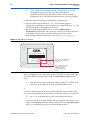
Figure 1–1: EthernetBlaster Communications Cable Ethernet Port, Target Port, and Base Views . . . . . . 1-3
Figure 1–2: Remote Connection via Network . . . . . . . . . . . . . . . . . . . . . . . . . . . . . . . . . . . . . . . . . . . . . . . . . . 1-5
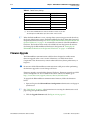
Figure 1–3: Connecting the EthernetBlaster Communications Cable to the Target Circuit Board . . . . . . 1-5
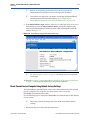
Figure 1–4: MAC Address & Host Name . . . . . . . . . . . . . . . . . . . . . . . . . . . . . . . . . . . . . . . . . . . . . . . . . . . . . . 1-6
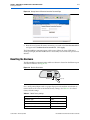
Figure 1–5: EthernetBlaster Configuration Administrative Page . . . . . . . . . . . . . . . . . . . . . . . . . . . . . . . . . . 1-7
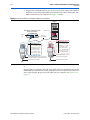
Figure 1–6: Direct Connection to a Computer Using a Crossover Cable . . . . . . . . . . . . . . . . . . . . . . . . . . . . 1-8
Figure 1–7: Direct Connection to a Computer Using a Standard Cable and a Crossover Adapter . . . . . . 1-9
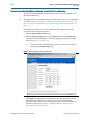
Figure 1–8: EthernetBlaster Change Settings Page . . . . . . . . . . . . . . . . . . . . . . . . . . . . . . . . . . . . . . . . . . . . . 1-10
Figure 1–9: EthernetBlaster Change Settings Page . . . . . . . . . . . . . . . . . . . . . . . . . . . . . . . . . . . . . . . . . . . . . 1-11
Figure 1–10: Hardware Setup Dialog Box . . . . . . . . . . . . . . . . . . . . . . . . . . . . . . . . . . . . . . . . . . . . . . . . . . . . 1-12
Figure 2–1: Change Admin Password Page . . . . . . . . . . . . . . . . . . . . . . . . . . . . . . . . . . . . . . . . . . . . . . . . . . . . 2-2
Figure 2–2: Change Quartus II Remote Connection Password Page . . . . . . . . . . . . . . . . . . . . . . . . . . . . . . . 2-3
Figure 2–3: Machine Reset button . . . . . . . . . . . . . . . . . . . . . . . . . . . . . . . . . . . . . . . . . . . . . . . . . . . . . . . . . . . . 2-3
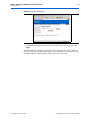
Figure 2–4: Upgrade Firmware Page . . . . . . . . . . . . . . . . . . . . . . . . . . . . . . . . . . . . . . . . . . . . . . . . . . . . . . . . . . 2-5
Figure 3–1: Ethernet Jack Pin Number Designations . . . . . . . . . . . . . . . . . . . . . . . . . . . . . . . . . . . . . . . . . . . . 3-2
Figure 3–2: EthernetBlaseter 10-Pin Female Target-Side Plug Dimensions . . . . . . . . . . . . . . . . . . . . . . . . . 3-2
Figure 3–3: 10-Pin Male Header Dimensions . . . . . . . . . . . . . . . . . . . . . . . . . . . . . . . . . . . . . . . . . . . . . . . . . . . 3-3
© July 2008
Altera Corporation
EthernetBlaster Communications Cable User Guide