1
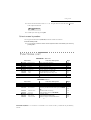
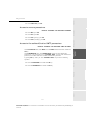
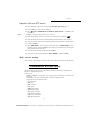
Scanned document send to PC application
Scanned document send to FTP server
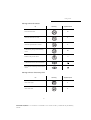
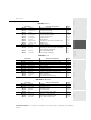
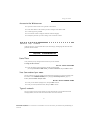
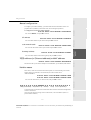
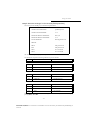
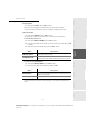
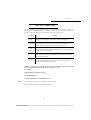
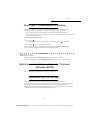
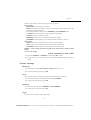
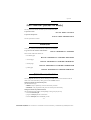
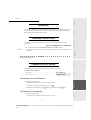
MAIN MENU 9: INTERNET
Functions
M 91 OK
-
M 92 OK
921 OK
9211 OK
9222 OK
9223 OK
922 OK
9221 OK
9222 OK
9223 OK
923 OK
9231 OK
9232 OK
9233 OK
9234 OK
924 OK
9241 OK
-
M 93 OK
-
IMMED ACCES
M 94 OK
941 OK
942 OK
943 OK
944 OK
945 OK
-
SETTINGS
M 95 OK
M 96 OK
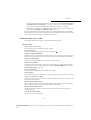
SUPPLIER
INIT PROVIDER
CONNECTION
CALL NUMB.
IDENTIFIER
PASSWORD
MESS. SERV
IDENTIFIER
PASSWORD
E-MAIL ADR
SERVERS
SMTP
POP3
DNS 1
DNS 2
SMTP AUTHENT.
ACTIVATION
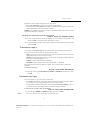
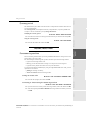
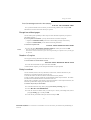
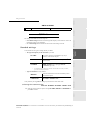
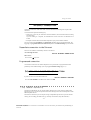
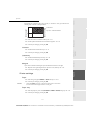
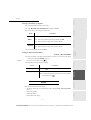
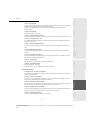
Function description
Choose the service provider (ISP)
Initialisation of your ProviderA
ISP parameters
ISP call number
ISP identifier
ISP password
Message service parameters
Message service identifier
Message service password
Message service e-mail address
SMTP, POP3 and DNS parameters
SMTP server
POP3 server
Primary DNS
Secondary DNS
SMTP authentification access parameters
SMTP authentification activation
Immediate access to ISPA
Page
p. 3-12
p. 3-12
p. 3-12
p. 3-12
p. 3-13
p. 3-13
p. 3-18
-
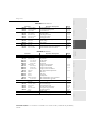
CONNEC. TYPE
SEND TYPE
PERIOD
DEPOSIT NOTI
PRINT
E-MAIL
p. 3-15
p. 3-16
p. 3-16
p. 3-4
p. 3-16
p. 5-6
-
SORT MESSAGES
Select the reception typeA
p. 3-16
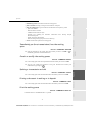
These menus will appear only with valid ISPN settings.
Installation
p. 3-12
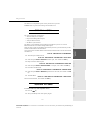
Internet settingsA
Select connection type
Select transmission type
Select the period of connection
Select to print a deposit notice
Print Internet settings
Send an e-mailA
A.
Getting started
-
Directory
-
Page
p. 5-18
p. 5-19
p. 5-18
p. 5-16
p. 5-16
p. 5-16
p. 5-16
p. 5-16
p. 5-12
p. 5-12
p. 5-12
p. 6-2
p. 6-2
p. 5-19
p. 5-7
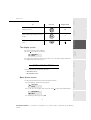
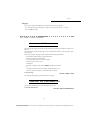
Operation
-
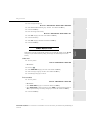
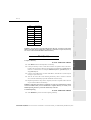
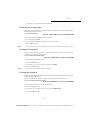
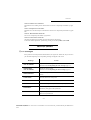
Function description
Activate dialling lock
Activate Internet settings lock
Activate SMS lock
See the activity counters
Sent pages counter
Received pages counter
Scanned pages counter
Printed pages counter
Scanner and printer settings
Scanner settings
Printer settings
Status of consumables
Maintenance
-
LOCK NUMBER
LOCK PARAMET
LOCK SMS
COUNTERS
SENT PAGES
RECEIVED PG
SCANNED PAGE
PRINTED PG
SCAN. & PRINT
SCANNER
PRINTER
CONSUMABLES
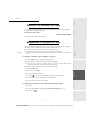
SCAN TO
SCAN TO PC
SCAN TO FTP
Safety
Functions
813 OK
814 OK
815 OK
M 82 OK
821 OK
822 OK
823 OK
824 OK
M 84 OK
841 OK
842 OK
M 85 OK
M 87 OK
871 OK
872 OK
Setting your
machine
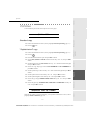
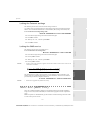
MAIN MENU 8: ADVANCED FCT
Contents
Getting started
2-7
Date en cours : 12 juillet 2004
\\Sct01002\Be31-doc\DOC 31 - En cours\Travaux en cours\Fax\MFL V 2\LU 251 524 337A MFL_V2 LASER PRO 346_348 GB\Getting
started.fm