1
Messages
English
Delete a number
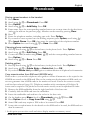
1. Press Menu.
2. Scroll using v/V to Message. Press OK.
3. Scroll using v/V to Caller List. The number of calls received will be displayed.
Press OK.
4. Select either New calls or All calls. Press OK.
5. Scroll to the required telephone number using v/V. Press Option.
6. Scroll using v/V to Delete Entry or Delete List. Press OK.
7. If you select Delete List press OK again to confirm.
Storing numbers in the Phonebook
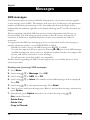
1. Press Menu.
2. Scroll using v/V to Message. Press OK.
3. Scroll using v/V to Caller List. The number of calls received will be displayed.
Press OK.
4. Select either New calls or All calls. The number of calls received will be
displayed. Press OK.
5. Scroll to the required telephone number using v/V. Press Option.
6. Scroll using v/V to Copy to Phoneb. Press OK.
7. Enter name. Press the corresponding number button one or more times for the first
letter (refer to the table on the previous page). Mistakes can be erased by pressing
Clear.
8. Press Option.
9. Scroll using v/V to Save. Press OK.
New Zealand Caller-ID (Only Australia/New Zealand version)
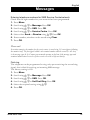
For correct operation with NZ CID service this setting must be active. The telephone
will add the required prefix in accordance with Telecom NZ guidelines. However if a
charge for local calls is unacceptable this setting should not be changed. The matching
with phone book will not work in New Zealand as the complete number is not sent
from the operator. The factory setting is OFF(=Australia).
1. Press Menu.
2. Scroll using v/V to Message. Press OK.
3. Scroll using v/V to Caller List. Press OK.
4. Scroll using v/V to NZ Caller-id. Press OK.
5. Select the required setting using v/V.
6. Press OK.
www.doro.com
21