1
mode selection & settings
Video
Timelapse
7
Photo
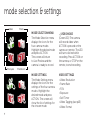
MODE SELECTION MENU
The Mode Selection menu
displays the icons for the
four camera modes.
Highlight the desired mode
and press ACTION.
The screen will return
to Live Preview and the
camera is ready to record.
VIDEO MODE
(Green LED) The camera
will record video when
ACTION is pressed on the
camera or remote. The LED
will turn solid red while
recording. Press ACTION on
the camera, or STOP on the
remote, to end recording.
MODE SETTINGS
The Mode Settings menu
displays the icons for the
settings of the four camera
modes. Highlight the
desired mode and press
ACTION. The screen will
show the list of settings for
the chosen mode.
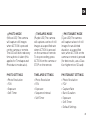
VIDEO SETTINGS
• Video Resolution
• Frame Rate
• FOV
• Exposure
• Self-Timer
• Video Tagging (see p10)
• Video Format
Photoburst